
-
From X-PAD Office Fusion is possible to access to the dedicated area on GeoMax Help portal in which are reported not only the user’s manual but many other resources as step-by-step guides and tutorials.
-
The content of the Help portal is displayed in a side bar integrated in the application.
-
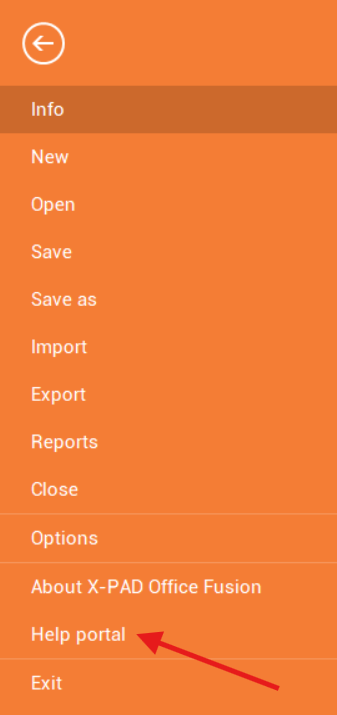
Click File.
-
Select Help portal.
-
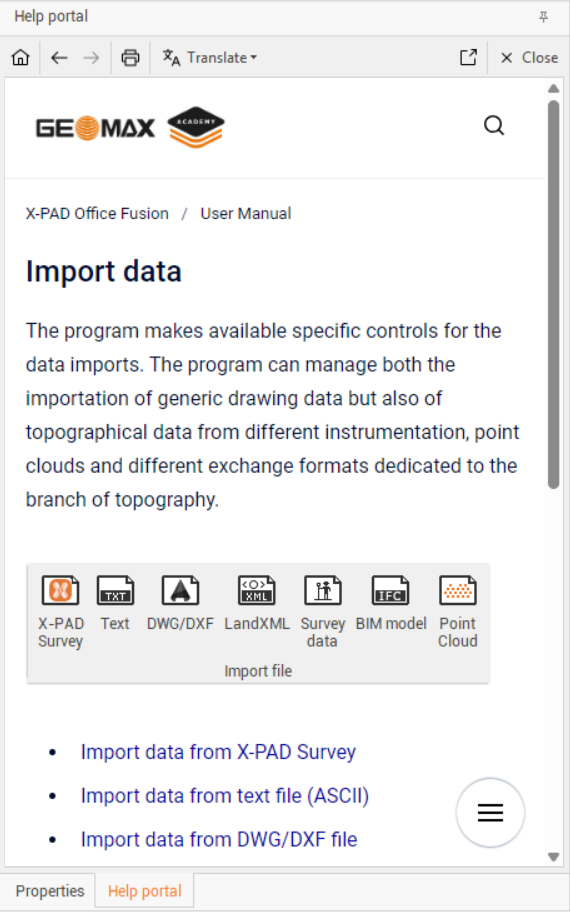
This opens the Help portal on the right panel.
-
You can navigate in the help portal to find information in the user manual or open the available video tutorials.
-
In the top bar there are useful commands to navigate in the help portal.
-
Home: navigate to the home page.
-
Back: move to back page.
-
Next: move to next page.
-
Print: allows to print the current opened page.
-
Translate: allows to translate the manual using Google Translate tool.
-
Open: opens the online manual in an external browser.
-
Close: closes the online manual.
-