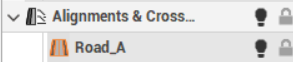
The creation of an alignment is required to allow the program to store the sections and profiles.
You can create a subproject of Sections groups in the following ways:
-
Click Alignments & x-sections.
-
Click New alignment.
-
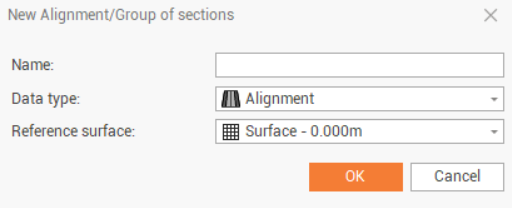
This command opens a new window.
-
Name: the alignment name.
-
Data type: select the type of cross sections:
-
Alignment: cross sections are along an alignment and calculated on a reference surface.
-
Topographic: see Cross sections .
-
Generic: see Cross sections .
-
-
Reference surface: the surface to use to calculate the cross sections along the alignment.
-
-
Click OK.
-
The subproject that you create will become the active Alignment and cross section subproject.
-
The subproject created will become the active subproject of category Alignment and cross section.