How to export data to X-PAD Office Fusion
X-PAD Fusion allows to import Zoom25/50 data in a specific format. This format has to be first imported in the total station.
After Fusion has been installed in the PC, open the folder C:\Program Files\GeoMax\X-PAD Office Fusion\Formats and copy the format file GMX_ZOOM2550.FRT to a USB pen drive within a folder called Formats.
Plug the USB pen drive into the Zoom total station and import the copied format file. To import the file select Transfer and Import and select the file.
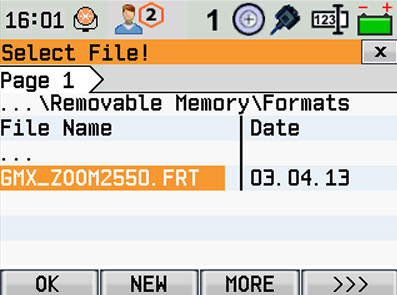
After the file has been imported, we can export using this format file.
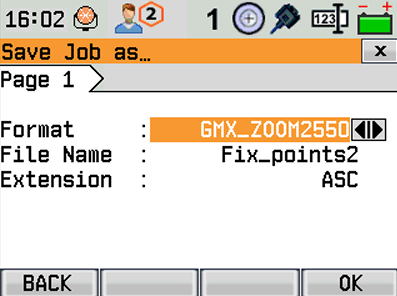
The file that has been exported using this format, can now be imported directly in X-PAD Office Fusion.
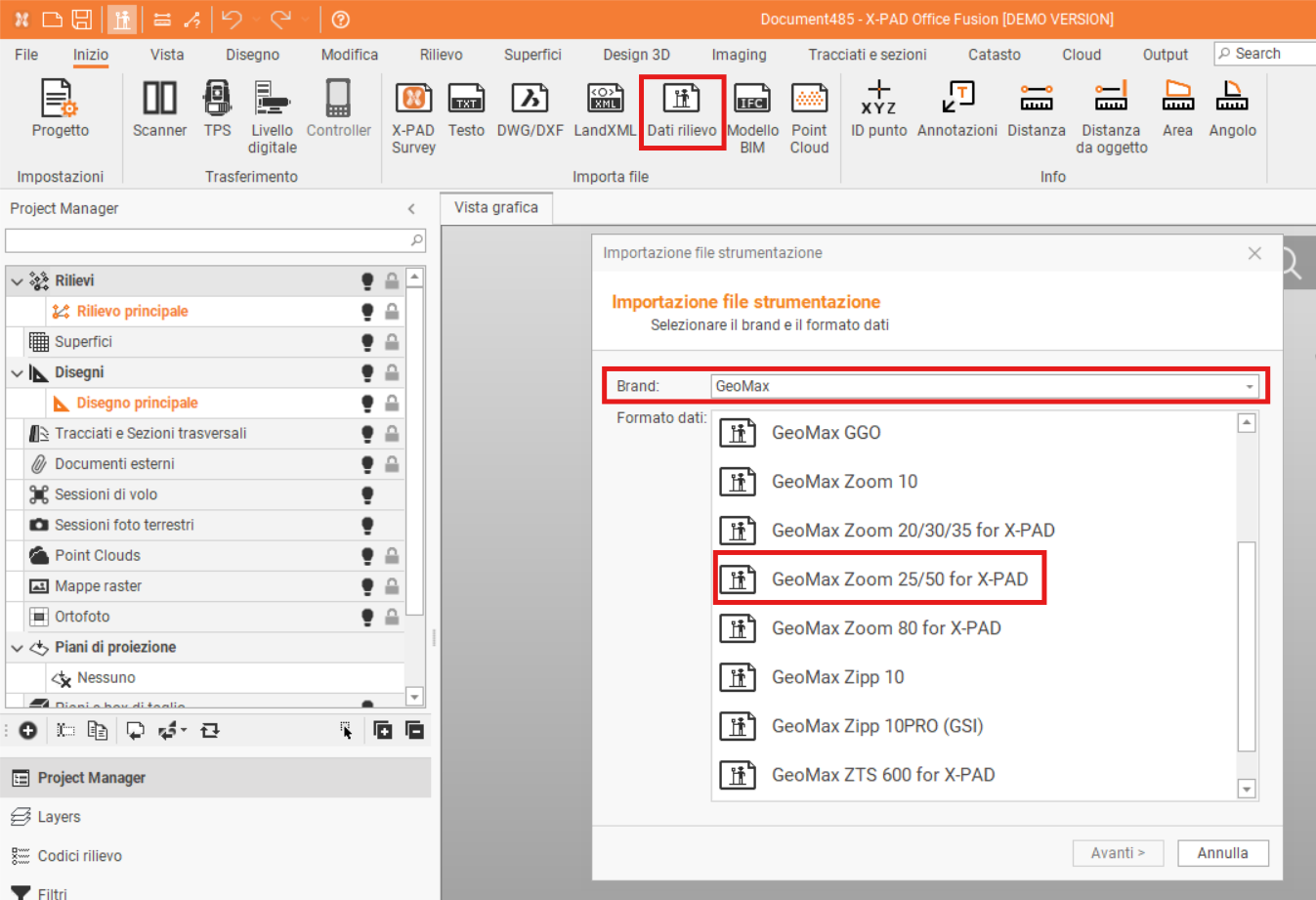
To import the file select Home and Survey data.
Then select GeoMax as Brand and GeoMax Zoom25/50 for X-PAD as Data format and import the file exported from total station.