
Working with X-PAD software on field controller
X-PAD Ultimate software is the field software for operating the Zoom25/50 remotely using Bluetooth connection.

For more information on how to use X-PAD software refer to the dedicated help portal.
Activate the Bluetooth on Zoom25/50
The first step to connect instrument to an external field controller is to turn on the Bluetooth.
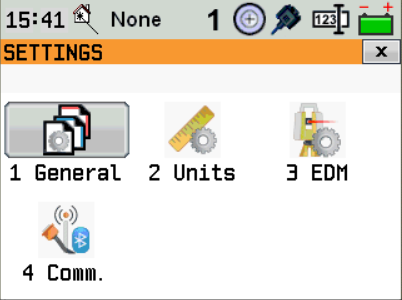
Click Settings and click Comm.
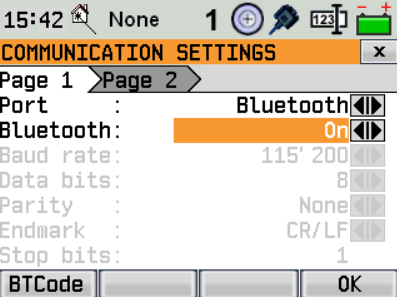
As Port select Bluetooth. Turn it on. Click OK.
Create a Zoom25/50 profile on X-PAD Ultimate
On X-PAD Ultimate, to create a profile for the Zoom25/50, click Settings.
Click GNSS & Total stations.
Click Add to create a new profile.
Select Total station (TPS).
Click Next.
The Profile page allows to enter the information on the profile type and instrument connected.
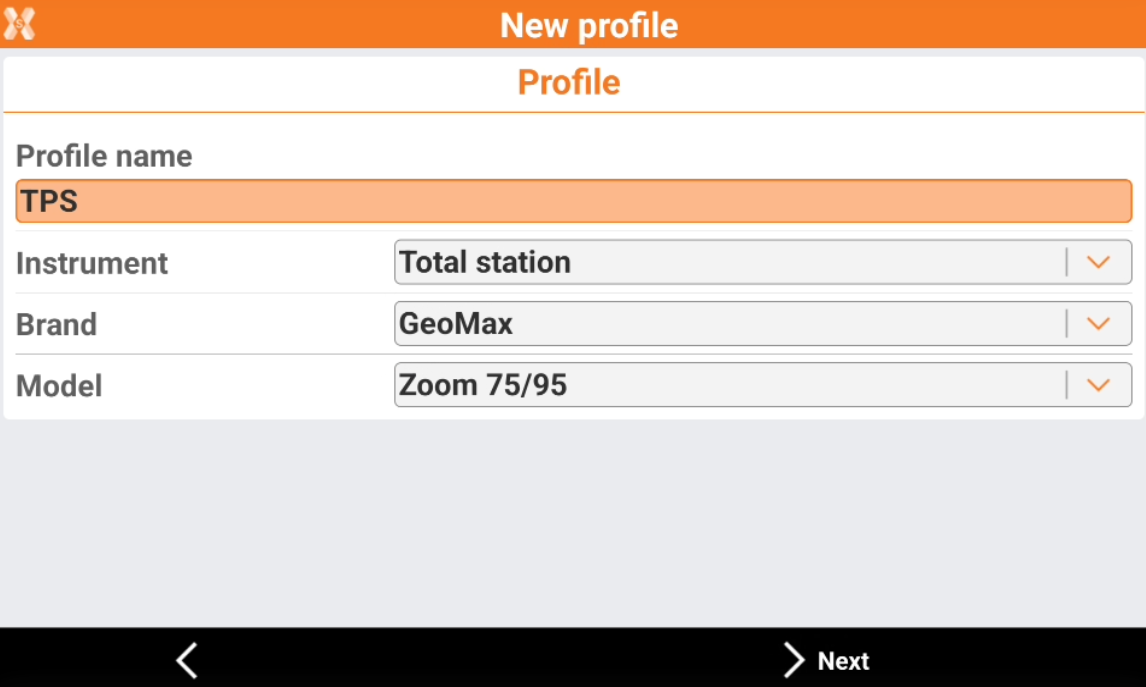
Profile name: name to assign to the profile
Brand: brand of the total station. Select GeoMax.
Model: model of the total station. Select Zoom25/50.
Click Next.
The Device page allows to define how the total station is connected to the software and search the instrument using the Bluetooth.
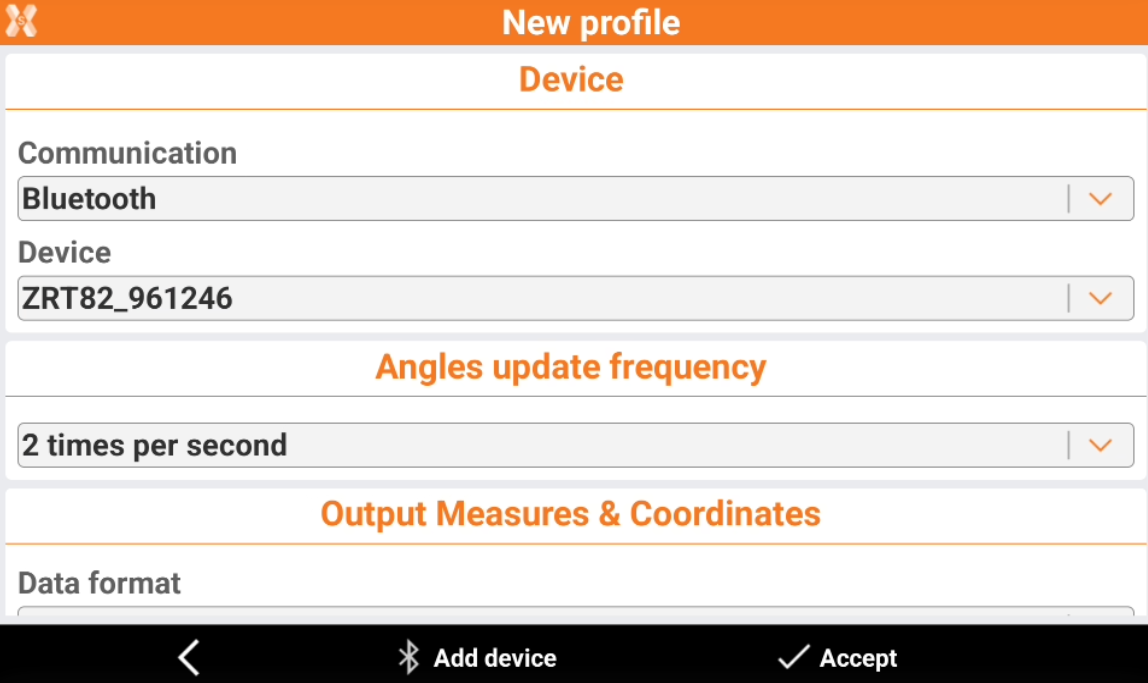
Communication: the communication method to the total station
Device: name of the Bluetooth to connect.
To start a search in case the instrument is not in the list, click Add device.
Click Accept to confirm the selection of the device.