
Layout mode
Use the command Layout mode to create drawings (topographic points and lines) by defining directions and distances.
It is also possible to add arcs and specify elevations as absolute values, elevation differences, or slopes.
Click Draw.
Click below Polyline to open drop down menu.
Click Layout mode.

Click in CAD to define the starting point.
This function opens a table on the right side of the window.
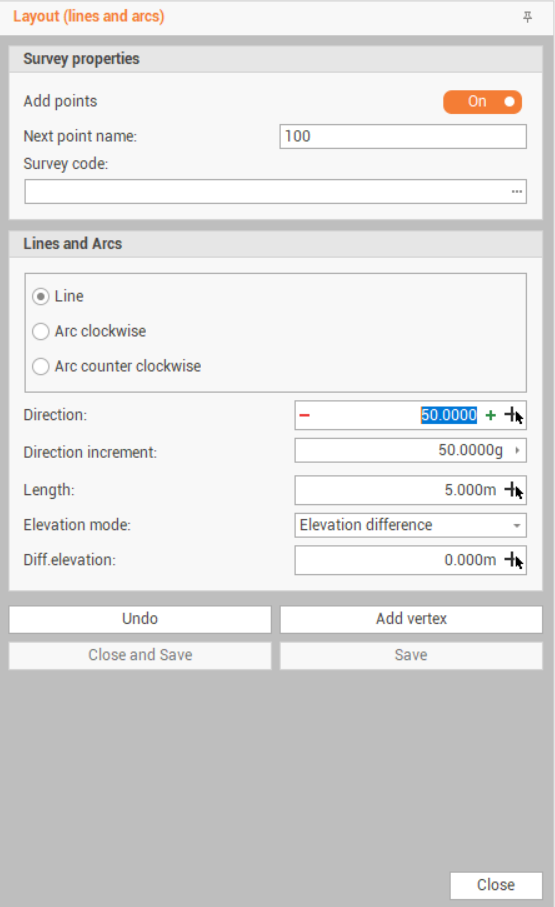
Add points : enables the creation of topographic points. If disabled the software creates only lines and arcs.
Next point name: if Add points is enabled, defines the point name.
Survey code: if Add points is enabled, defines the survey code for the points.
Line: select Line to create a new line
Direction: the line direction. Click + and - to increase the angle by the value in Direction increment, or click
 to pick the direction by two points in CAD.
Direction increment: the direction increment to be applied in Direction.
Length: the line length. Click
to pick the length by two points in CAD.Elevation mode: defines the elevation for the second point of the line.
Elevation difference: the elevation is calculated as elevation difference from the first point.
Absolute elevation: the elevation entered is the absolute elevation of the second point.
Slope: the elevation is calculated entering a slope value.
Arc: select Arc clockwise to create a new arc clockwise; select Arc counter clockwise o create a new arc counter clockwise. The arc can be defined by a combination of Angle, Radius, Length and Chord distance. Click
 to check what information to enter.
Direction: the arc starting direction. Click + and - to increase the angle by the value in Direction increment, or click
to pick the direction by two points in CAD.Angle: the angle of the arc.
Radius: the radius of the arc.
Length: the length of the arc.
Chord: the chord of the arc.
Elevation mode: defines the elevation for the second point of the line.
Elevation difference: the elevation is calculated as elevation difference from the first point.
Absolute elevation: the elevation entered is the absolute elevation of the second point.
Slope: the elevation is calculated entering a slope value.
Click Add vertex to add a new vertex to the polyline.
Click Undo to undo the last created vertex.
It is possible to use a combination of lines and arcs to create drawings.
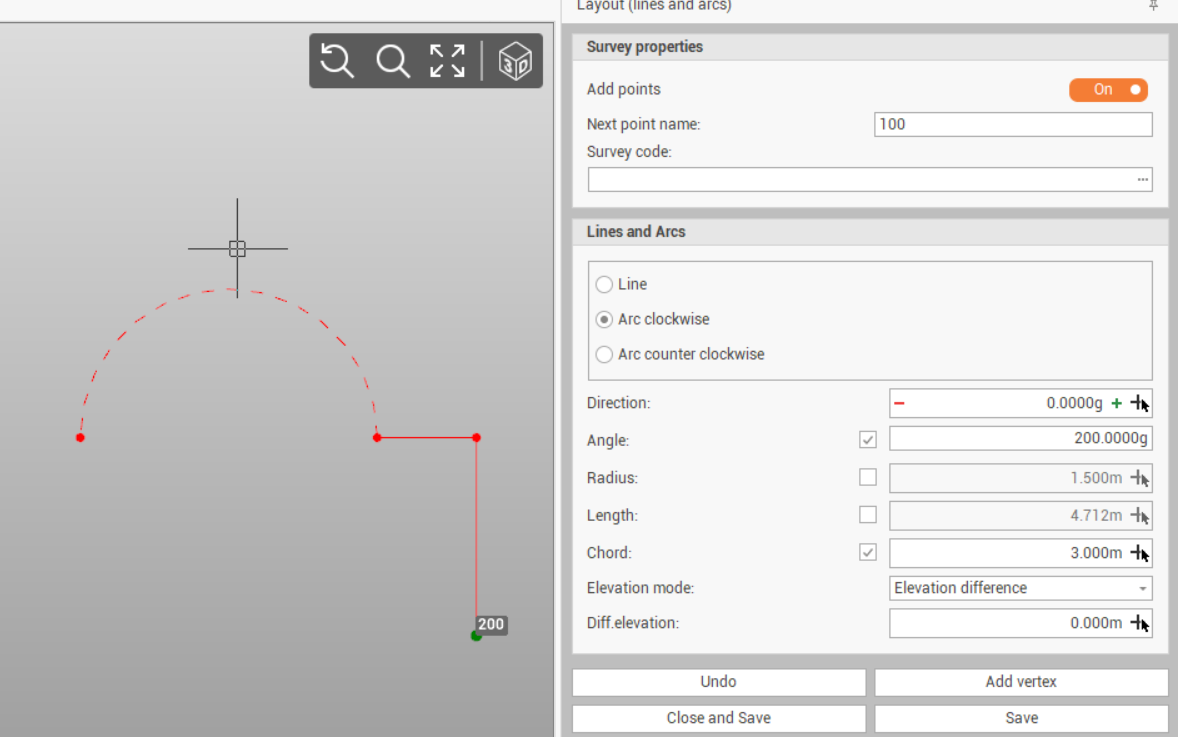
Click Close and Save to close the polyline and save the lines and points.
Click Save to save the lines and points without closing the polyline.