
When a projection plane is created, it is possible to save it and to enable/disable it.
-
Create a projection plane.
-
Click Save under projection plane menu to save the projection plane.
-
Enter a name for the projection plane.
-
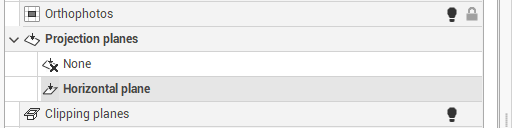
The projection plane is saved in the Project Manager.
-
In the Project Manager you can select the active projection plane. Click on None in the Project Manager to not use projection planes.
-
Or click on Cancel under projection plane menu.
