
Use the command Delete in Tools to delete specific drawing data (lines, arcs, blocks, labels, etc..) from selected drawing sub-project.
-
Click Edit.
-
Click Tools.

-
Click Delete from drop-down menu.
-
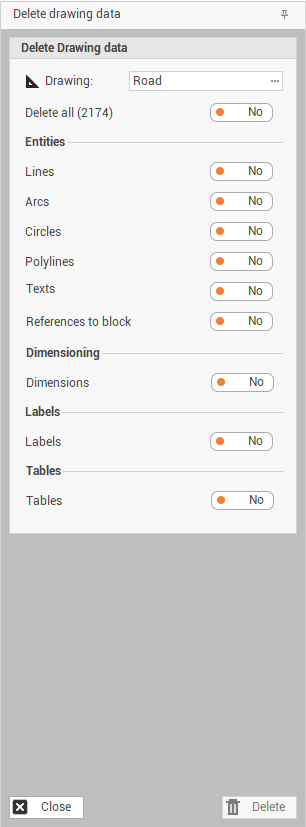
This function opens a table where to select the entities to delete.
-
Select what entities to delete from the selected drawing sub-project. Click Delete to confirm.