
Use the command Purge in Tools to delete unused elements from the project, for example unused blocks, layers, linetypes, etc.
This command is useful to clean imported drawing data
-
Click Edit.
-
Click Tools.

-
Click Purge drawing data from drop-down menu.
-
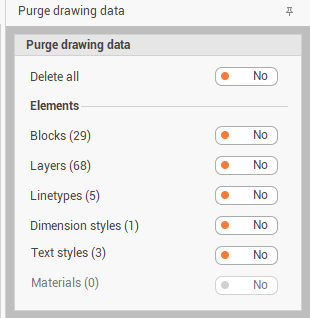
This function opens a table where to select the entities to purge.
-
Select what elements to purge. Only unused elements are removed from the project.