
-
A project template is a project that contains personal settings, such as layers and coordinate systems. All new projects will inherit these settings.
-
To create a project template create a new project with the desired settings but without data such as points, measurements, drawing elements or surfaces.
-
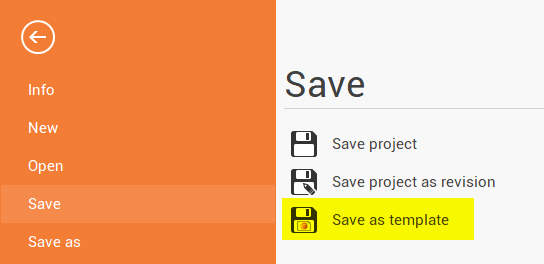
Click Save on the lateral bar.
-
Click Save as template.
-
Enter a name for the template
-
The templates are saved in:
C:\ProgramData\GeoMax\X-PAD Office Fusion\Templates
After saving a template, you can start a new project using it by selecting New → From template