-
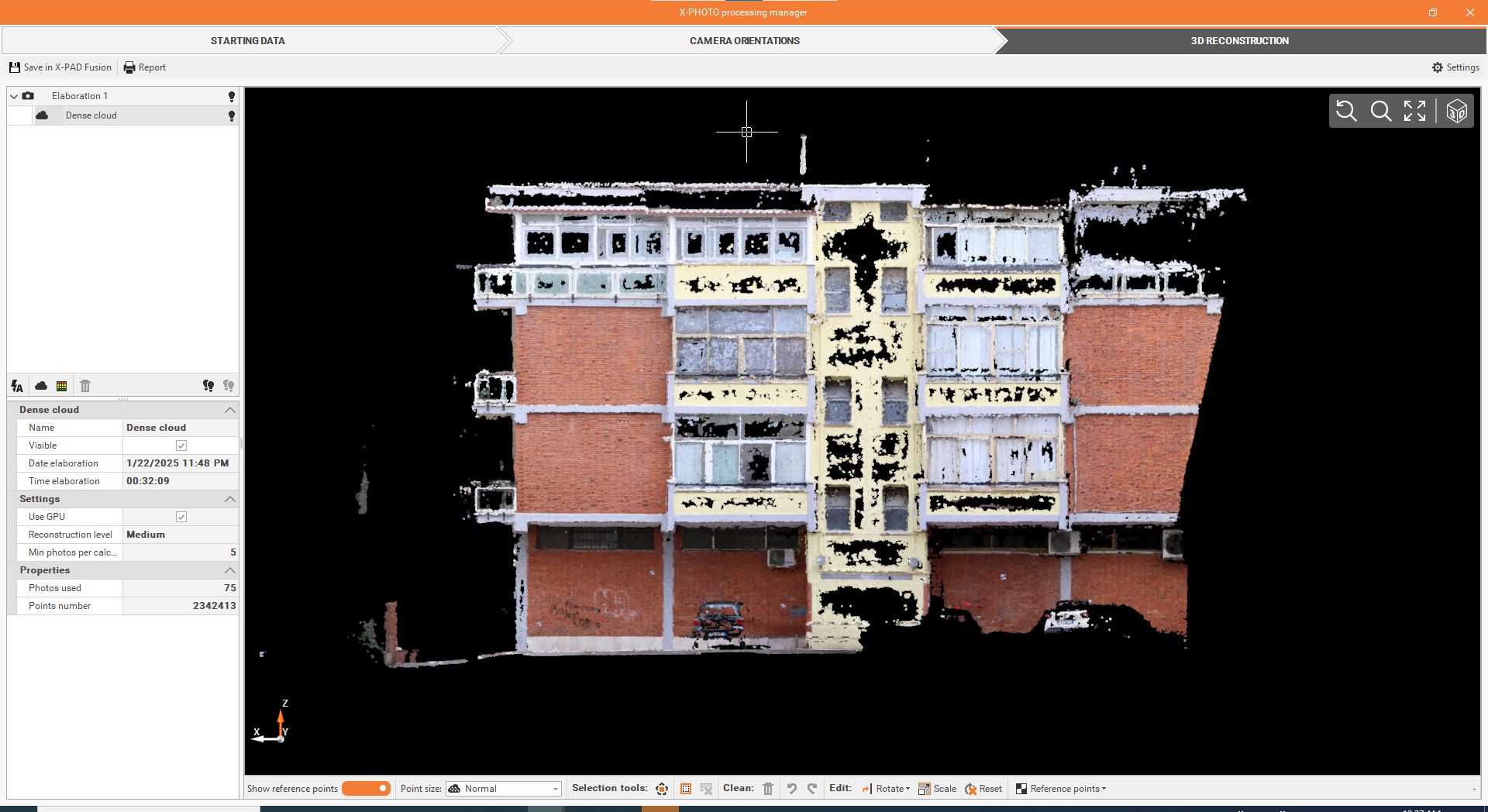
From the 3D reconstruction settings, select Elaborate Dense Cloud.
-
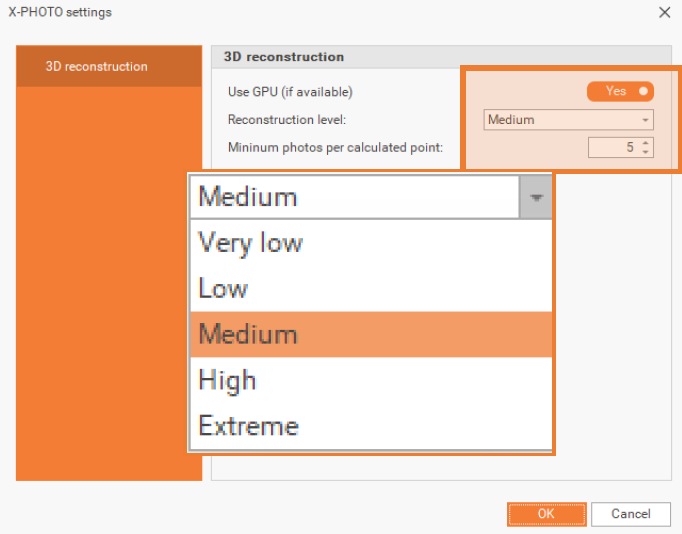
Define the settings, from.
-
Use GPU (if available): allows to improve the calculation using the dedicated GPU (Graphic Processing Unit). By using GPU, you can increase the number of points created with the same reconstruction level.
-
Elaborate dense point cloud: from Elaborate Dense Cloud, you can run Dense Cloud process and create the corresponding Points Cloud in a selected reconstruction level. Dense cloud can be processed in: Very low, Low, Medium, High or Extreme resolution.
-
Minimum photos per calculated point: this setting specifies the minimum number of photos a point must appear in to be included in the 3D reconstruction, for a better accuracy using a reduced total number of points.
-
-
Click OK.
-
Once you’re satisfied with the results, you can proceed with the next elaborations.