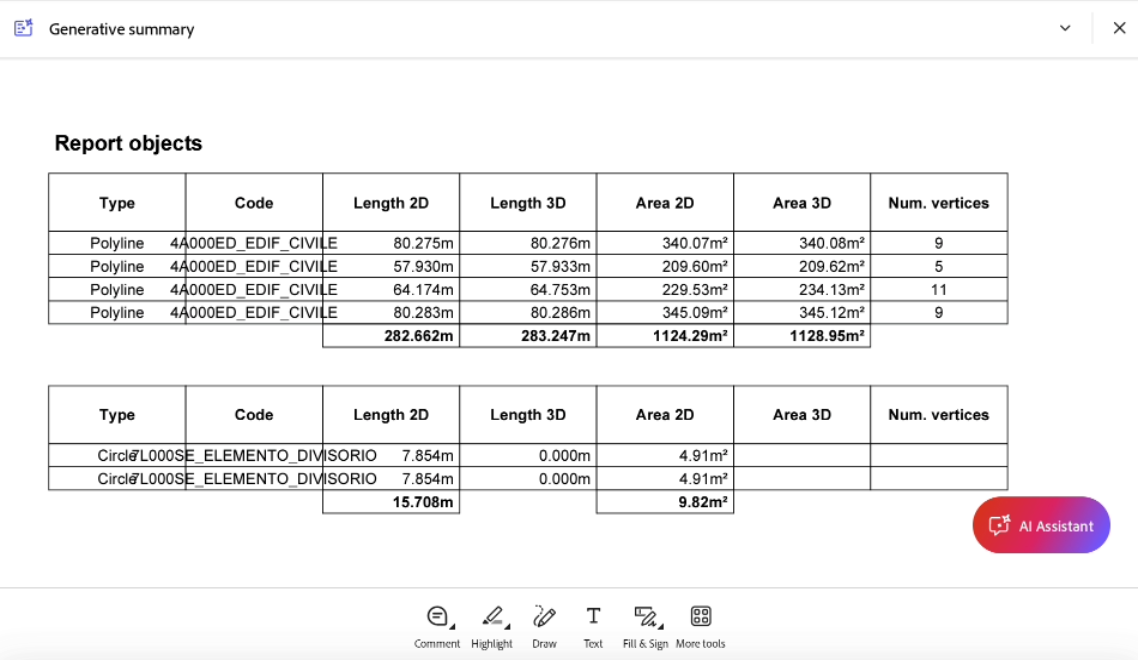
CAD report
 |
| 
The Report creates a document that has information about selected objects including information about the length, the area and the number of vertices.
Select Info.
Select Report.
Select the objects in the CAD for which you want to generate.
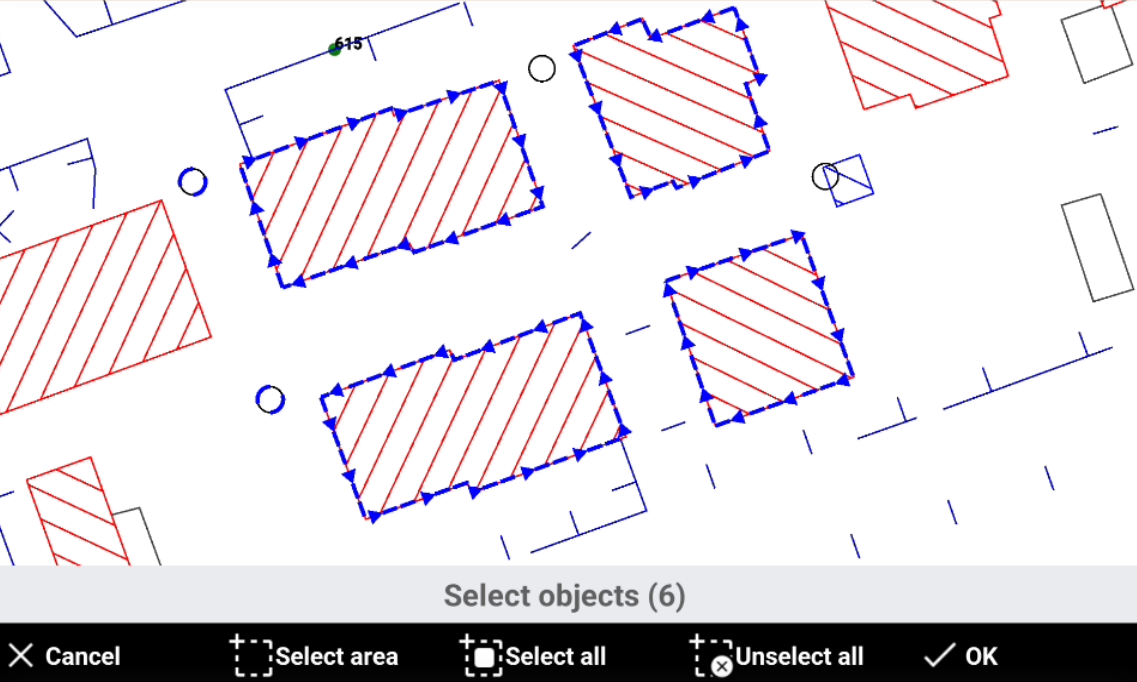
Cancel: cancel the current operation.
Select area: select all objects inside the defined area.
Select all: select all CAD objects.
More options: after object are selected, click here to access additional options:
Select all: select all CAD objects.
Unselect all: unselect all CAD objects that have been selected.
Invert selection: inverts the selection. Selected elements become unselected, and unselected elements become selected.
OK: confirms the selection.
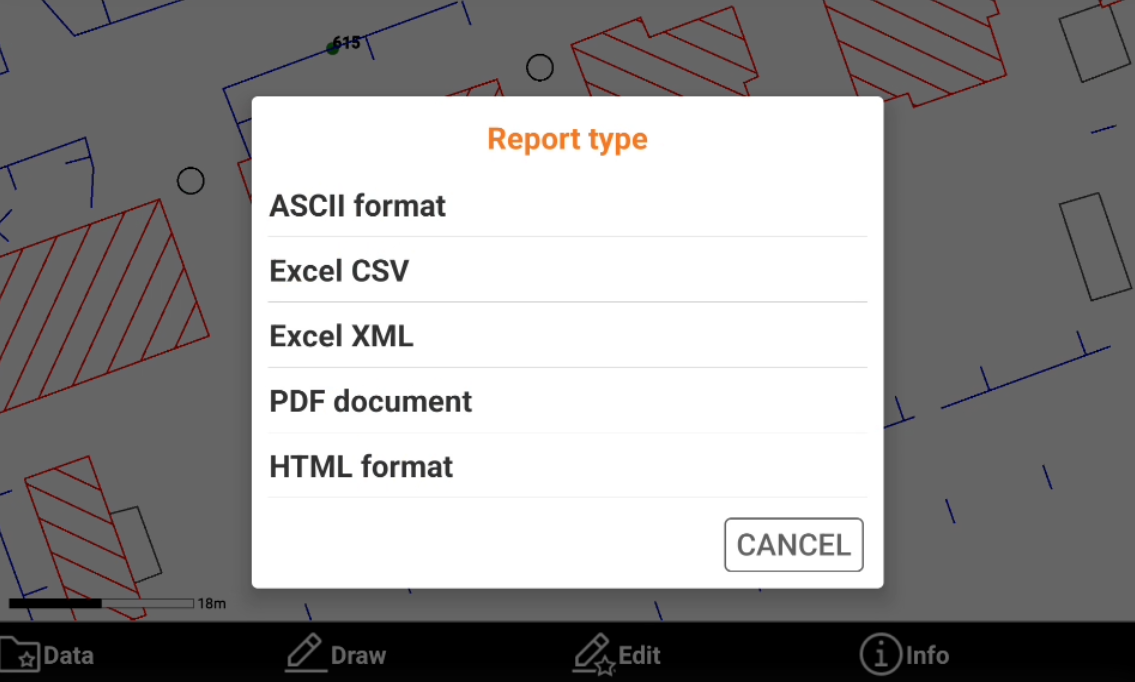
Select the report type from the list.
Save or export the generated report.