
Starting bathymetric survey
 + BATHYMETRY

For a bathymetric survey a GNSS receiver profile or a TPS profile and an echosounder profile must be available.
Click Survey.
Click Bathymetric survey.
Before starting acquisition of points, set the functioning parameters and rules.
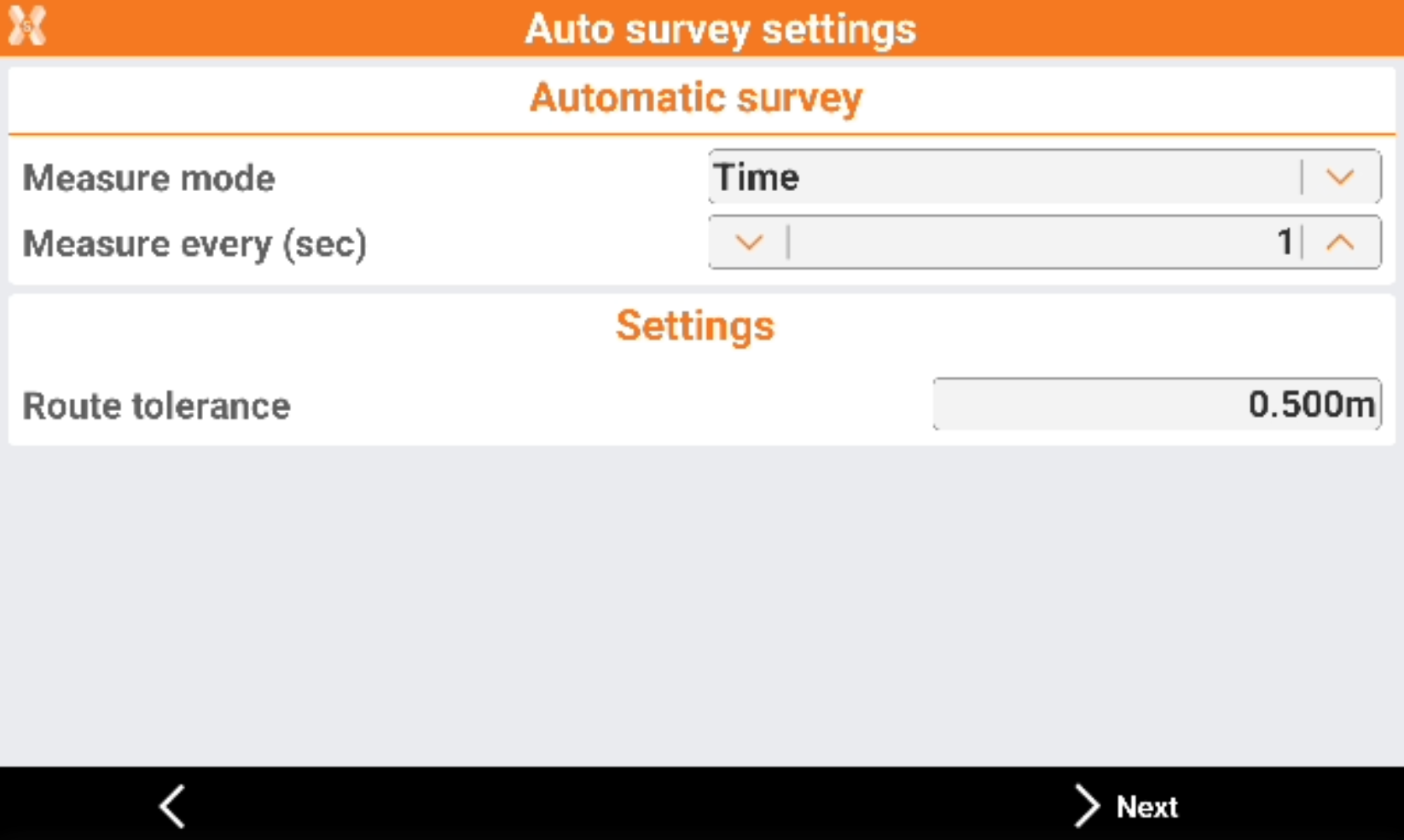
Mode: mode to use for automatic survey of points.
Time: position is acquired at preset intervals of time.
Distance 2D: position is acquired at preset intervals of horizontal distance.
Depth: the position is acquired at fixed intervals of difference in depth.
Single positions: the position is acquired manually pressing the Store point.
Route tolerance: the acceptable distance from the route. A navigation arrow shows the distance from the route. If the value is exceeded, the software shows the direction to come back to the route.
Measure every (sec): available for Time mode. Set the interval of time between every automatic acquisition of position.
Measure every (sec): available for Distance 2D mode. Set the interval of horizontal distance that must be between position to acquire and previously acquired position.
Measure every (sec): available for Depth mode. Set the depth interval that must between the depth to be acquired and the depth acquired previously.
Click Next to continue to define the settings.
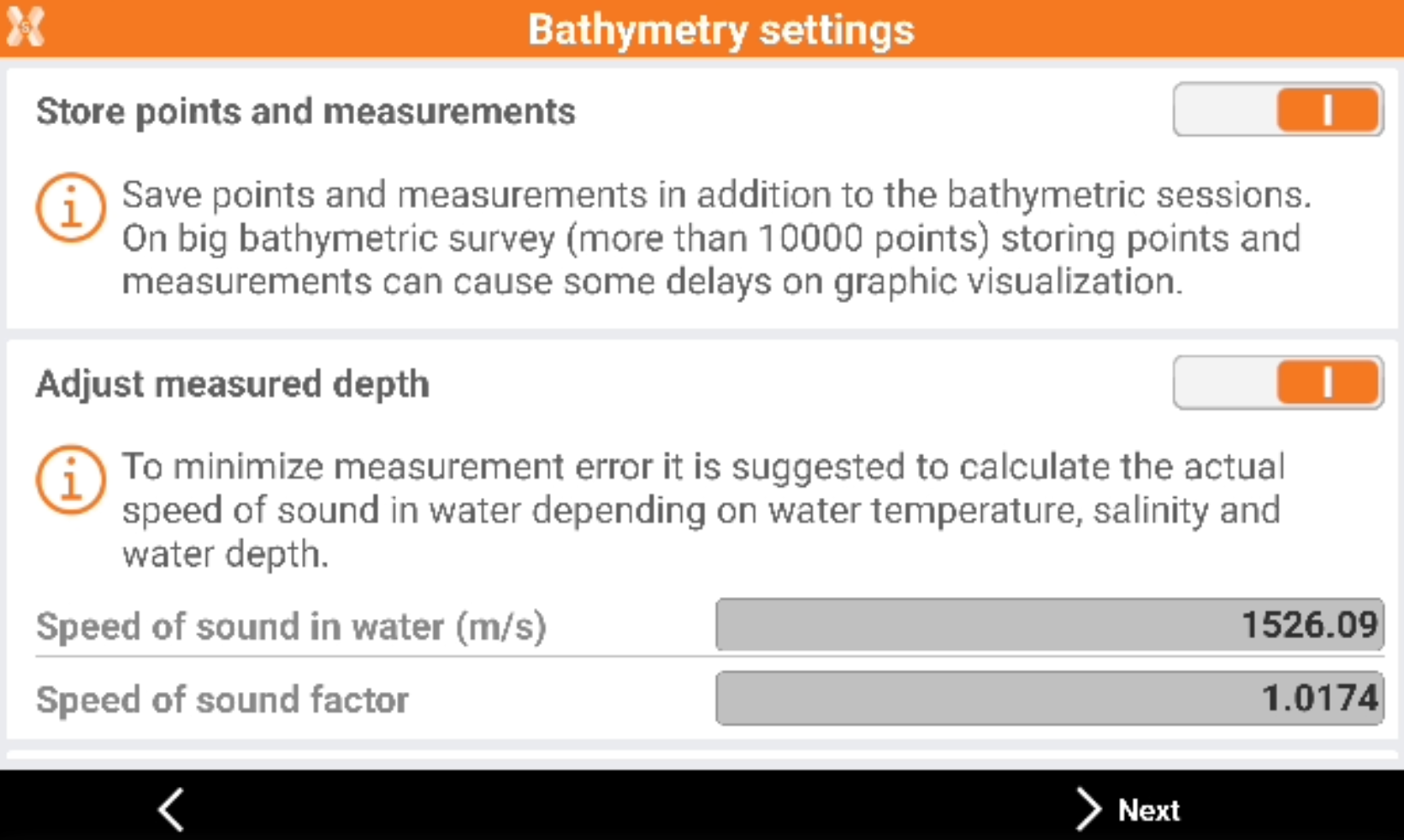
Store points and measurements: enables the saving of points and measurements in addition to the bathymetric sessions.
Adjust measured depth: the measured depth is adjusted depending on the speed of sound in water.
Water temperature (°C): the water temperature used to calculate the speed.
Water salinity (‰): the water salinity used to calculate the speed.
Water depth: the average water depth.
Speed of sound (m/s): the speed of sound.
Click Next to start the survey.
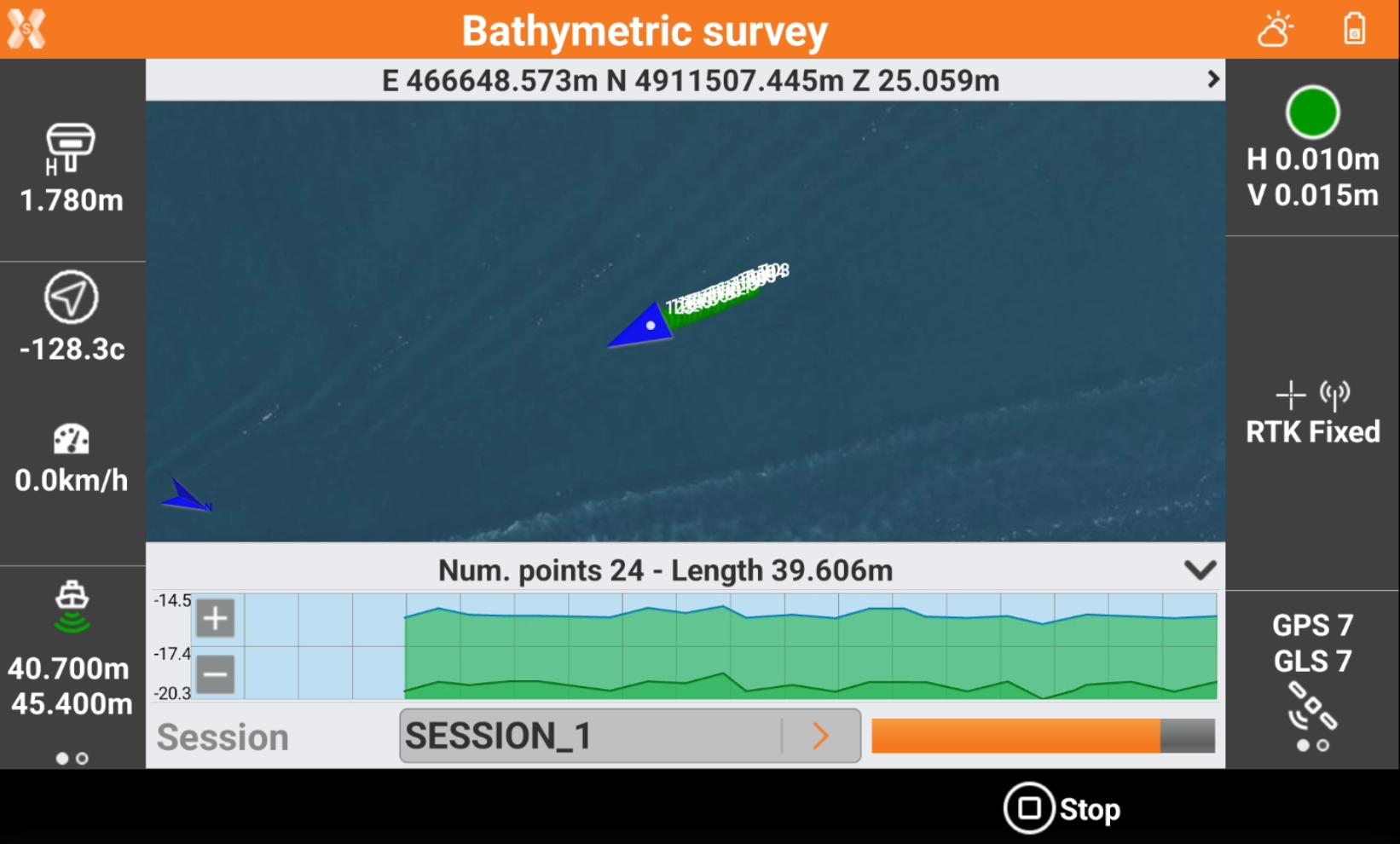
The left bar shows the elevation information:
 : depth received from echosounder.
 : altitude of the land below sea level calculated as GNSS elevation - echosounder depth.
The bottom bar shows the profile measurement.
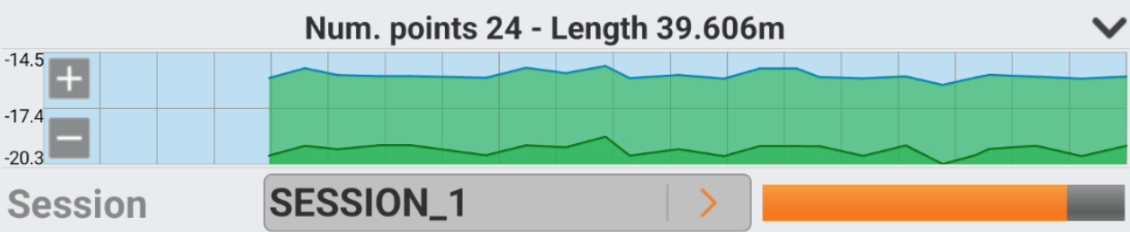
Click Start session to start the session of the bathymetric survey.
Click Stop session to stop the session of the bathymetric survey.
If echosounder is a dual beam echosounder, the information are reported for the two received elevations.