
-
The battery must be charged before using it for the first time.
-
Zenith55 has 2 compartments for the batteries.
-
The batteries are inserted at the bottom of the Zenith55.
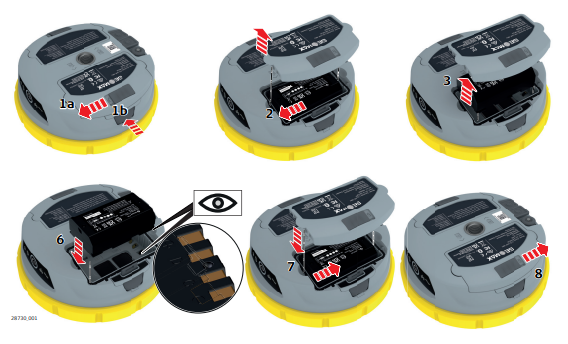
-
To remove a battery:
-
Push the slide fastener of the battery compartment in the direction of the open-lock symbol.
-
Press the button to open the battery compartment.
-
-
Push the battery sideward to release the battery from its fixed position.
-
Remove the battery.
-
To insert the battery, push the slide fastener of the battery compartment in the direction of the open-lock symbol.
-
Open the battery compartment.
-
Insert the battery into the battery compartment aligning the contacts.
-
Slide the battery in the compartment so that it locks into position.
-
Close the battery compartment and push the slide fastener in the direction of the closed-lock symbol.