
Setting Up as a Real-Time Rover
-
The following equipment setup is used for real-time rover.
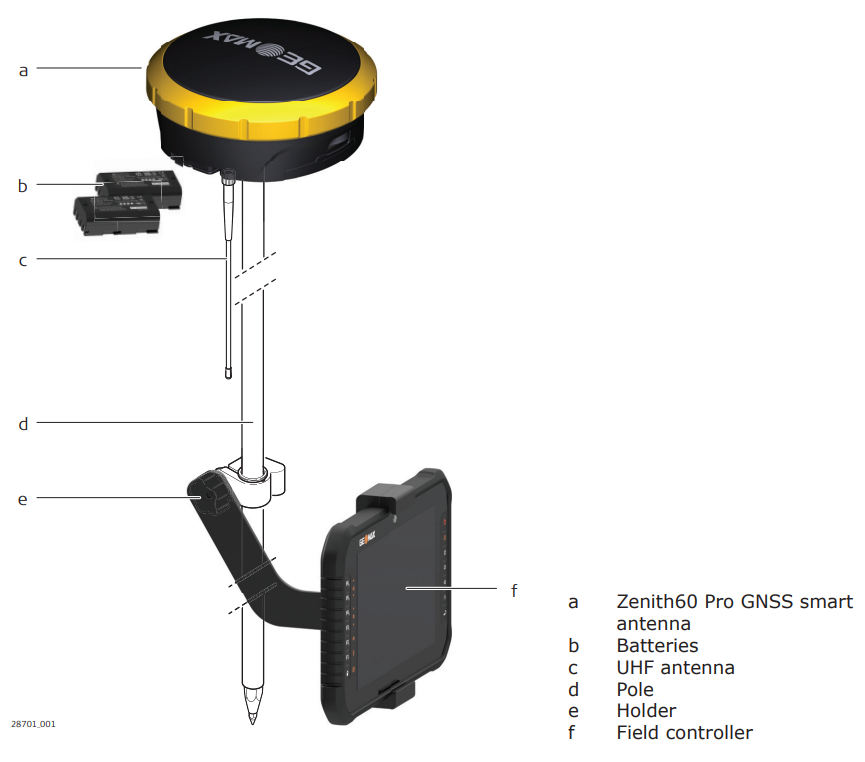
-
Attach the field controller to the pole. Clip the field controller into the holder and lock it by tightening the screw on the holder.
-
Turn on the field controller.
-
Insert the batteries into the GNSS smart antenna.
-
Connect the UHF antenna to the GNSS smart antenna. This connection is only required when using the internal radio.
-
Press ON/OFF button on the GNSS smart antenna for 2 s to switch on the GNSS smart antenna.
-
Screw the GNSS smart antenna on to the top of the pole.
-
Connect X-PAD software on field controller to the GNSS smart antenna through Bluetooth.
Setting up as a Real-Time Base
-
This procedure shows how to setup the Zenith60 Pro to work as real-time base.
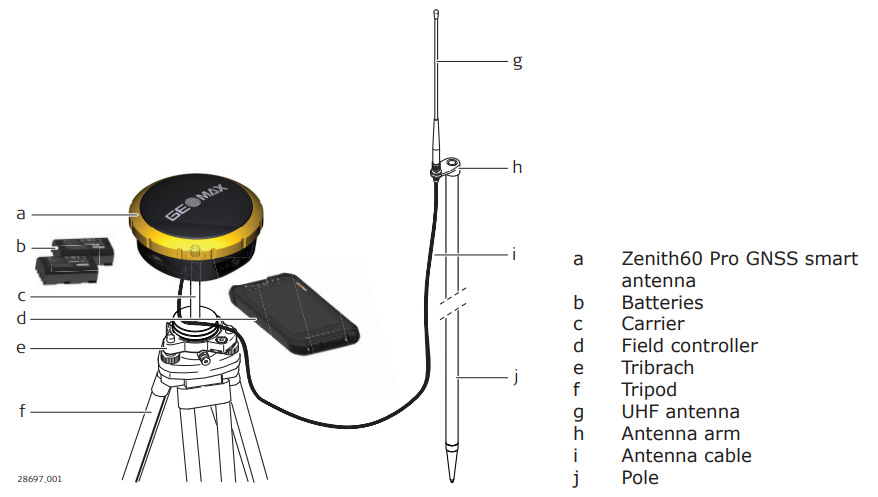
-
Set up the tripod.
-
Mount the tribrach on the tripod.
-
Ensure that the tribrach is over the marker.
-
Mount and level the carrier on the tribrach.
-
Insert the batteries into the instrument.
-
Connect the UHF antenna to the instrument using the antenna arm and the antenna cable.
-
Press the ON/OFF button on the instrument for 2 s to switch on the instrument.
-
Screw the instrument onto the carrier.
-
Check that the tribrach and carrier are still level. 1
-
Connect X-PAD software on field controller to the GNSS smart antenna through Bluetooth.
-
Measure the instrument height using the measuring tape. Refer toInstrument components for information on the instrument height (ARP).
-
Start the base using X-PAD software (see X-PAD Ultimate).
The base can also be started from Zenith60 Pro Web Interface.
Setting up as a Post-Processing Base
-
The following equipment setup is used for static operations over markers.
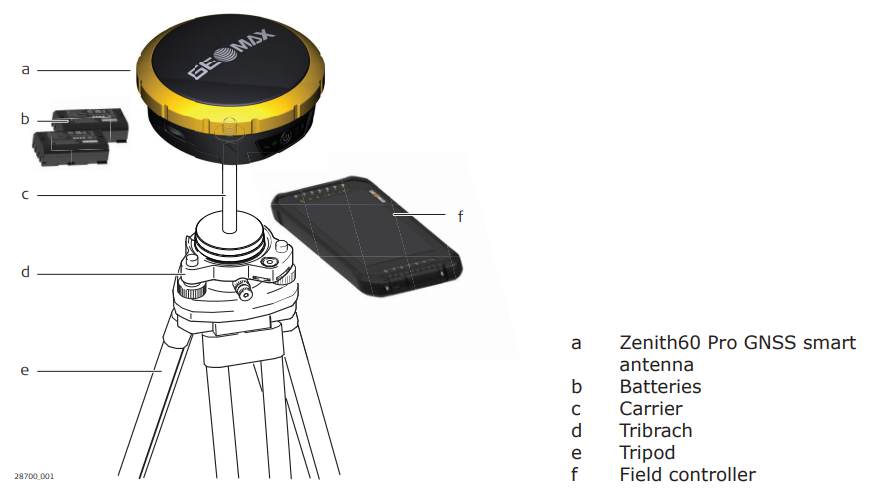
-
Set up the tripod.
-
Mount the tribrach on the tripod.
-
Ensure that the tribrach is over the marker.
-
Mount and level the carrier on the tribrach.
-
Insert the batteries into the instrument.
-
Press the ON/OFF button on the instrument for 2 s to switch on the instrument.
-
Screw the instrument onto the carrier.
-
Check that the tribrach and carrier are still level.
-
Connect the field controller to the GNSS smart antenna through Bluetooth.
-
Measure the instrument height using the measuring tape. Refer toInstrument components for information on the instrument height (ARP).
-
Start the base using X-PAD software (see X-PAD Ultimate).
-
Connect X-PAD software on field controller to the GNSS smart antenna through Bluetooth.
-
Measure the instrument height using the measuring tape. Refer toInstrument components for information on the instrument height (ARP).
-
Start the raw data logging using X-PAD software (see X-PAD Ultimate).
The raw data logging can also be started from Zenith60 Pro Web Interface.