
Instrument components
-
Instrument components from instrument face II.
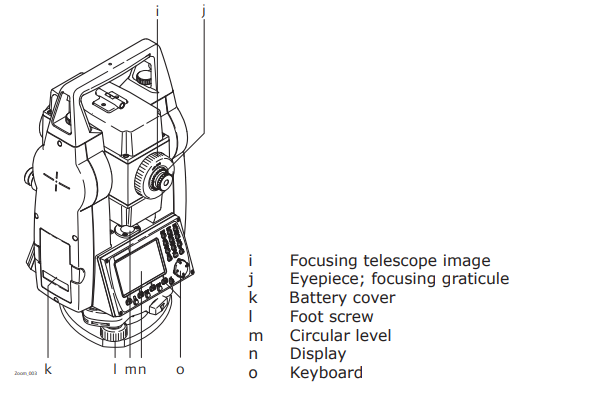
-
Instrument components from instrument face I.
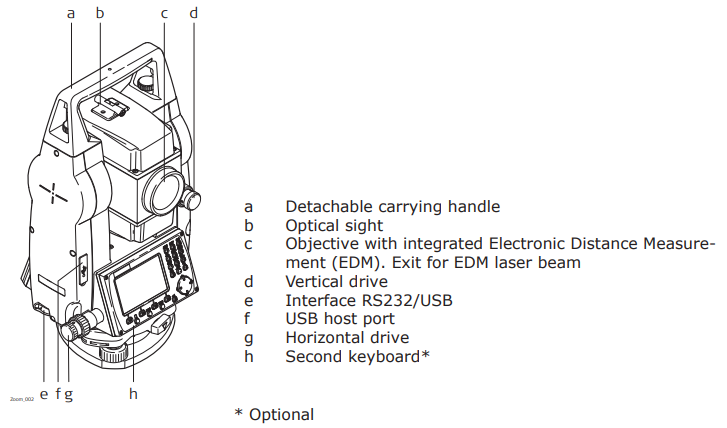
User interface
The keyboard layout may differ depending on the instrument model.
-
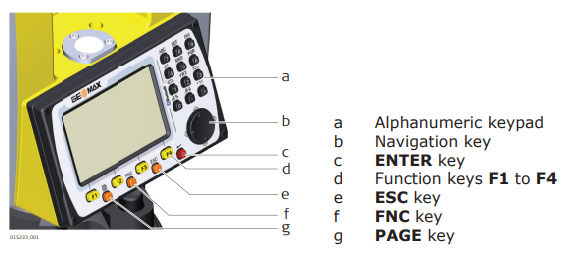
Keyboard.
-
Keys:
-
Page key : displays the next screen when several screens are available.
-
FNC key : quick-access to measurement supporting functions.
-
Navigation key: controls the focus bar within the screen and the entry bar within a field.
-
ENTER key: confirms an entry and continues to the next field.
-
ESC key: quits a screen or edit mode without saving changes. Returns to next higher level.
-
F1 to F4 function keys : function keys that are assigned the variable functions displayed at the bottom of the screen.
-
Alphanumeric keypad: for entry of text and numerical values.
-
-
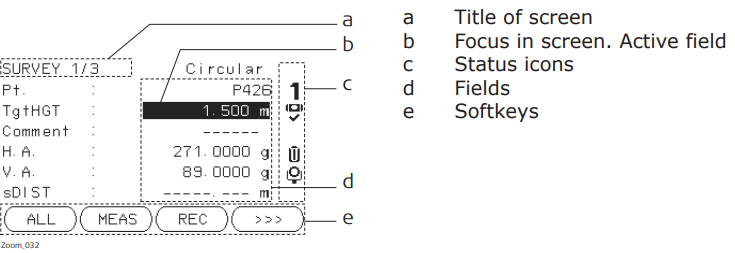
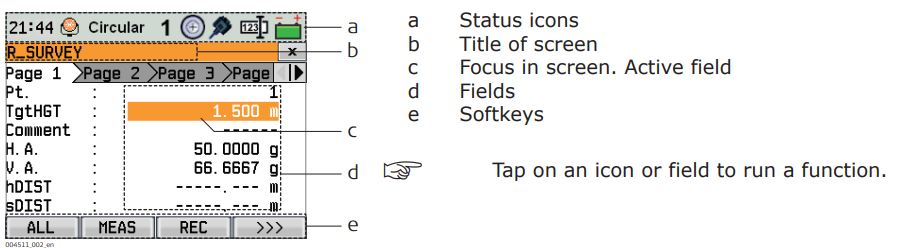
Screen:
-
Black&White screen.
-
Color&Touch screen.
-