
-
X-PAD Ultimate software is the field software for operating the Zoom25/50 remotely using Bluetooth connection.
For more information on how to use X-PAD software refer to the dedicated help portal.
Activate the Bluetooth on Zoom25/50
-
The first step to connect instrument to an external field controller is to turn on the Bluetooth.
-
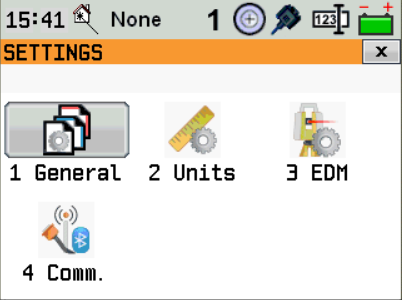
Click Settings and click Comm.
-
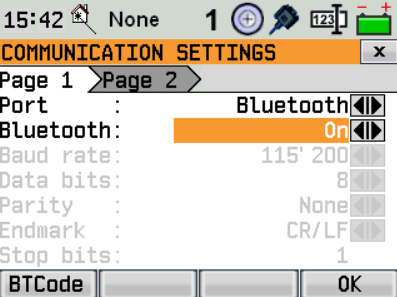
As Port select Bluetooth. Turn it on. Click OK.
Create a Zoom25/50 profile on X-PAD Ultimate
-
On X-PAD Ultimate, to create a profile for the Zoom25/50, click Settings.
-
Click GNSS & Total stations.
-
Click Add to create a new profile.
-
Select Total station (TPS).
-
Click Next.
-
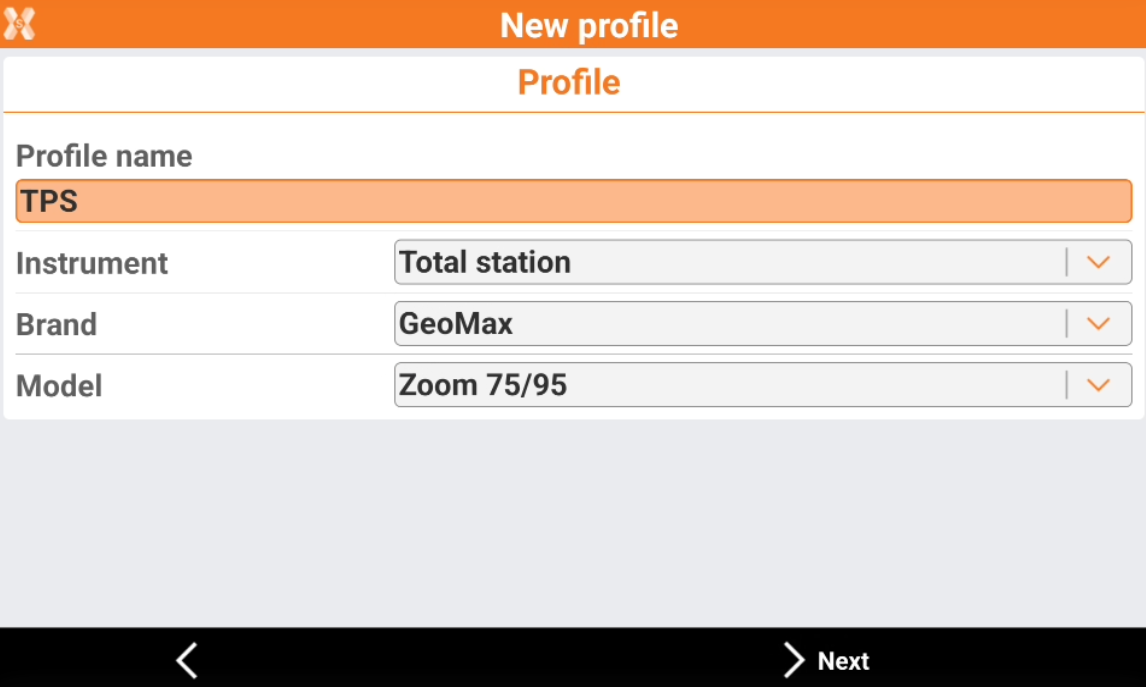
The Profile page allows to enter the information on the profile type and instrument connected.
-
Profile name: name to assign to the profile
-
Brand: brand of the total station. Select GeoMax.
-
Model: model of the total station. Select Zoom25/50.
-
-
Click Next.
-
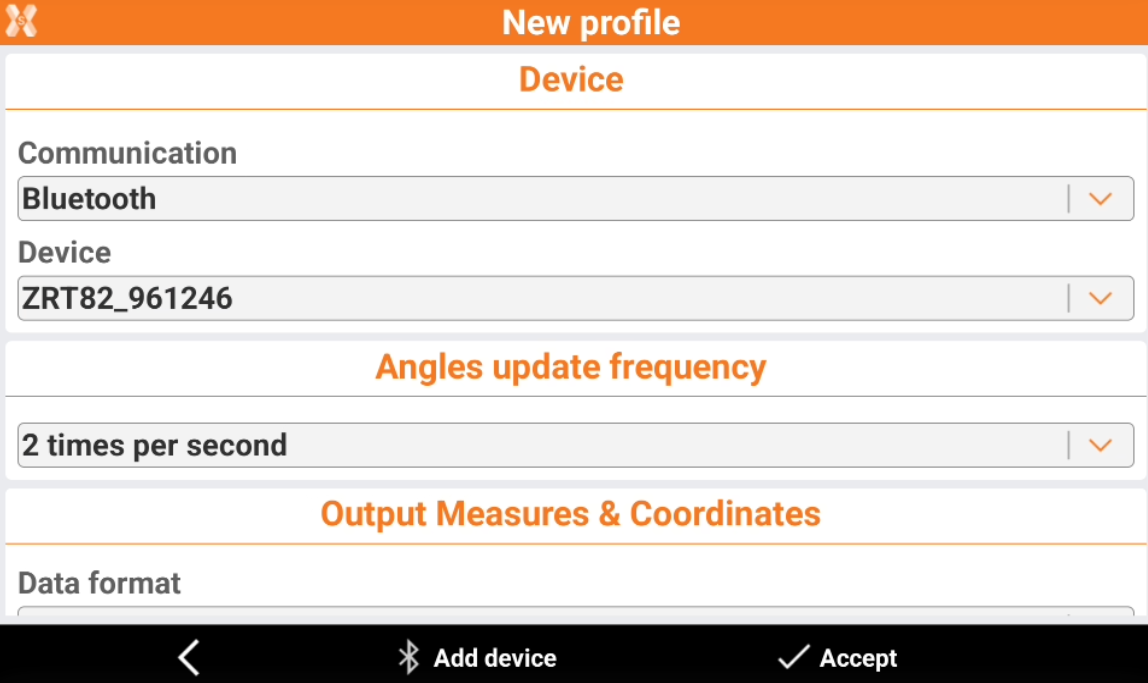
The Device page allows to define how the total station is connected to the software and search the instrument using the Bluetooth.
-
Communication: the communication method to the total station
-
Device: name of the Bluetooth to connect.
-
-
To start a search in case the instrument is not in the list, click Add device.
-
Click Accept to confirm the selection of the device.