
The available resources and icons depend on available license and account type.
-
Login at the page https://x-pad365.geomax-positioning.com/ to open the web-based application.
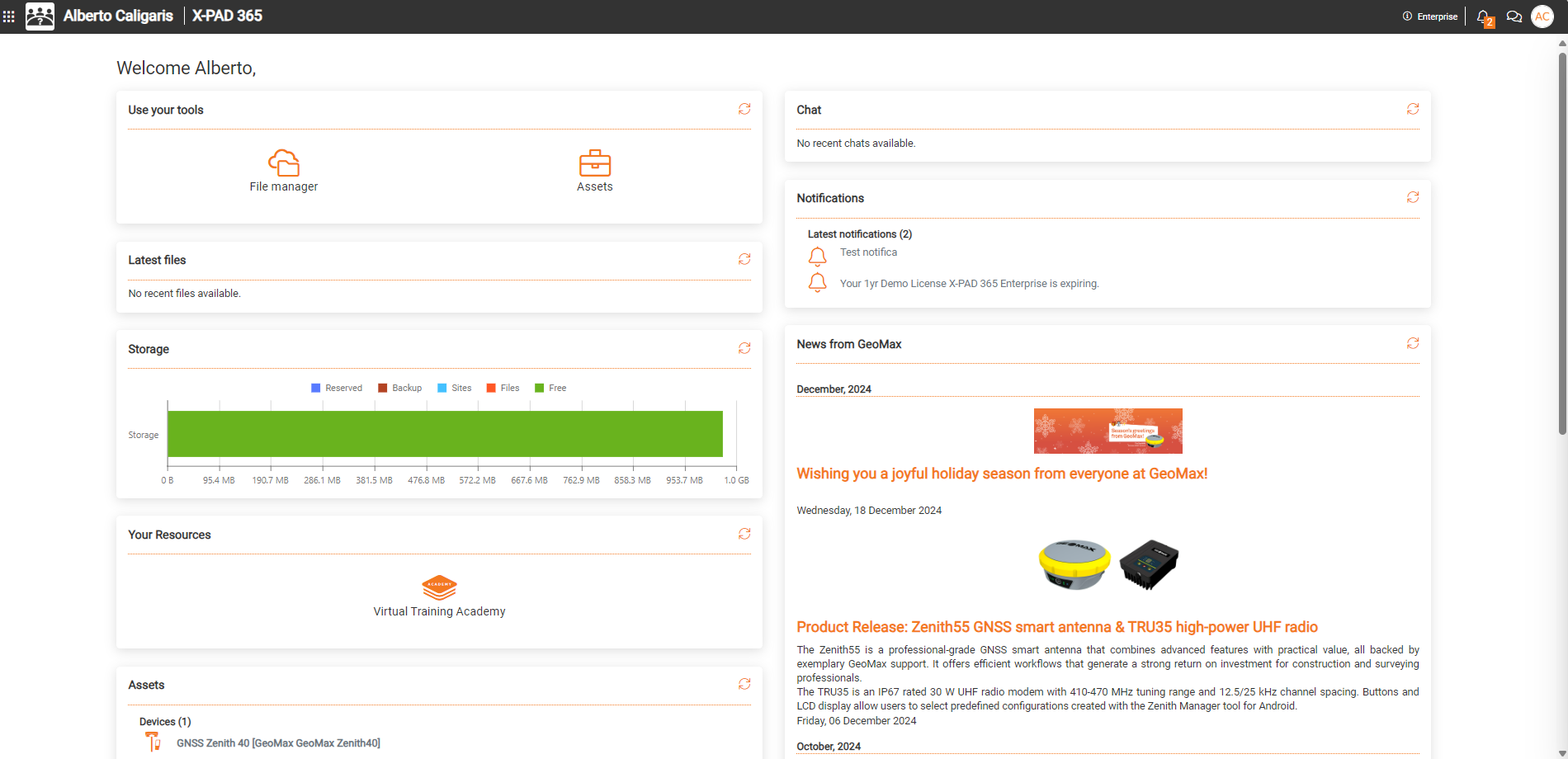
-
Top-bar: includes the account information and has quick links to notifications and chat panel.
-

-

-

-

-
-
Tools: includes the list of tools.
-
File manager: opens the cloud storage.
-
Assets: opens the page with registered hardware, software and licenses.
-
Product repository: opens the product repository with all download for hardware and software. (Dealers only)
-
Search in SAP: allows to search a S/N in our database. (Dealers only)
-
-
Latest files: includes the list of latest files shared with the File Manager.
-
Storage: information on available and occupied cloud storage.
-
Your resources: the list of available resources linked to your account.
-
Geomax academy help portal: opens the web portal where it is possible to find the technical resources.
-
Technical area: links the GeoMax distributors technical library. (Dealers only)
-
-
Assets: the list of registered assets to this account.
-
Chat: a list of latest chat discussions.
-
Notifications: a list of latest received notifications.
-
News from GeoMax: a list of latest news from GeoMax.