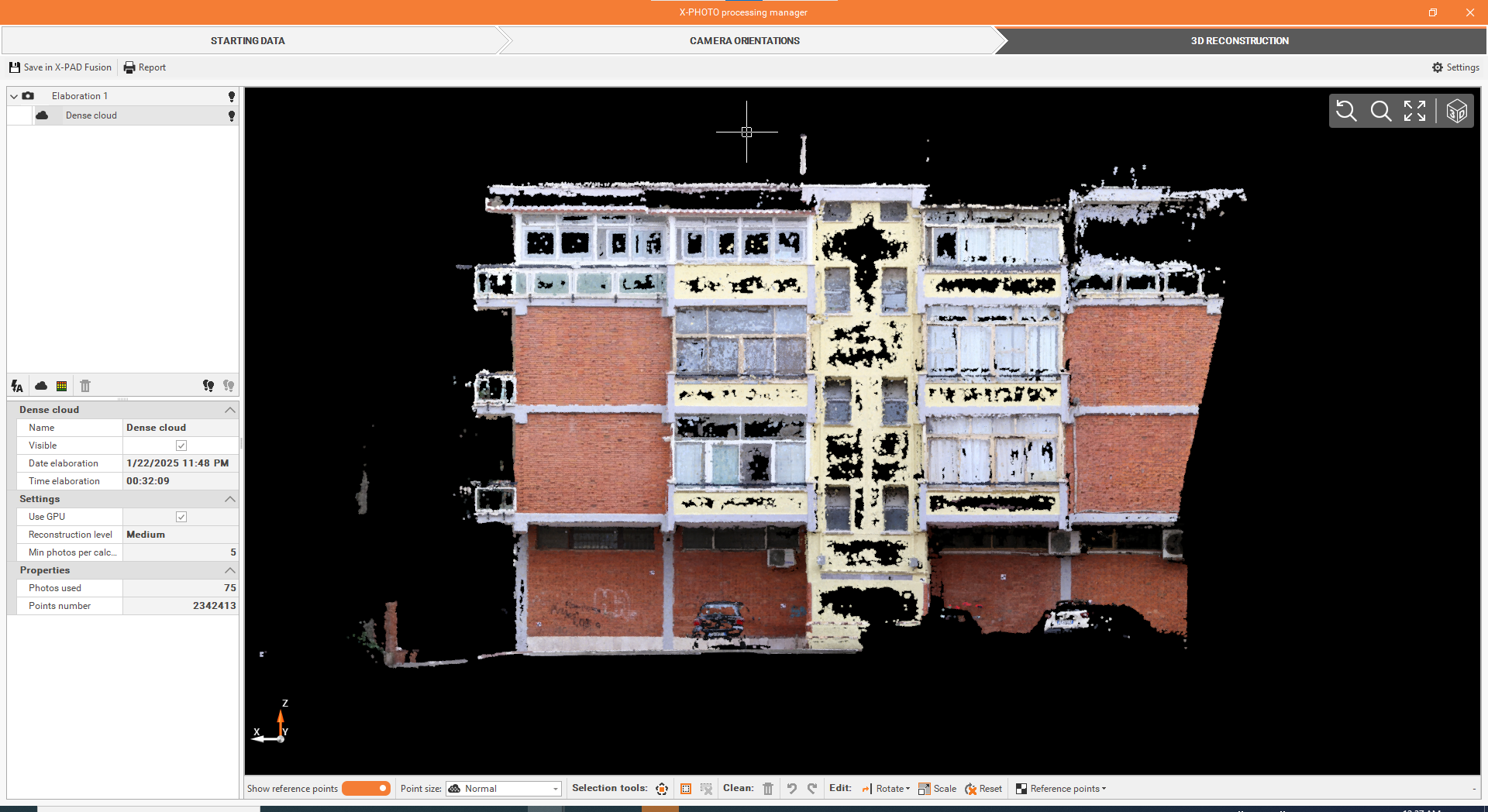
Dense Point Cloud [Ground]
From the 3D reconstruction settings, select Elaborate Dense Cloud.
Define the settings, from.
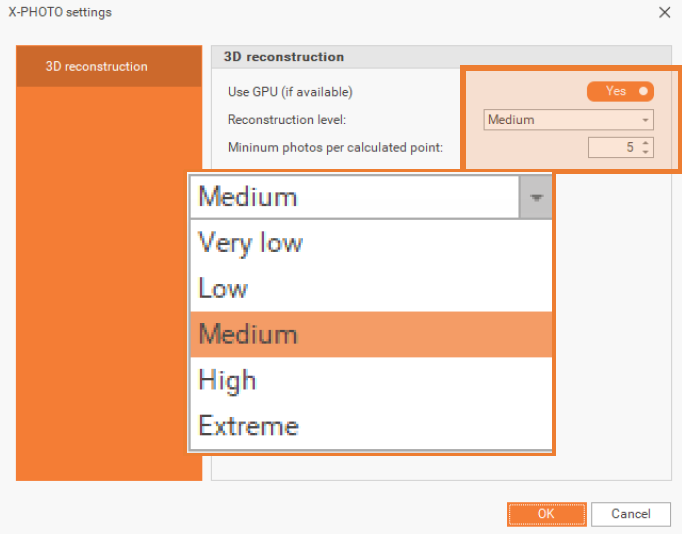
Use GPU (if available): allows to improve the calculation using the dedicated GPU (Graphic Processing Unit). By using GPU, you can increase the number of points created with the same reconstruction level.
Elaborate dense point cloud: from Elaborate Dense Cloud, you can run Dense Cloud process and create the corresponding Points Cloud in a selected reconstruction level. Dense cloud can be processed in: Very low, Low, Medium, High or Extreme resolution.
Minimum photos per calculated point: this setting specifies the minimum number of photos a point must appear in to be included in the 3D reconstruction, for a better accuracy using a reduced total number of points.
Click OK.
Once you’re satisfied with the results, you can proceed with the next elaborations.