
Install CLM only and activate the license on server

This procedure has to be used to install the CLM software on the server, without Fusion installed. In this procedure the license is not activated in Fusion but it is directly activated in the CLM software.
The CLM (Client License Manager) setup can be found in the X-PAD Fusion installation folder in the following path: C:\Program Files\GeoMax\X-PAD Office Fusion\CLM or can be downloaded from X-PAD365.
After CLM installation, the application can be opened from Windows Start menu > CLM license manager.
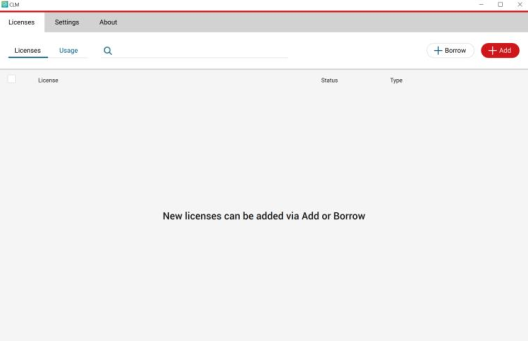
Click +Add and enter your Entitlement ID as printed on the invoice or on the delivery note and click on Add to activate the Entitlement ID.
License is now active on the CLM, and can be retrieved from a Fusion client installed on another computer in the same local network. (see Use a different computer as license server )

You need to use the server name in order to activate the license on the client.
To find the server name there are different procedures:
On your Windows computer, click the Start button, type
msinfo32, and then press Enter to open the System Information utility. Next to System Name, you will find the Hostname.At a command prompt, type
hostnameand press Enter to find the Hostname of the local computer. Alternatively, you can also use theipconfig /allcommand to find the Hostname
This Hostname is the server name you need to enter in the license activation on client