
Project manager commands
The project manager is the main managing panel of the project. It is accessible from the managing panel of the project, left of CAD window.
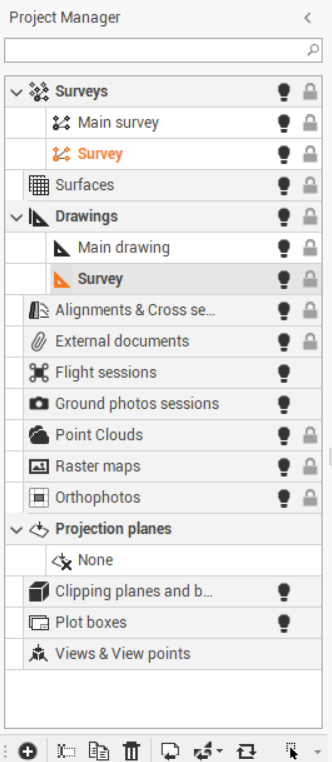
The project manager allows to:
Access to the subprojects.
Manage features of subprojects.
Display features of subprojects.
Use features of subprojects.
Project manager commands
These icons and commands are in the bottom bar of the panel and change based upon the type of data.
New subproject
 : creates a subproject of the selected type.
Import entities
 : imports entities from a subproject of a same or different project.
 Change subproject
 : moves selected entities from one subproject to another.
Activate subproject by selected object
 : enables the subproject to which the selected entity belongs.
 Expand all
 : expands all nodes.
Collapse all
 : collapses all nodes.
Rename
 : changes the name of the subproject.
Duplicate
 : creates a copy of the entire subproject.
Delete
 : deletes the subproject and all related data. An active subproject cannot be deleted.
Visible/Invisible
 : hides or displays all entities of a subproject and all subprojects of a category.
Assign a unique color to the subproject
For Survey, Drawing or Surface subprojects, it is possible to distinguish elements when different subprojects of the same category exist, assigning a unique color to it.
Tap on the local menu.
Tap Settings.
Tap Properties tab.
Apply the color. An icon indicates the color of the subproject.