
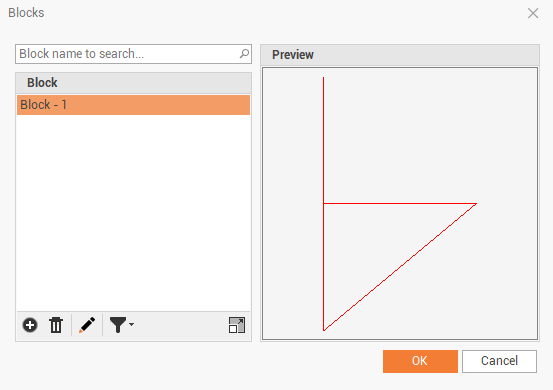
This function opens the Block manager, where all saved blocks are stored and is possible to load other blocks from DWG files.
-
Click Draw.
-
Click Manager.

-
The command opens a new window.
-
In this table we have a list of existing blocks and we can import new blocks.
-
Add: to load new blocks from DWG files.
-
Delete: to delete selected block.
-
Rename: to rename selected block.
-
Filter: to filter blocks by used and unused.
-
-
The block is now available in the block manager.