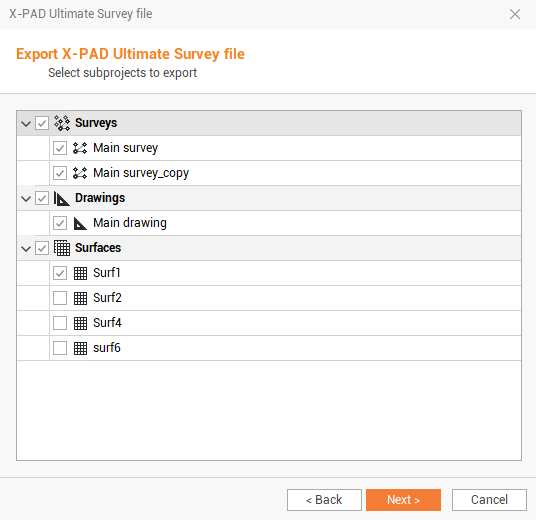
You can create the file containing the topographical data of the active survey subproject in the format of X-PAD Survey and X-PAD Build, to be loaded on the controller.
-
Click File.
-
Click Create X-PAD Survey file.
-
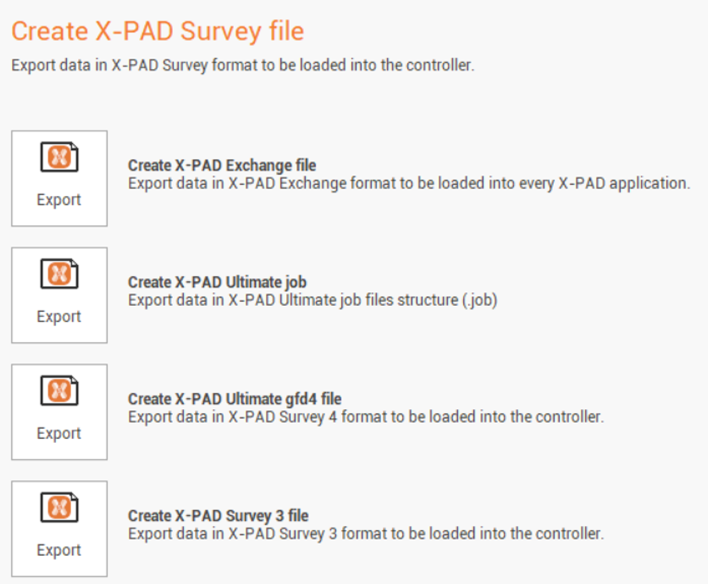
It is possible to export in different formats:
-
Create X-PAD Exchange file: exports data in the X-PAD Exchange format (.xpad) to be loaded into every X-PAD application.
-
Create X-PAD Ultimate job: exports data in X-PAD Ultimate job files structure (.job) to be directly loaded within a job site.
-
Create X-PAD Survey 3 file: exports data in X-PAD Survey 3 format (.gfd) to be loaded into the controller running X version 3.
-
Create X-PAD Ultimate Survey file: exports data in X-PAD Ultimate Survey format (.gfd4) to be loaded into the controller running X-PAD Ultimate Survey/Build/GO in the latest release.
-
-
Select the format to export.
-
Enter the filename and the export location. Click on

-
Select the subprojects to export. Survey, drawing, surfaces and raster subprojects can be exported.