X-PAD365 cloud storage is available with Professional and Enterprise X-PAD365 licenses.
When importing or exporting data, it is possible to select the X-PAD365 cloud storage area.
-
In the import or export window, where to select the file name, click on folder icon

-
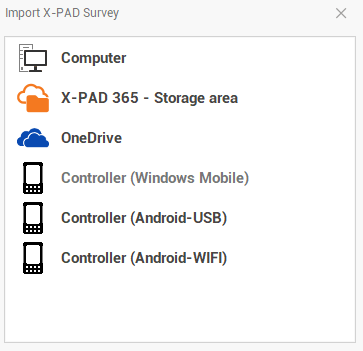
This command opens a new window.
-
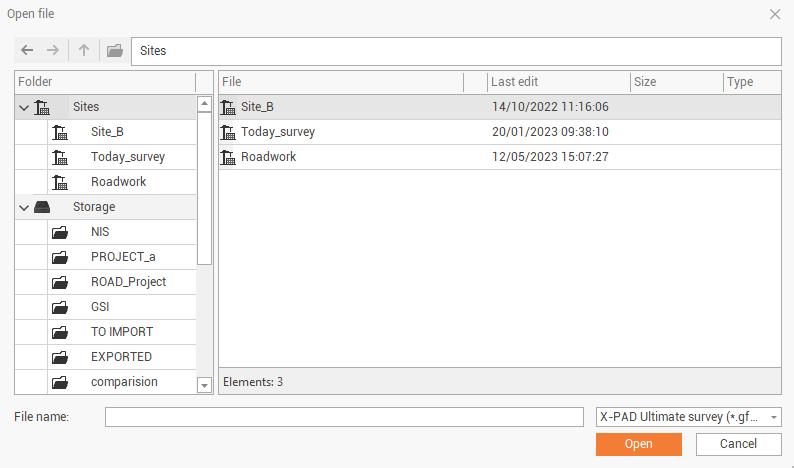
Click X-PAD 365 - Storage area to import or export the data to the cloud storage. This selection opens a new window.
-
On the left panel it is possible to select the different folders or collaborative sites available in the cloud.
-
Use the commands on the top to move between the folders:
-
Previous

-
Next

-
Up

-
New

-
New site

-
-
Click Open or Save to import or export the data to X-PAD365 cloud storage.
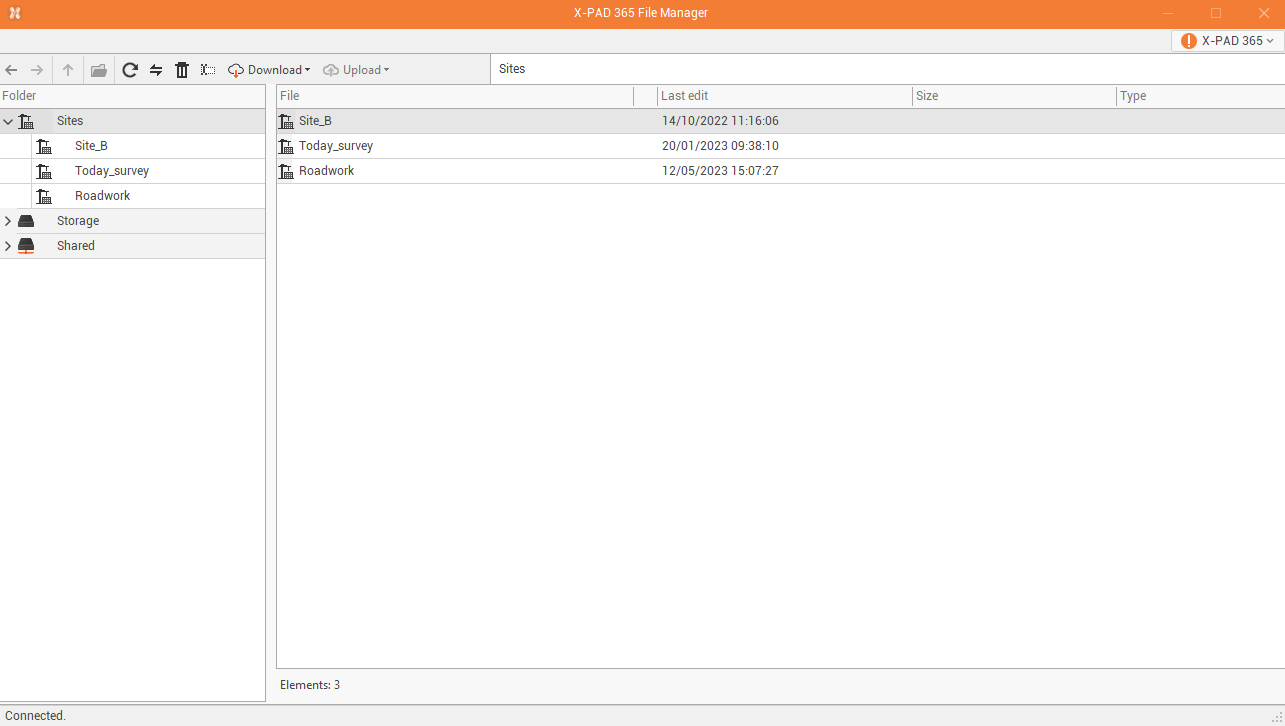
It is possible to manage the cloud storage also from the web portal or from the application X-PAD 365 File Manager.
To download the application:
-
Click X-PAD 365 on top-right.
-
Click X-PAD 365 File Manager.
-
This opens or download the application to manage the files on the cloud storage.