
-
Click Alignments & x-sections.
-
Click Tools.

Topographic points from cross section
-
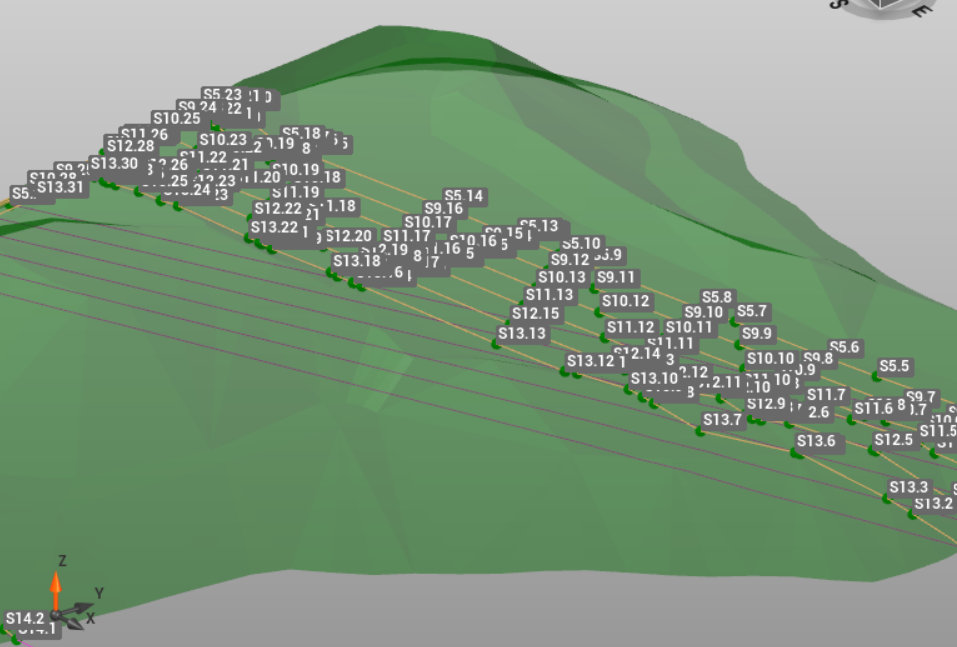
This tool allows to generate topographic points from the vertices of the cross sections.
-
Select Topographic points from cross sections.
-
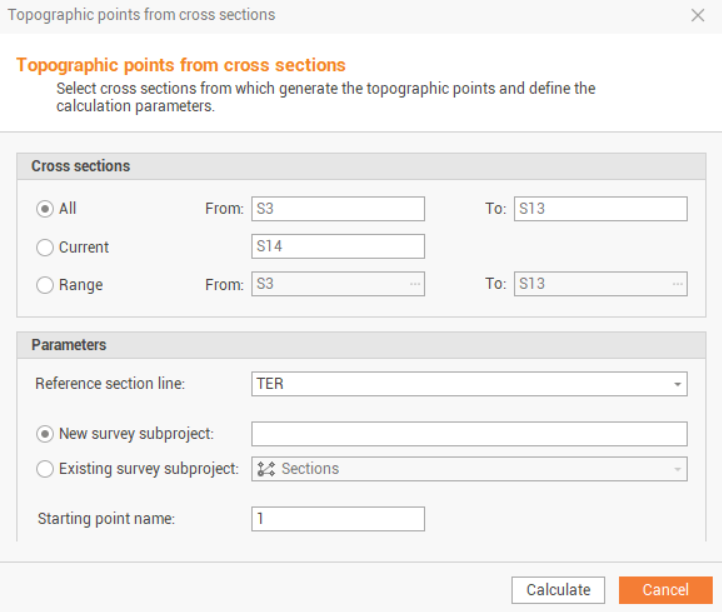
The function opens a new window.
-
All: creates points for all available cross sections.
-
Current: creates points on the vertexes for the current opened cross section.
-
Range: creates points for the cross sections in a defined range.
-
Reference section line: the line code of the cross section to use to generate points on its vertexes.
-
New survey subproject: enables the creation of points on a new survey subproject.
-
Existing survey subproject: select this to create points on an existing survey subproject.
-
Starting point name: the staring point name of the points will be created. The points ID are cross section.point name.
-
-
Click Calculate to generate points on vertexes of selected cross sections.
Delete cross section lines
-
This tool allows to delete cross section lines from a selection of available cross section.
-
This tool is only available if the cross section view is open and selected.
-
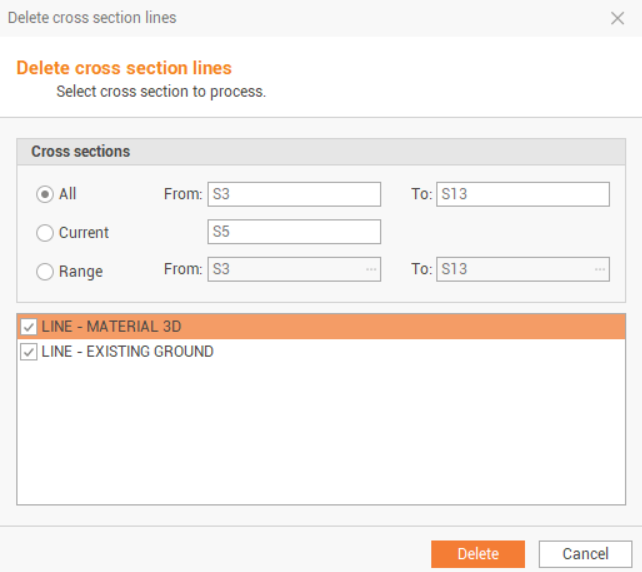
The function opens a new window.
-
All: delete cross section lines from all available cross sections.
-
Current: delete cross section lines from current selected cross section.
-
Range: delete cross section lines from selected range of cross sections.
-
-
Select the lines codes to delete and click Delete.