-
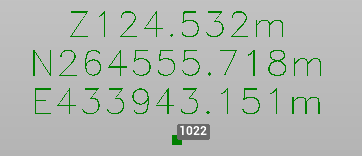
Use the command Points to create labels on points or position with information according to the selected label style.
-
Click Draw.
-
Click Points.

-
The command opens a panel on the right.
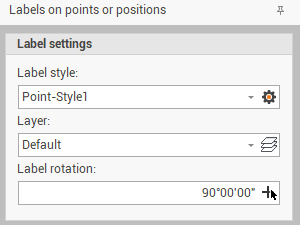
-
Change the settings in the Label settings panel:
-
Label style: to select the style from the drop-down menu. Click on the gear icon to open the style settings.
-
Layer: to select on which layer create the label, in case the label is a Label position.
-
Label rotation: the rotation of the label. Click on the cross icon to define graphically on CAD the angle.
-
-
Click on a point to create a Label point or in a position on CAD to create a Label position