
Specific selection tools are available for editing point clouds.
Points clouds selection
The first set of commands allow to perform a selection of points cloud that helps with Delete commands to delete an area of the point cloud.
-
Click Cloud.
-
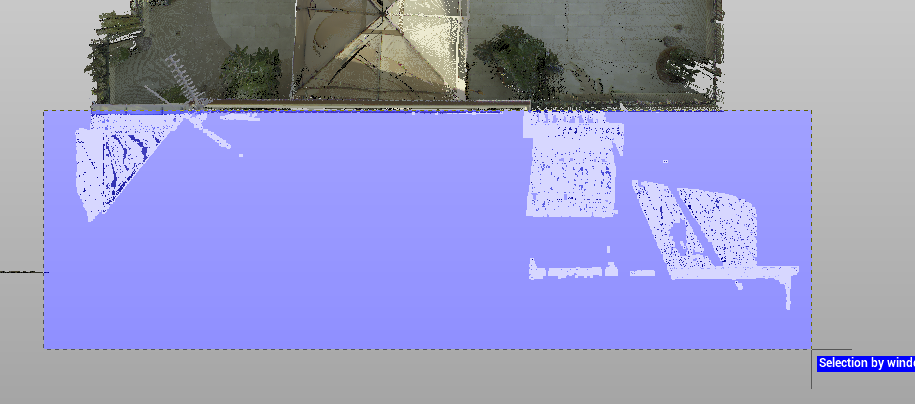
Click Rectangle screen to perform a rectangular selection of the point cloud.

-
Click Circle screen to select points by defining a circular area of the screen.

-
Click Polygon screen to select points by defining a closed polygon on the screen.

-
Click Polyline to select point by specifying an existing polyline.

-
Click Cancel to cancel current selection.

Points clouds delete
After the points have been selected it is possible to proceed deleting the points.
-
Click Delete inside to delete the points inside the current selection.

-
Click Delete outside to delete the points outside the current selection.

-
Click Restore to restore the original point cloud.

Points clouds divide
The command Divide allows to cut the points cloud selection in a new point cloud.
-
Click Divide.

-
Enter the name of the new points cloud.
-
The selection is cut in a new points cloud, available in the Project Manager.
Points clouds copy
The command Copy allows to copy the points cloud selection in a new point cloud.
-
Click Copy.

-
Enter the name of the new points cloud.
-
The selection is copied in a new points cloud, available in the Project Manager.
Merge clouds
The command creates a new point cloud starting from existing points clouds.
-
Click Merge cloud.

-
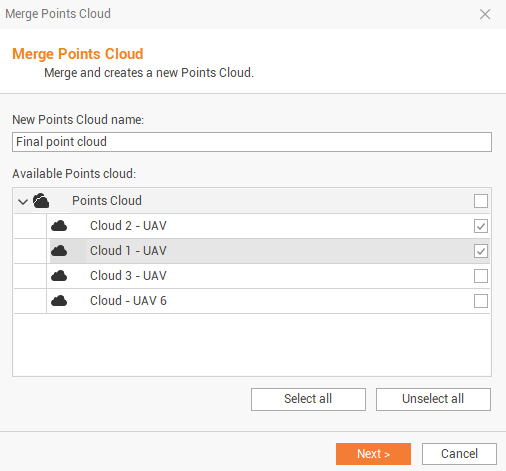
Select in the new window the points clouds to merge and enter the new point clouds name.
-
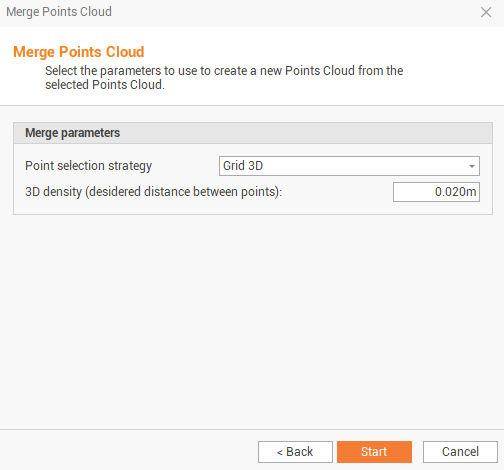
Select the merge parameters.
-
Point selection strategy:
-
Grid 3D: the merged point will have points selected from a gird 3D, the density is selected in the field 3D density.
-
Decimation: the merged point cloud is decimated using a Decimation value.
-
All points: all points available are used.
-
-
Click Start to merge the points clouds and generate a new one in the Project Manager.
-
This function can also be used to decimate a single point cloud if in the point cloud selection, a single point cloud is selected.