
Select a code library as default for a site
 |
|  |
| 
It is possible to define a codes library on site level, so that all jobs within the site will automatically use the codes library.

When the codes library is selected on site level, it commands on the codes libraries selected at the job level.
Select a code library when a site is created on controller
When a job site is created, it is possible to assign for the site a code library.
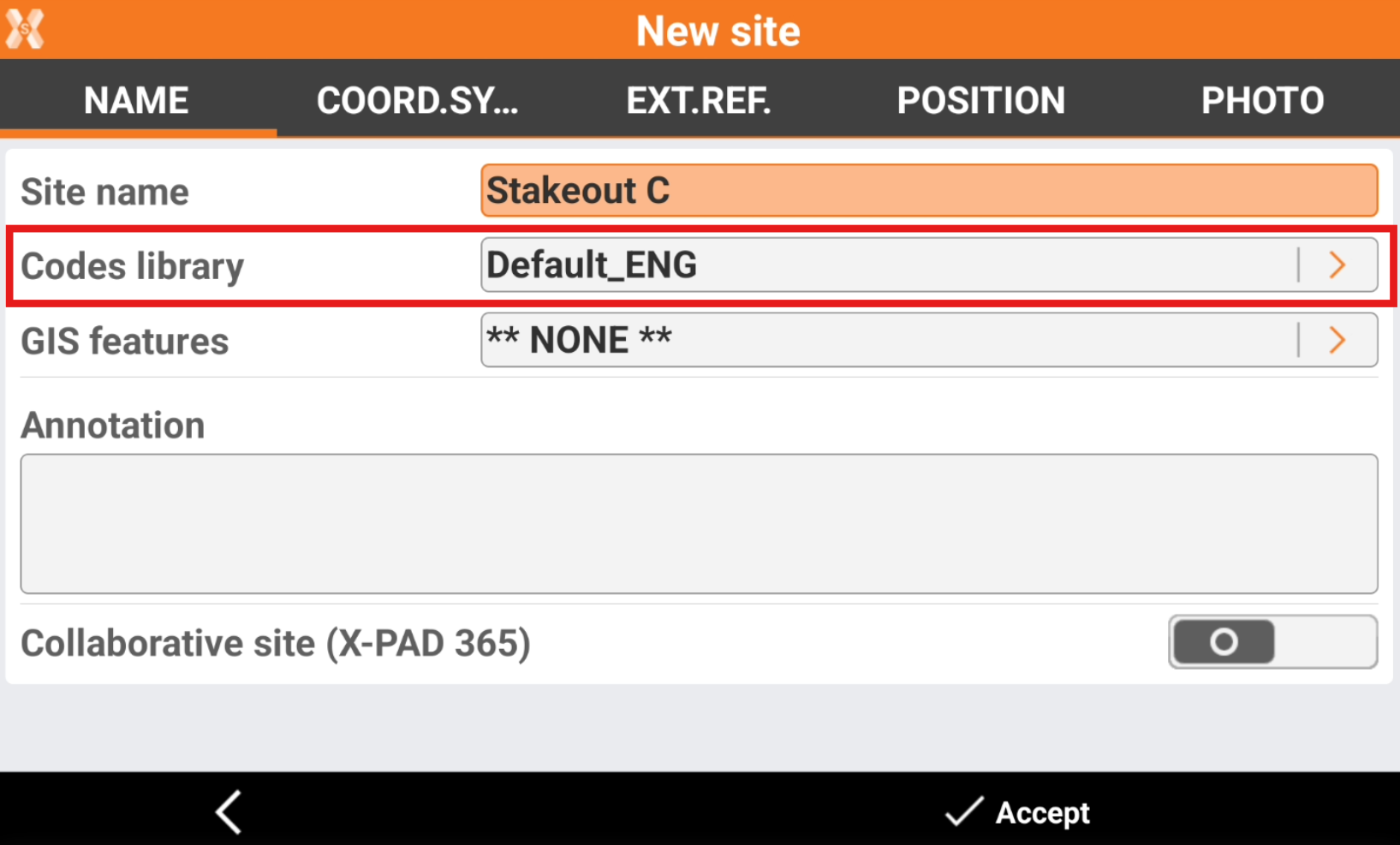
The jobs in the selected site will use this codes library as default.
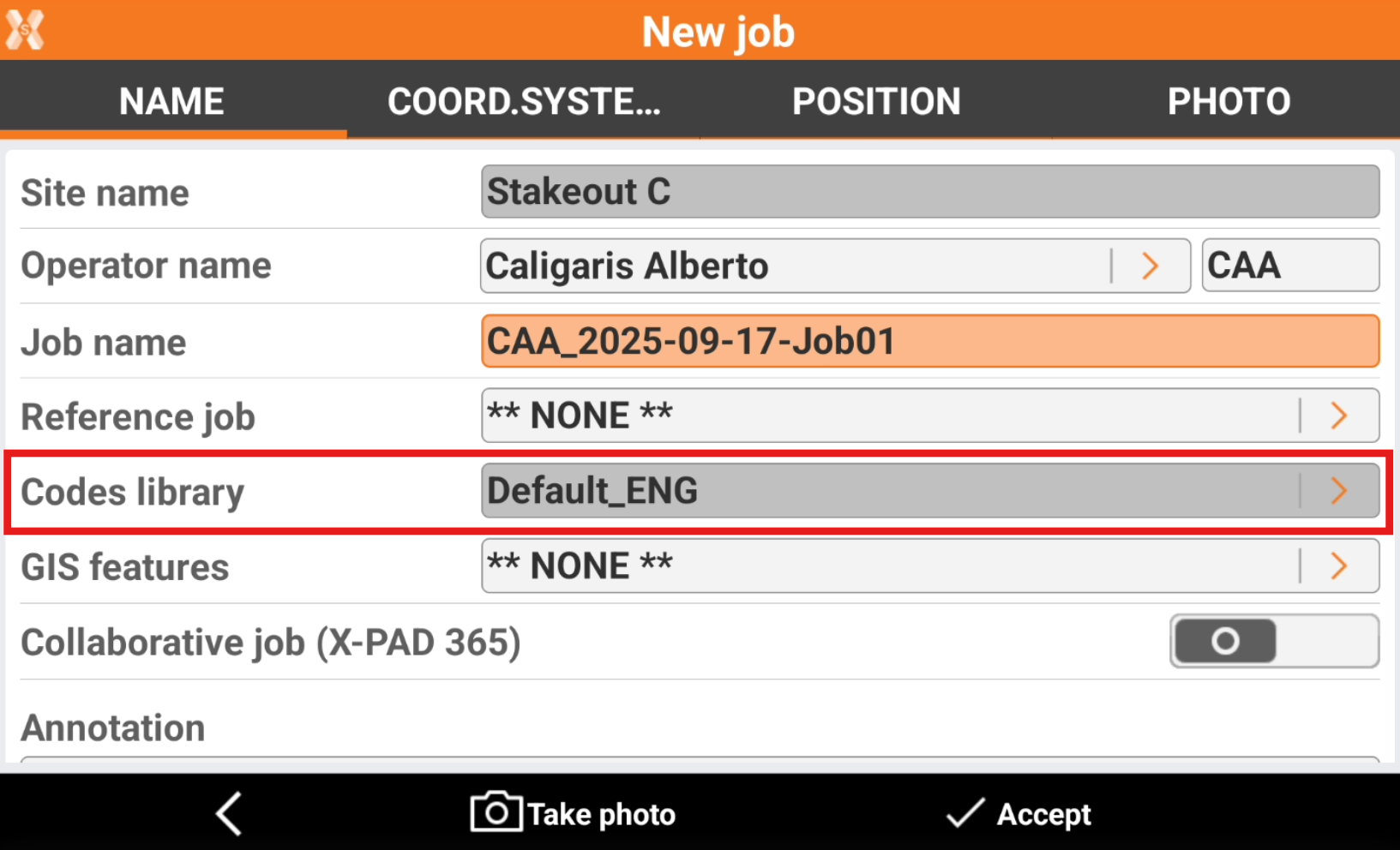
Select a code library when a site is created on X-PAD365 cloud platform
When a site is created on X-PAD 365 platform from the job manager, it is possible to assign a code library that will be used by all users.
Open X-PAD365 File Manager from the web platform.
In the left panel the Collaborative Sites are listed under Sites.
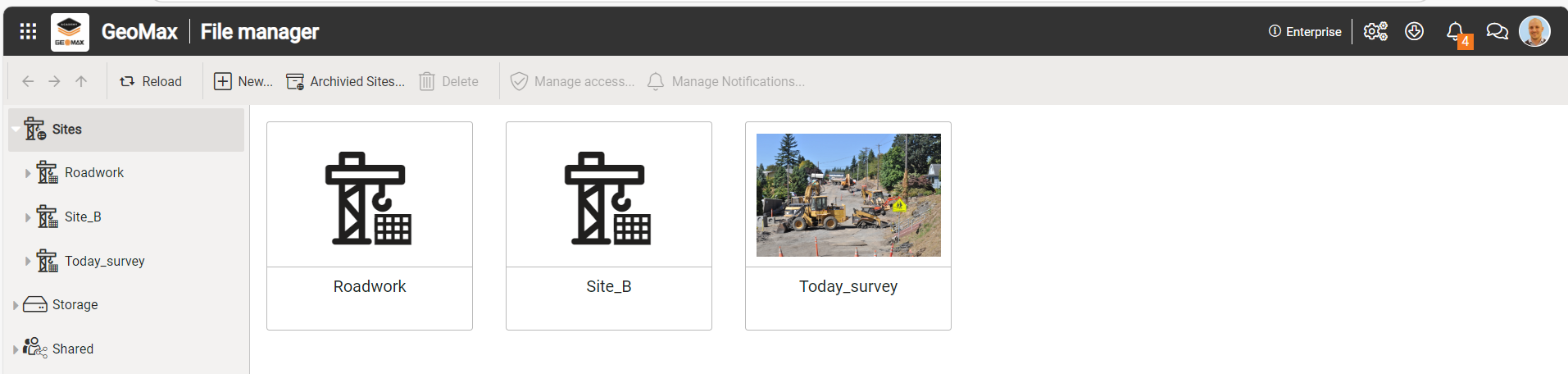
Click New to create a new collaborative site.
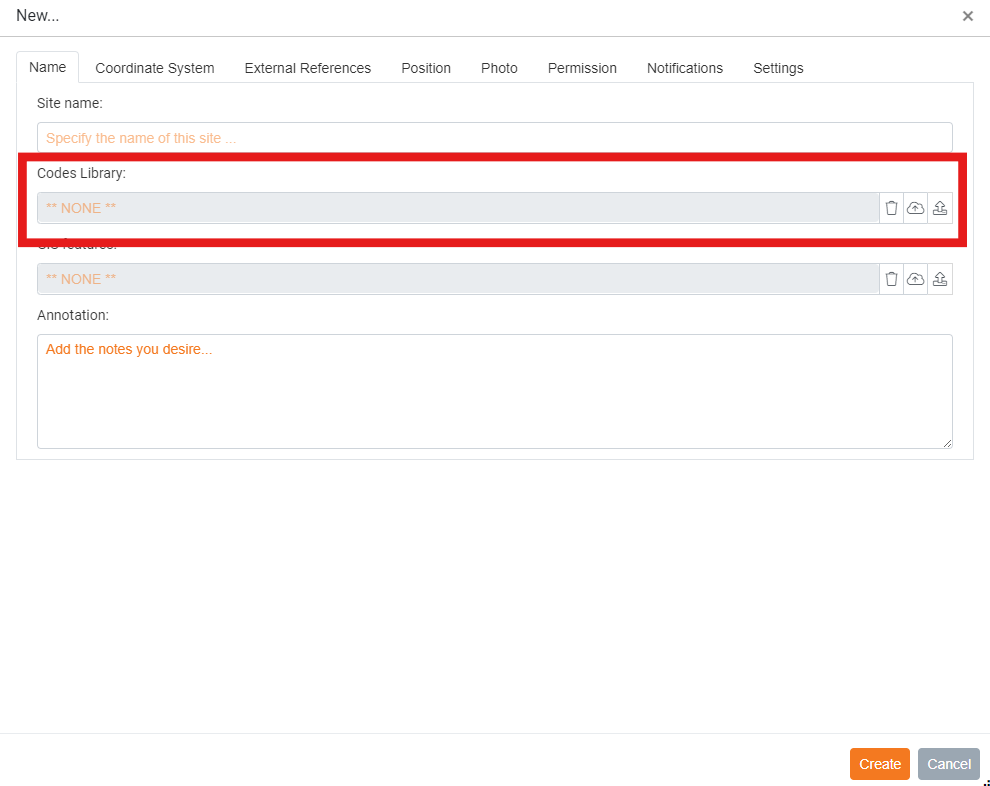
Select the codes library in X-PAD XML format to use. This code library will be used by all jobs in the created collaborative site.
In case a user has not the library on controller, it will be downloaded on the user controller.