
-
Zenith Manager is free software for Windows and Android to perform different operations:
-
Check the receiver status and the firmware.
-
Configure the receiver.
-
Start the NMEA streaming.
-
-
Zenith Manager is available for:
-
Windows: download the software from here.
-
Android: download the software from Google Play.
-
Zenith Manager for Windows
Zenith Manager can be connected to check the receiver status and NMEA streaming only using Bluetooth.
-
Turn on the Zenith06 Pro receiver.
-
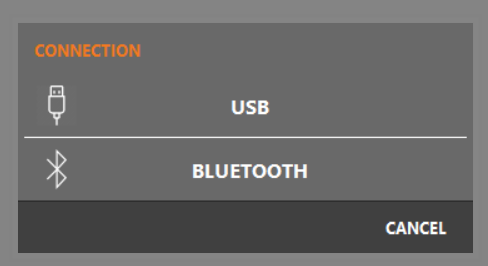
Click Connect and select bluetooth.
-
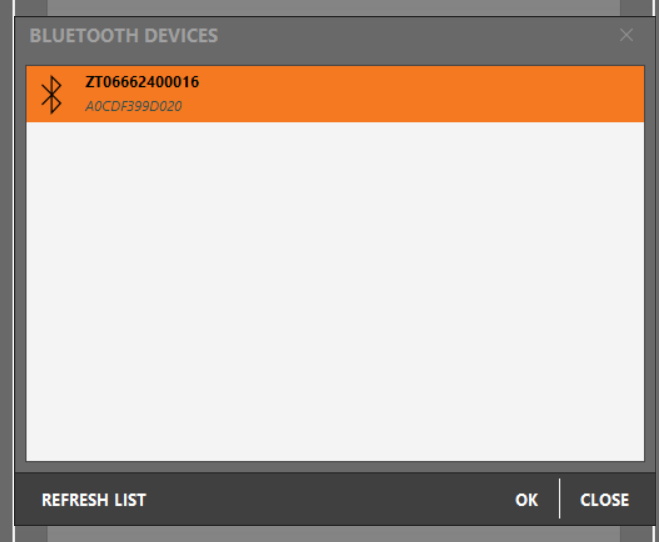
Select the Zenith06 Pro receiver and click OK.
-
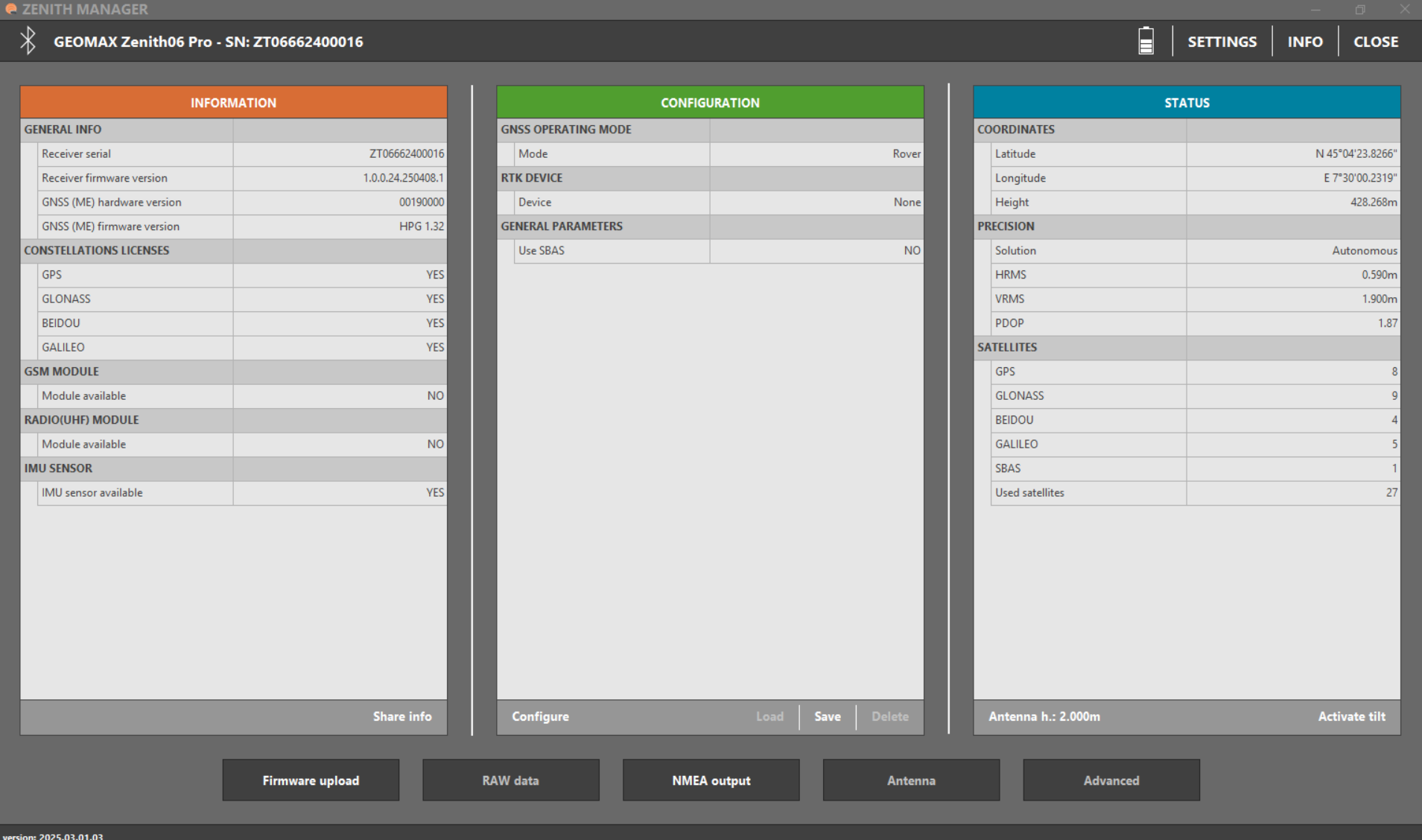
The software shows the receiver status.
-
Information: shows the information of the GNSS receiver.
-
Configuration: shows the current configuration of the receiver.
-
Status: shows the current status and position of the receiver.
-
-
The software offers some commands to configure the receiver and stream the NMEA.
-
Share info: to save the receiver information on a file that is possible to share.
-
Configure: allows to configure the receiver to connect to a network.
-
Connect/disconnect GPRS: available after receiver is configured to connect to a NTRIP service. Allows to connect/disconnect to NTRIP caster to receive RTK corrections.
-
Load/Save/Delete: allows to load a saved instrument profile, to save the current profile and to delete one saved profile.
-
Antenna: to modify the height of the antenna.
-
Activate tilt: allows to activate the IMU.
-
NMEA output: allows to start to stream NMEA messages over the bluetooth.
-
Zenith Manager for Android
-
Turn on the Zenith06 Pro receiver.
-
Click Connect receiver.
-
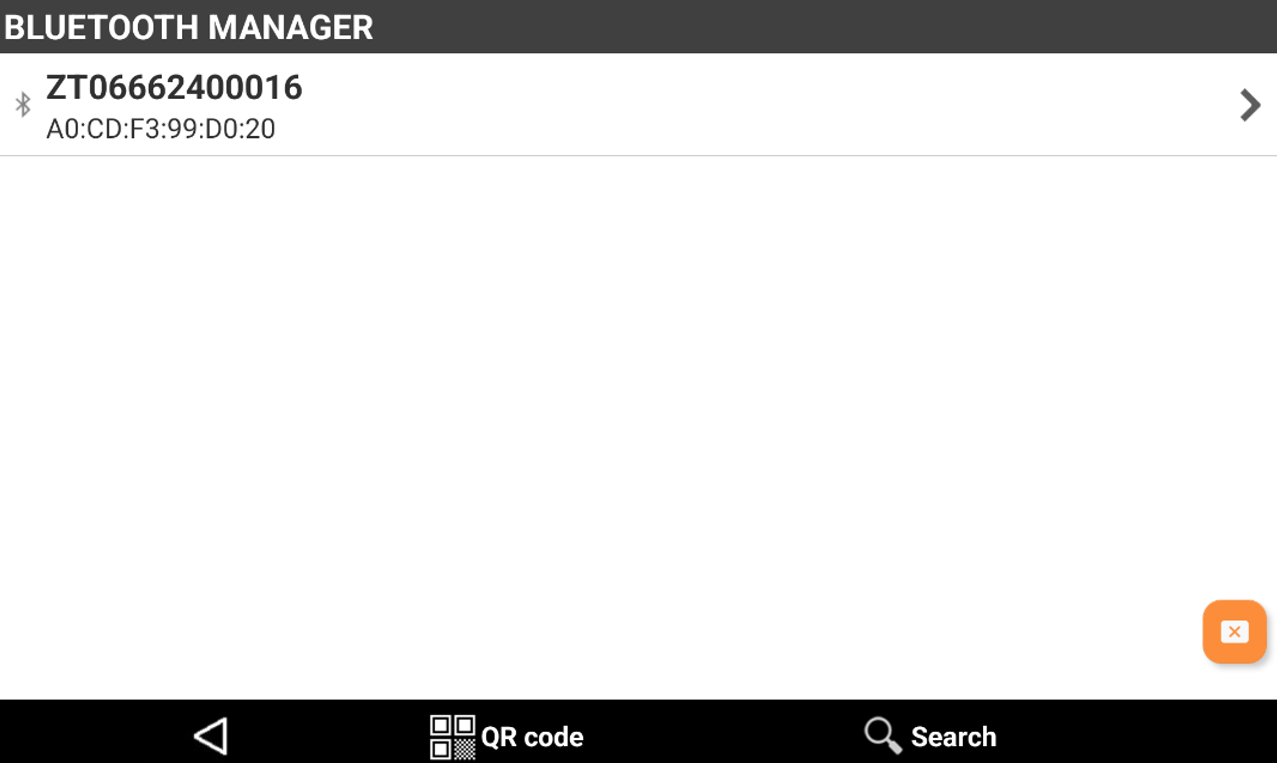
Click Search and select the serial number of the instrument.
-
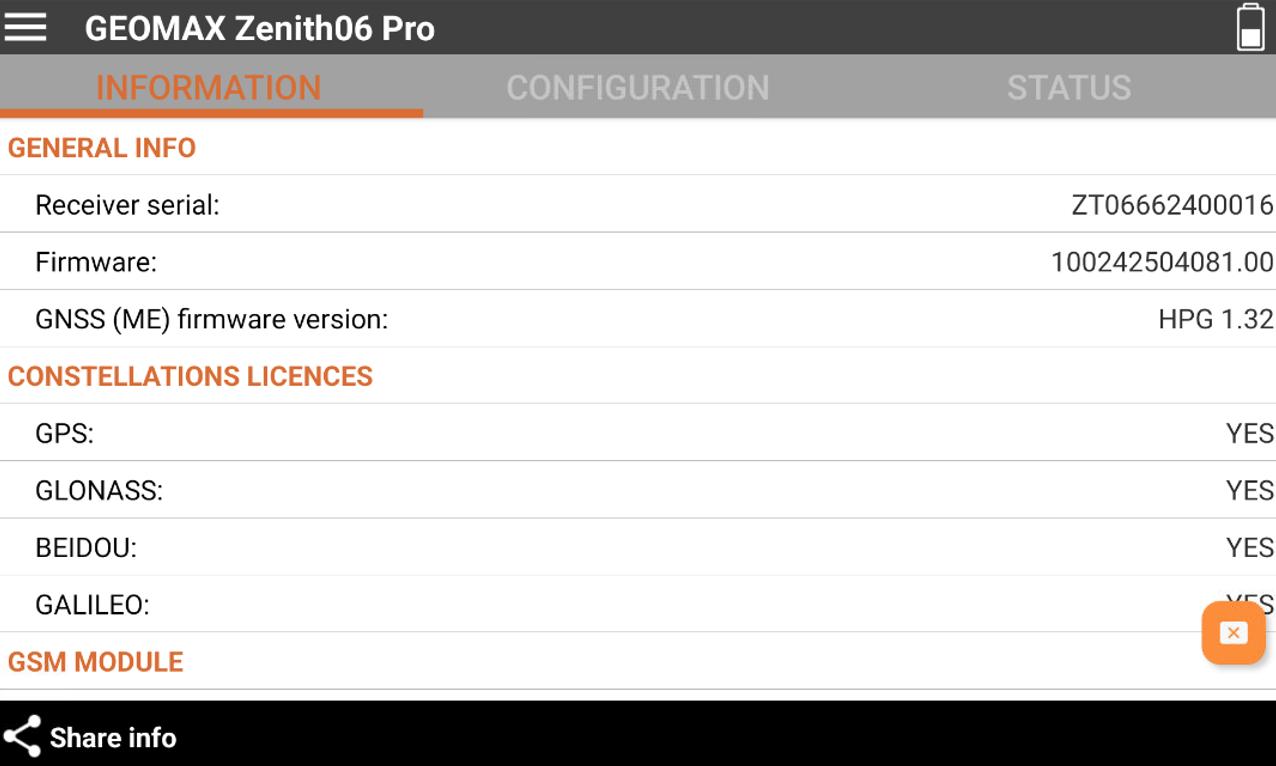
Receiver is connected.
-
Information: shows the information of the GNSS receiver.
-
Configuration: shows the current configuration of the receiver.
-
Status: shows the current status and position of the receiver.
-
-
The software offers some commands to configure the receiver and stream the NMEA.
-
Share info: to save the receiver information on a file that is possible to share.
-
Configure: allows to configure the receiver to connect to a network.
-
Connect/disconnect GPRS: available after receiver is configured to connect to a NTRIP service. Allows to connect/disconnect to NTRIP caster to receive RTK corrections.
-
Load/Save: allows to load a saved instrument profile and to save the current profile.
-
Antenna: to modify the height of the antenna.
-
Activate tilt: allows to activate the IMU.
-
NMEA output: allows to start to stream NMEA messages over the bluetooth.
-