
-
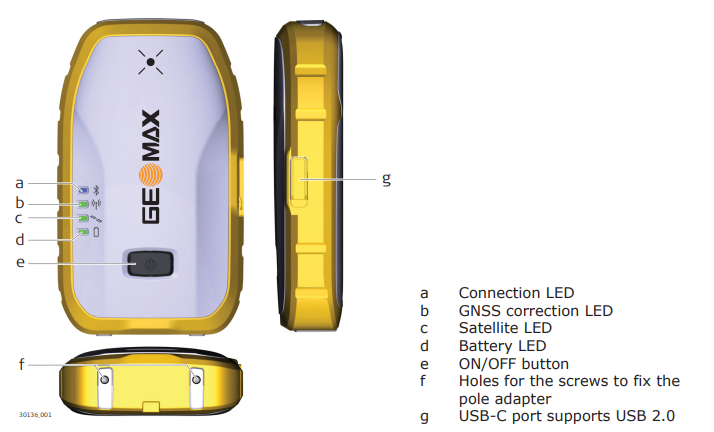
To turn ON and OFF the receiver press the ON/OFF button (e) for few seconds until the leds turn on.
-
The receiver has leds to indicate its status.
-
Led indicators:
-
Connection LED (a)

-
Solid blue: bluetooth is connected.
-
-
GNSS correction LED (b)

-
Solid green: the instrument is receiving correction data.
-
-
Satellite LED (c)

-
Solid green: the position is available.
-
-
Battery LED (d)

-
Green: normal operation.
-
Solid red: the power is < 10%.
-
Solid red: the battery is being charged.
-
Solid green: the battery is fully charged.
-
-