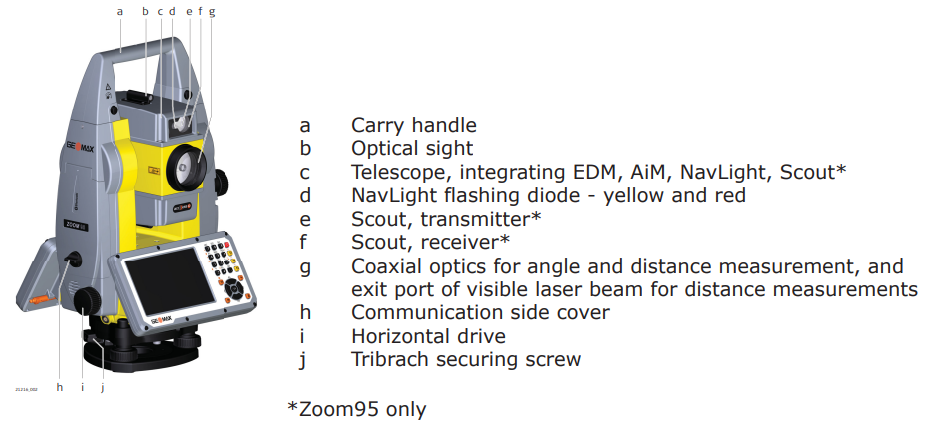
Instrument components
-
Instrument components from instrument face II.
-
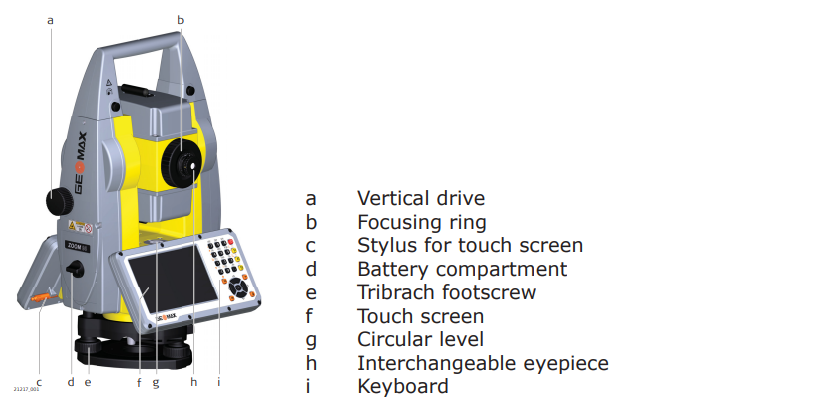
Instrument components from instrument face I.
-
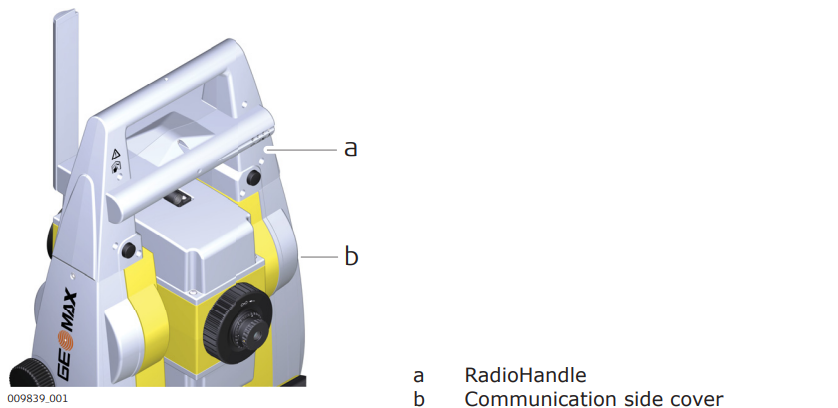
Communication side cover.
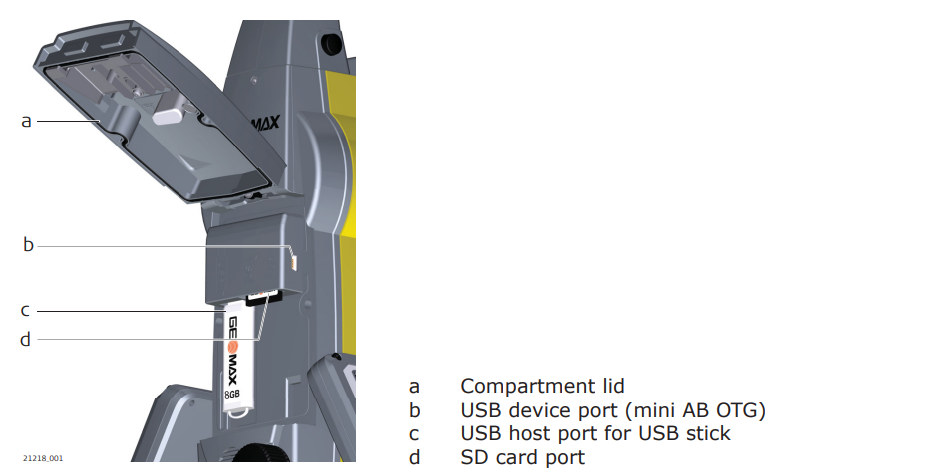
If the side cover is not closed, instrument cannot rotate automatically.
-
Instrument components for robotic.
User interface
-
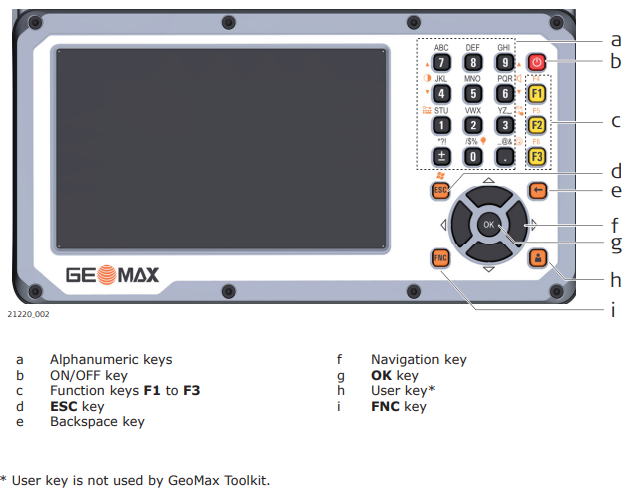
Keyboard.
-
Keys:
-
Function keys F1-F3
: correspond to six softkeys that appear on the bottom of the screen when the screen is activated.
-
Function keys F4-F6
+
: correspond to six softkeys that appear on the bottom of the screen when the screen is activated.
-
Alphanumeric keys
: alphanumeric keypad for entry of text and numerical values.
-
ON/OFF
: if the instrument is already off, turns on the instrument when held for 2 s. If the instrument is already on, turns to Power Options menu when held for 2 s.
-
Esc
: quits a screen or edit mode without saving changes. Returns to next higher level.
-
OK
: selects the highlighted line and leads to the next logical menu/dialog. Starts the edit mode for editable fields. Opens a selectable list.
-
User
: the user key is definable by 3rd-party software.
-
Backspace
: deletes the last entered character.
-
FNC
: used for key combinations. Switches between first and second level of any key on the keyboard.
-
Navigation key
: controls the focus bar within the screen and the entry bar within a field. Moves the cursor.
-
-
Second level functions:
-
+
: F4.
-
+
: F5.
-
+
: F6.
-
+
: hold FNC while pressing ESC. Switch to Windows.
-
+
: hold FNC while pressing . . Open the level/bubble dialog.
-
+
: hold FNC while pressing 0. Turn the keyboard illumination on/off.
-
+
: hold FNC while pressing 1. Lock/unlock the keyboard.
-
+
: hold FNC while pressing 3. Lock/unlock the touch screen.
-
+
: hold FNC while pressing 4. Decrease the screen brightness.
-
+
: hold FNC while pressing 7. Increase the screen brightness.
-
+
: hold FNC while pressing 6. Decrease the volume for acoustic warning signals, beeps and keypresses on the instrument.
-
+
: hold FNC while pressing 9. Increase the volume for acoustic warning signals, beeps and keypresses on the instrument.
-