
-
X-PAD Ultimate software is the field software for operating the Zoom75/95 remotely.
For more information on how to use X-PAD software refer to the dedicated help portal.
Create a Zoom75/95 profile on X-PAD Ultimate
-
On X-PAD Ultimate, to create a profile for the Zoom75/95, click Settings.
-
Click GNSS & Total stations.
-
Click Add to create a new profile.
-
Select Total station (TPS).
Profile page
-
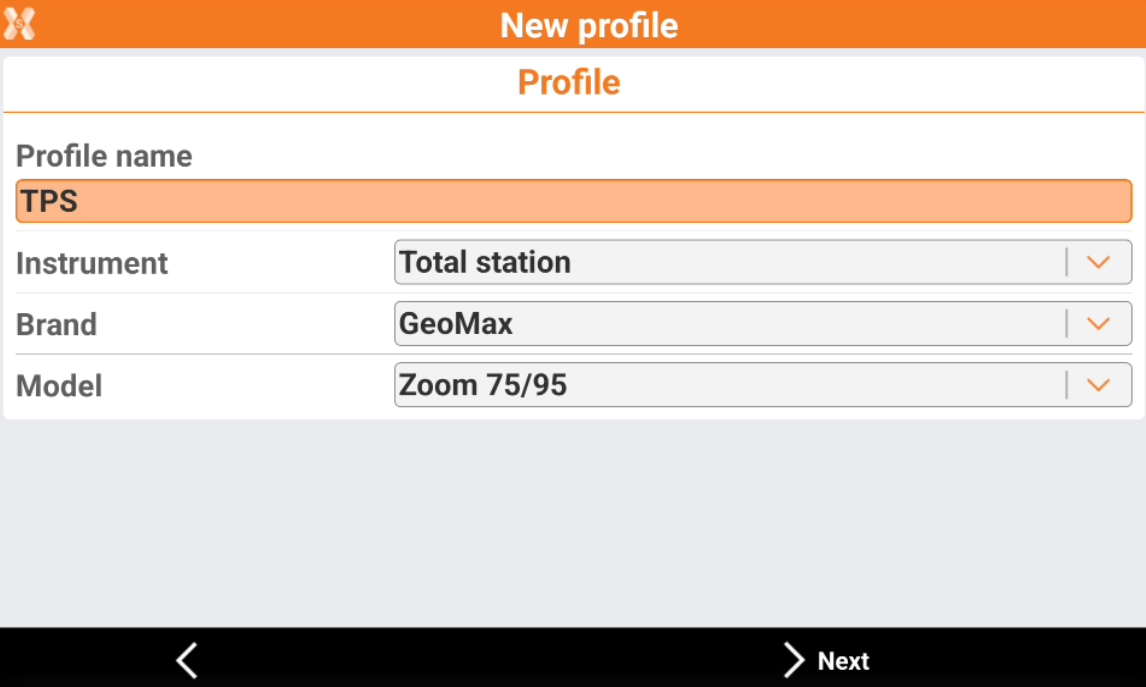
The Profile page allows to enter the information on the profile type and instrument connected.
-
Profile name: name to assign to the profile
-
Brand: brand of the total station. Select GeoMax.
-
Model: model of the total station. Select Zoom75/95.
-
Device page
-
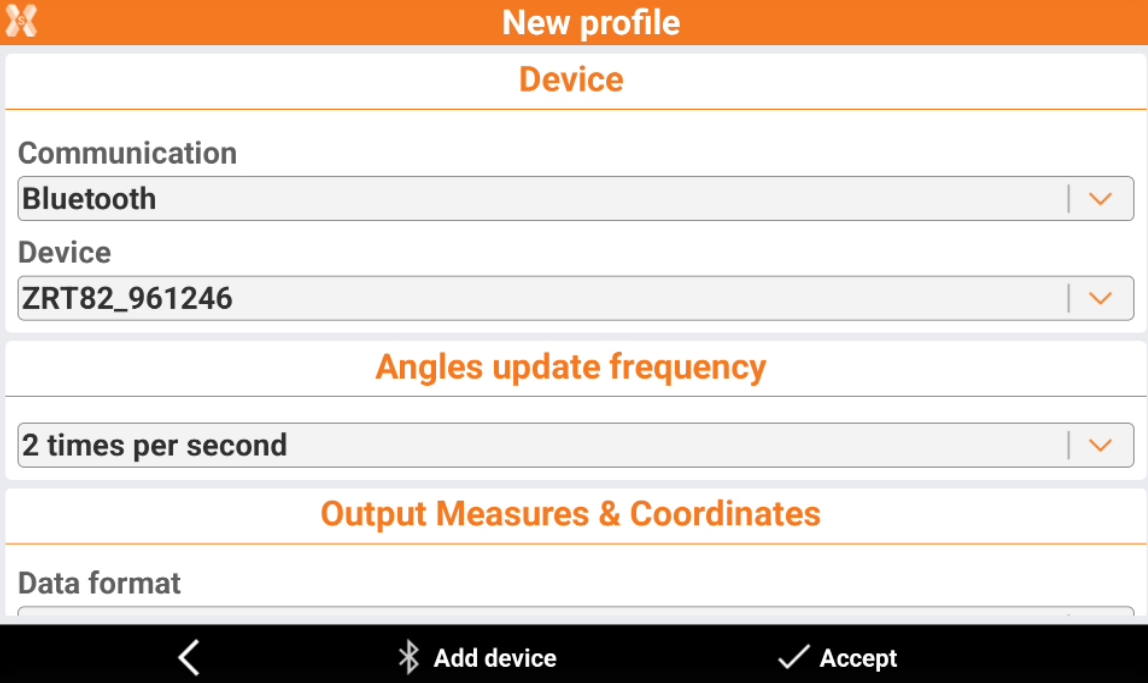
The Device page allows to define how the total station is connected to the software and search the instrument using the bluetooth.
-
Communication: the communication method to the total station
-
Device: name of the Bluetooth to connect.
-
-
To start a search in case the instrument is not in the list, click Add device.
When connecting to Zoom75/95, select ZRT82_xxxxxx device to connect to long range Bluetooth handle or Zoom95_xxxxxx to connect to internal Bluetooth.
Angle update frequency page
-
Angles update frequency: frequency with which the value of the angles is updated.
On Zoom75/95 it is recommended to select 5 times per second to increase the responsiveness to all commands
Output measures & coordinates page
-
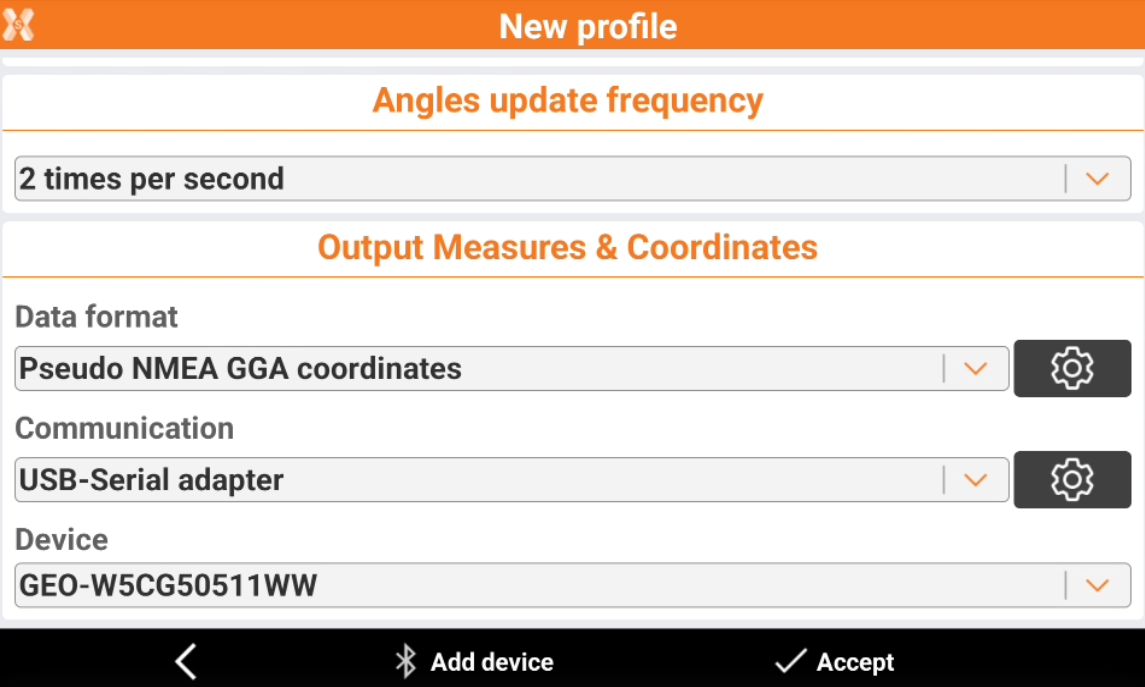
These options allows to use the total stations together with other devices, for example ground penetrating radars or echosounders.
-
See Data streaming from robotic total station for a step-by-step guide on how make the connection.
-
These parameters allows to stream out the data measured from the total station from the controller to another device, using Bluetooth or a USB-serial adapter.
-
Format: send out measurements and/or the coordinates in real time in the selected format.
-
Communication: the communication method
-
Device: in case bluetooth is the current communication, select here the device where to stream the data. Click Add device to search for bluetooth devices.
-