-
This topic describes an instrument setup over a marked ground point using the laser plummet. It is always possible to set up the instrument without the need for a marked ground point.
-
It is always recommended to shield the instrument from direct sunlight and avoid uneven temperatures around the instrument.
-
The laser plummet described in this topic is built into the vertical axis of the instrument. It projects a red spot onto the ground, making it appreciably easier to centre the instrument.
-
The laser plummet cannot be used with a tribrach equipped with an optical plummet.
Torsion in tripod heads decreases overall accuracy. Always use a high-quality wooden tripod when using robotic instruments.
Setting up the instrument
-
Instrument setup step-by-step:
-
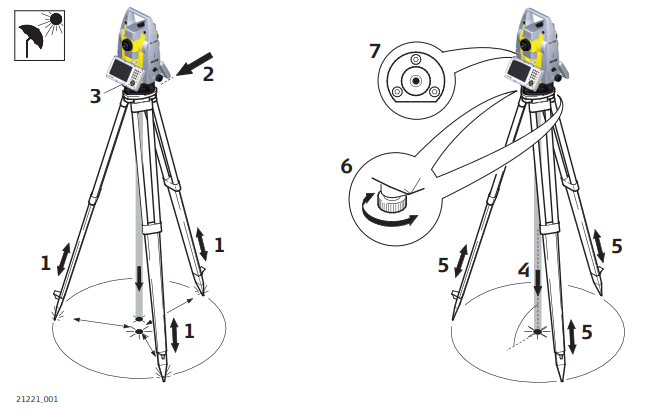
Extend the tripod legs to allow for a comfortable working posture. Position the tripod over the marked ground point, centring it as well as possible.
-
Fasten the tribrach and instrument onto the tripod.
-
Turn on the instrument by pressing ON button. Activate the laser plummet and electronic level by pressing the key combination <FNC>+<.> or by starting up the GeoMax Toolkit and selecting from MAIN MENU: Level.
-
Move the tripod legs (1) and use the tribrach footscrews (6) to centre the plummet (4) over the ground point.
-
Adjust the tripod legs to level the circular level (7).
-
By using the electronic level, turn the tribrach footscrews (6) to level the instrument precisely.
-
Centre the instrument precisely over the ground point (4) by shifting the tribrach on the tripod plate (2).
-
Repeat steps f. and g. until the required accuracy is achieved.
-
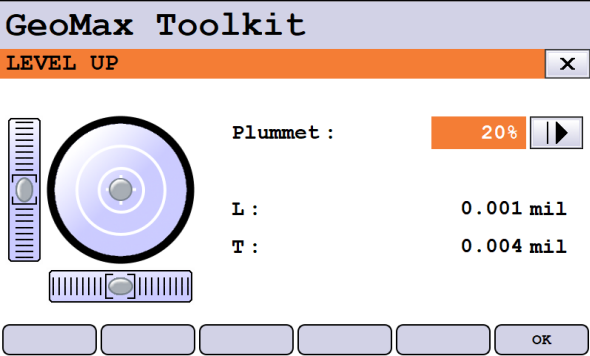
Level up with electronic level using GeoMax Toolkit
It is also possible to open the electronic level in X-PAD Ultimate software. Please refer to X-PAD Ultimate manual for more information.
-
To level using the electronic level in GeoMax Toolkit:
-
Turn the instrument until the tubular level is parallel to two footscrews.
-
Centre the level on the instrument approximately by turning the footscrews of the tribrach.
-
Centre the electronic level for the first axis by turning the two footscrews.
-
Centre the electronic level for the second axis by turning the last footscrew.
-
When the electronic level is centred and both axes are within the tolerance limit, the instrument has been levelled up.
-
Setting up for remote control
-
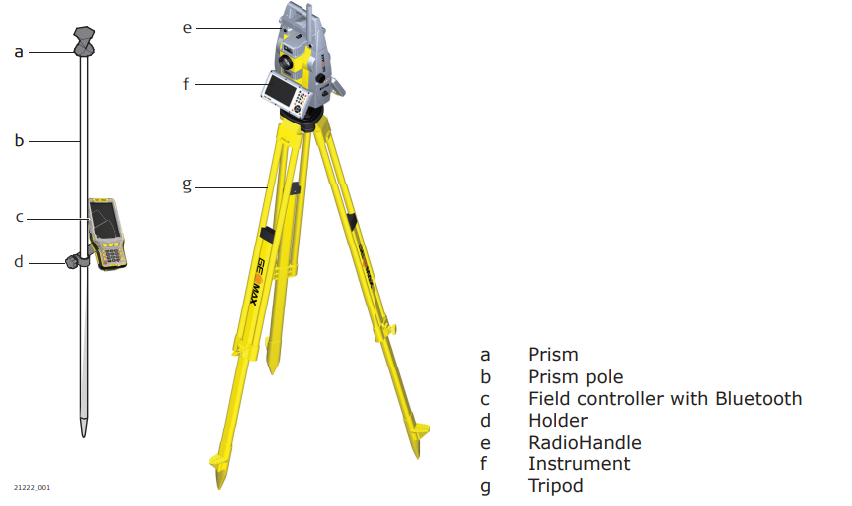
Setup for remote control with the RadioHandle.