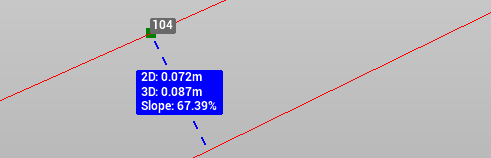
The command Distance object is used to:
-
calculate the distance between a point and an object, such as a line.
-
generate a simplified view of the data.
-
store the annotations as labels.
How to use the function step-by-step
To use the Distance object function:
-
Click Home.
-
Click Distance object.

-
Select the point from which to measure the distance.
-
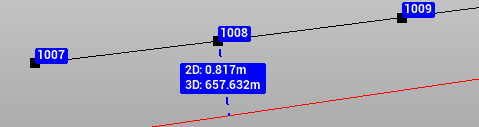
Click on the object; the distance is measured perpendicularly to the object.
-
The annotation shows the distance between the selected points.
-
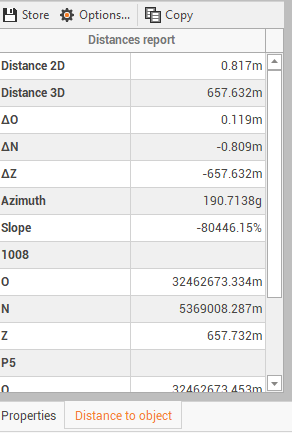
On the Distance panel, you can visualize additional information.
Store annotation values
It is possible to store annotations.
-
After measuring a distance with the Distance object function, the panel is opened.
-
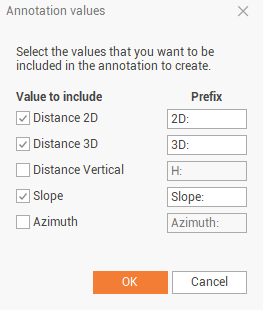
Click Options.

-
Select the values to include in the annotation and click OK.
-
Click on Store to store the annotation label .