
The command ID point is used to:
-
Get information about a point.
-
Display point coordinates in the CAD window.
-
Store the annotations as label.
How to use the function step-by-step
To use the ID Point function:
-
Click Home.
-
Click ID Point.

-
Select the point
-
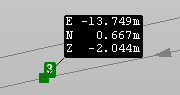
The annotation shows the point coordinate.
-
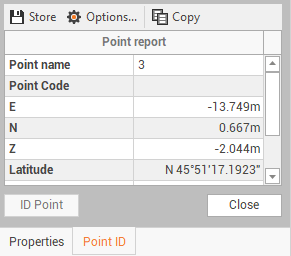
On the Point ID panel you can visualize additional information on the point.
Store annotation values
It is possible to store annotations in CAD.
-
After a point has been selected with ID Point function, a panel on the right is opened.
-
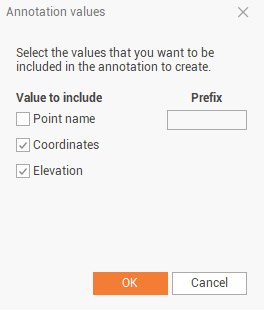
Click Options.

-
Select the fields to include in the annotation and click OK.
-
Click Store to store the annotation label.