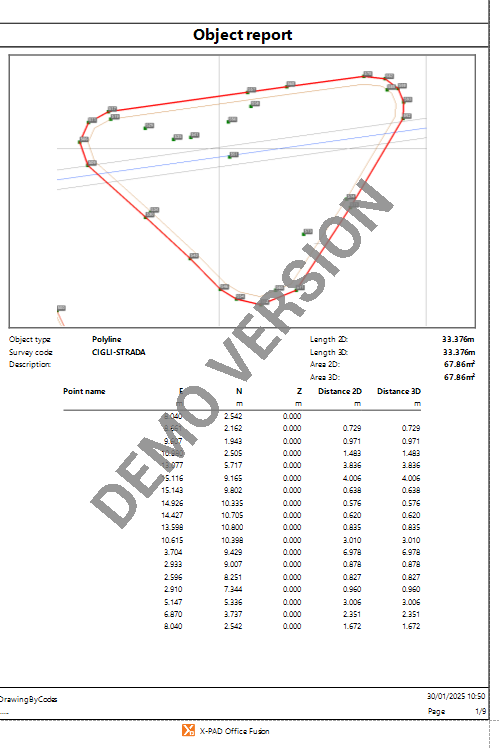
The object report function generates a report with coordinates and information of selected objects, for example polylines and polygons.
-
Click Output.
-
Click Object report.

-
This function opens a panel on the right.
-
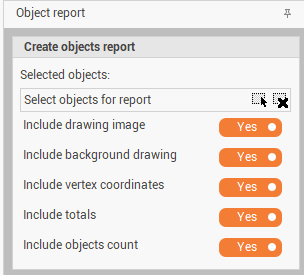
The parameters for the report area:
-
Selected objects: allows to select directly from CAD the objects to generate the report.
-
Include drawing image: enables/disables the drawing images in the report.
-
Include background drawing: enables/disables the background images in the report.
-
Include vertex coordinates: enables/disables the table with the coordinates of the object vertexes.
-
Include totals: enables/disables the table with the calculated total lengths and areas.
-
Include objects count: enables/disables the visualization of object counts.
-
-
Click Report to open the Report Manager with the generated report.