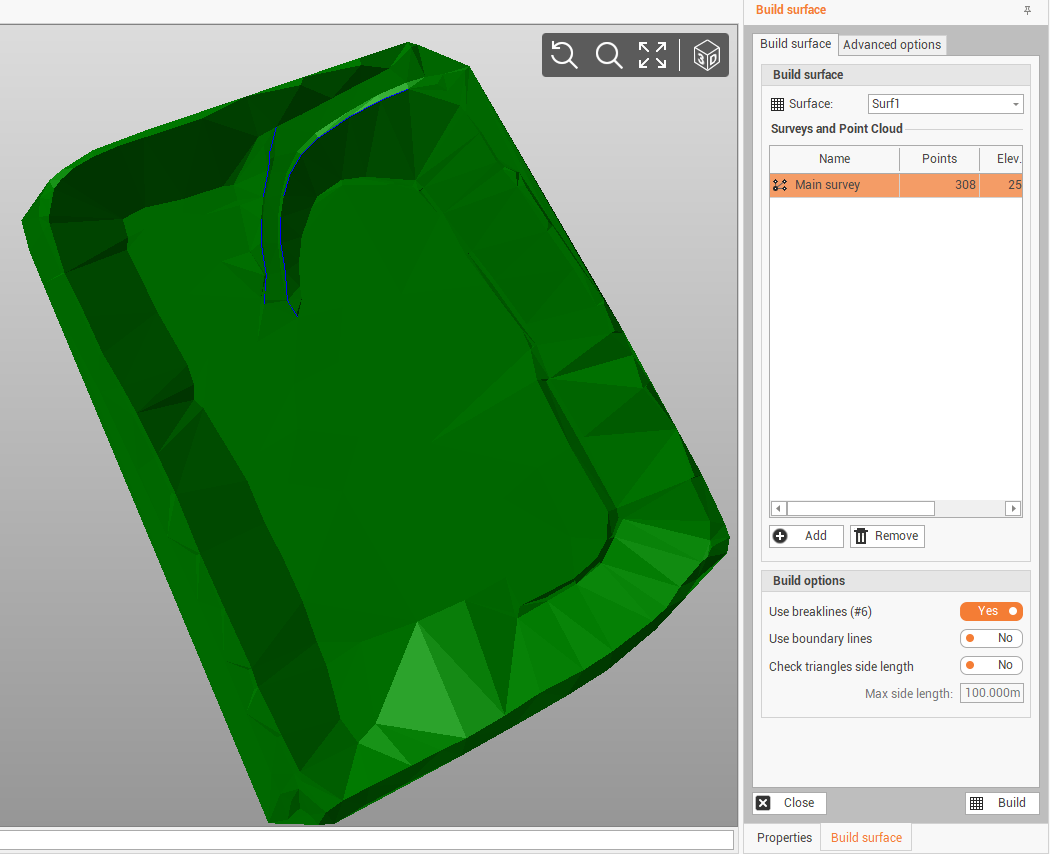
X-PAD Office Fusion is able to calculate, according to the set parameters, a three-dimensional surface composed by a triangular model starting with points of survey or Point clouds.
You can calculate the surface based on the parameters set using the function Build surface.
-
Click Surface.
-
Click Build surface.

-
This commands opens a new panel, where we can enter the parameters.
-
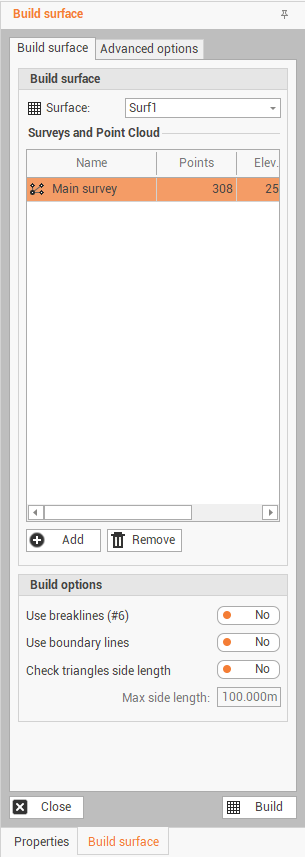
The Build surface page shows the main options to create the surface:
-
Surface: sets the Surface subproject to save processing.
-
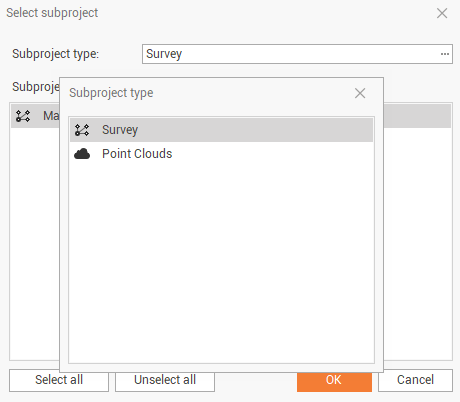
Add: activates a selection window from which you can choose a survey subproject or Point clouds to perform the creation of the triangular model.
-
Remove: allows to remove from the survey list and point clouds an element.
-
-
If you have selected at least one Point clouds, then you must perform the following settings:
-
Generation mode: sets the option Use all points or Grid to build the surface.
-
Grid step (meter): sets the step of the grid for sampling of Point clouds. The option is activated if the generation mode was selected Grid.
-
Decimation factor: sets a reduction factor in the number of points in the Point cloud. The option is activated if the generation mode was selected Use all points.
-
-
Build options are used to customize and surface creation:
-
Use breaklines: enables/disables the use of breaklines to build the model.
-
Use boundary lines: enables/disables the use of boundary lines to build the model.
-
Check triangles side length: enables/disables the length control of triangle sides. If this option is active, no triangles with sides larger than the set maximum length will be created.
-
-
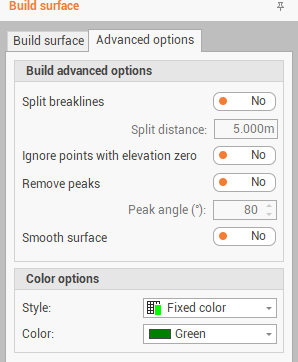
The Advanced options page shows additional options for the surface creation:
-
Split breaklines: if there are long breaklines, triangles are created that lie on that breakline generating triangles with long sides. This option enables/disables to split the breaklines in parts, defined by the field Split distance, to create better shaped triangles.
-
Ignore points with elevation zero: toggles the use of points with a zero-height value in the model.
-
Remove peaks: toggles control of the peaks of triangles based on the value set in the option Peak angle (°). If the control is active, triangles that overtake the value of the control will not be created.
-
Smooth surface: Enables/disables the calculation of rounded surfaces.
-
-
Color options allow to customize the surface rendering:
-
Style: sets options for the coloring of triangles, the options available are:
-
Fixed color: use the color associated with triangle entities.
-
By elevation: use the color scale set as a function of elevation.
-
Color of the point: use the color of point clouds points.
-
-
Color: sets the fixed color to be associated with triangles.
-
-
Click Build to perform the surface calculation.
-
If a previously calculated surface was present, it is discarded and replaced by the result of the new calculation.
-
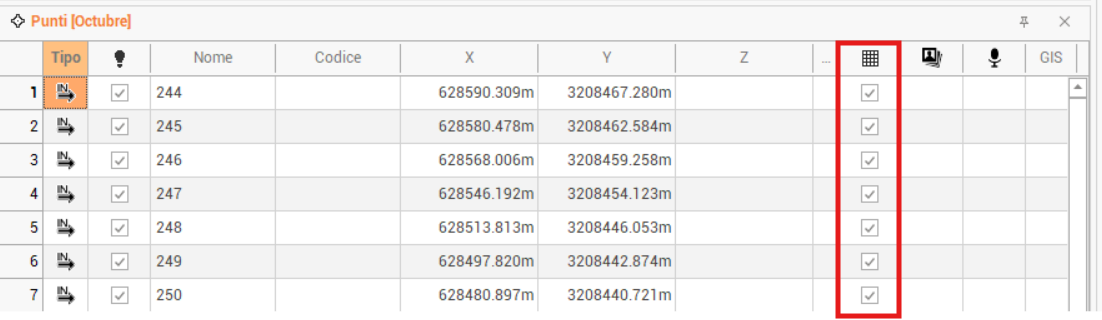
To exclude topographic points to be used in surface calculation, it is possible to uncheck the option in the topographic points list.