-
From Zenith Manager it is possible to download raw data stored in the internal memory.
-
Connect to Zenith Manager.
-
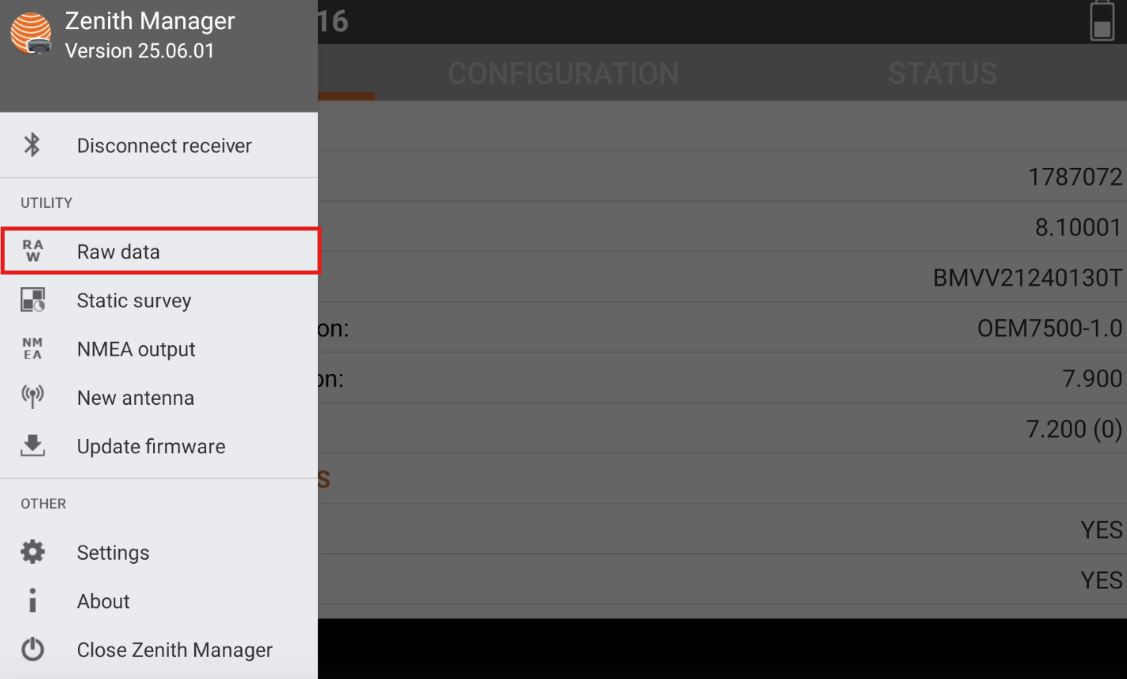
Click Raw data from the toolbar.
-
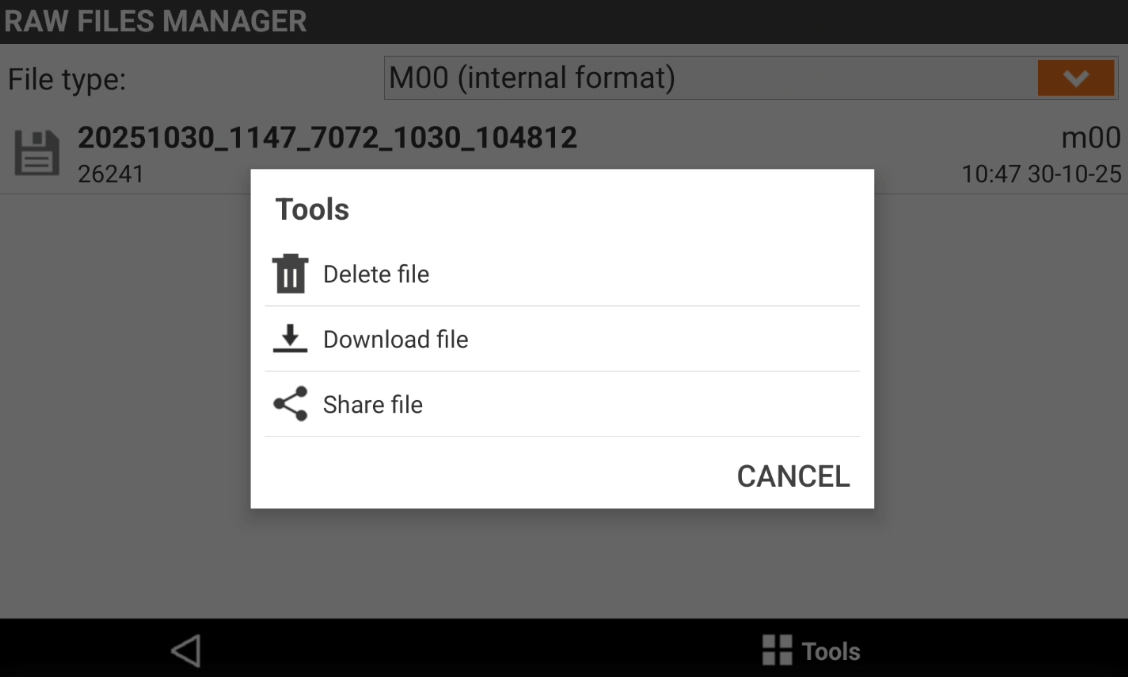
File type: select to download raw data in M00 format or Rinex format.
-
-
Click tools to select the operation to perform:
-
Delete file: select the files to delete from internal memory.
-
Download file: select the files to download from internal memory to the device.
-
Share file: allows to share the selected files.
-
