
-
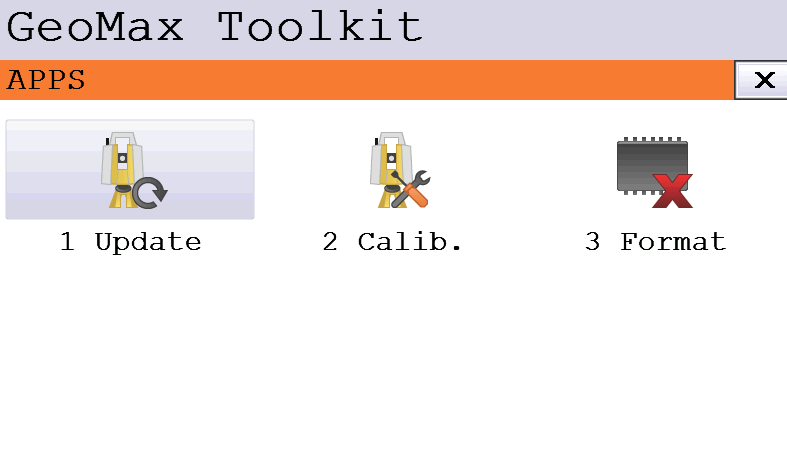
The Apps page allows to update the firmware, calibrate the instrument and format the instrument.
-
Click Apps.
Update
-
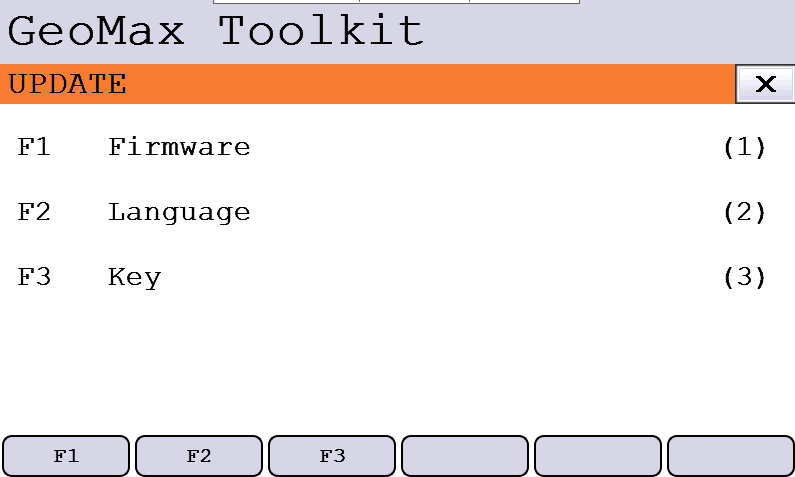
To update instrument firmware and language file.
-
Firmware: to upload a new instrument firmware.
-
Language: to upload a new language for GeoMax Toolkit application.
-
Key: to upload a new license key.
-
For more information on how to update a new firmware or language file refer to How to upgrade instrument firmware.
Calibration
-
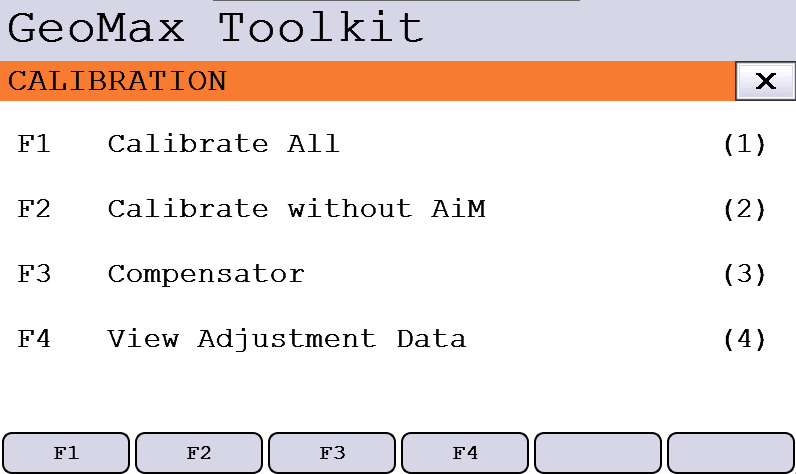
This application allows to perform an instrument field calibration.
-
Calibrate All: starts the procedure to calibrate all parameters (compensator longitudinal and transversal index errors, vertical index error, horizontal collimation error, AiM zero point error).
-
Calibrate without AiM: starts the procedure to calibrate all parameters excluding the AiM zero point error.
-
Compensator: starts the procedure to calibrate the compensator.
-
View adjustment Data: visualizes the adjustment data loaded in the instrument.
-
-
Select one of the calibration procedure, and follow the on-screen instructions.
For more information about the field calibration please refer to the instrument user manual.
The report with the calibration adjustment data can be downloaded from X-PAD application when connected to the instrument.
Field calibration can also be performed from X-PAD field software.