
-
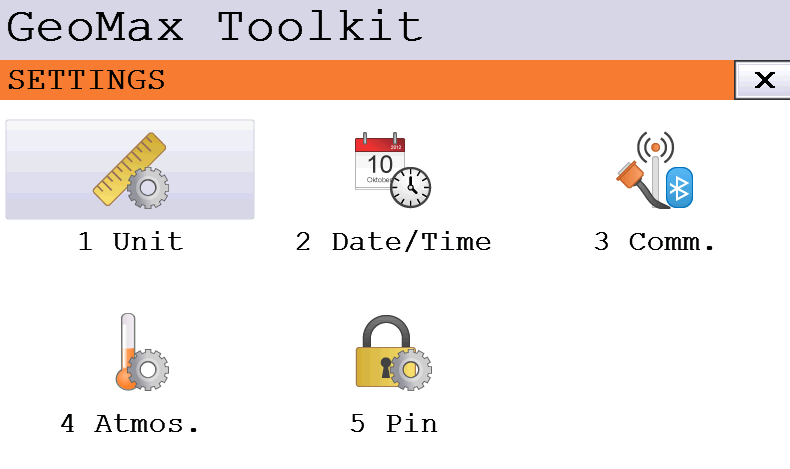
The Settings page is used to configure the instrument parameters and manage the communication to the external controller.
-
From Toolkit click Settings.
Unit
-
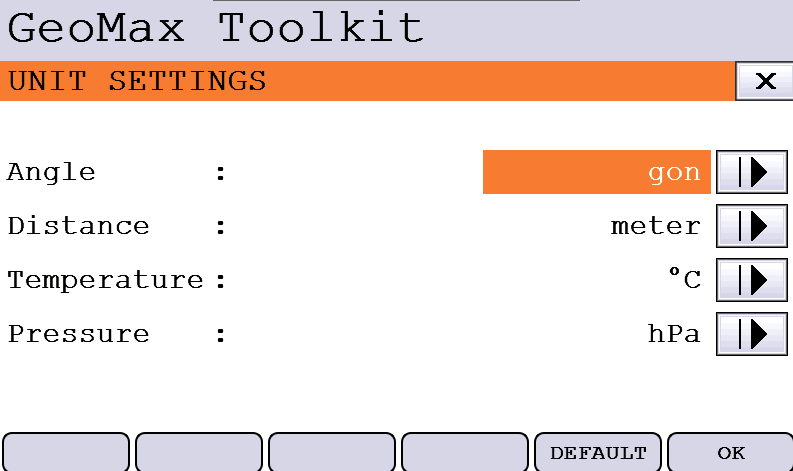
The Unit page allows to change the units used in GeoMax Toolkit application.
-
Angle: changes the angle unit.
-
Distance: changes the distance unit.
-
Temperature: changes the temperature unit.
-
Pressure: changes the pressure unit.
-
Date/Time
-
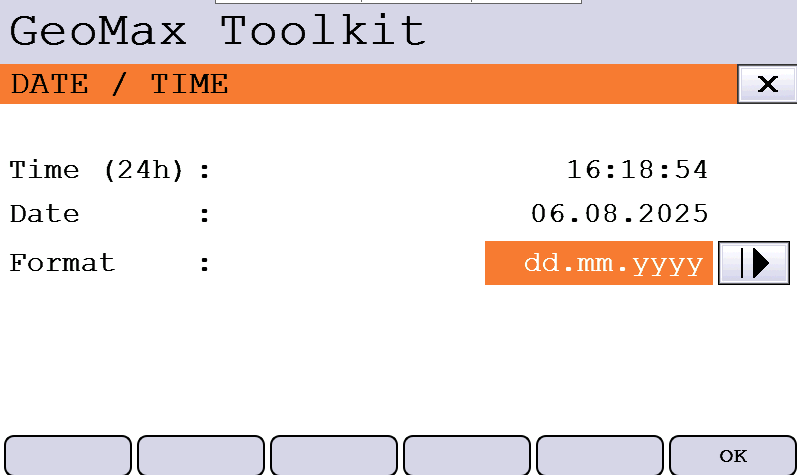
This page allows to choose the date and time format used in GeoMax Toolkit application.
-
Format: changes the date format.
-
Communication
-
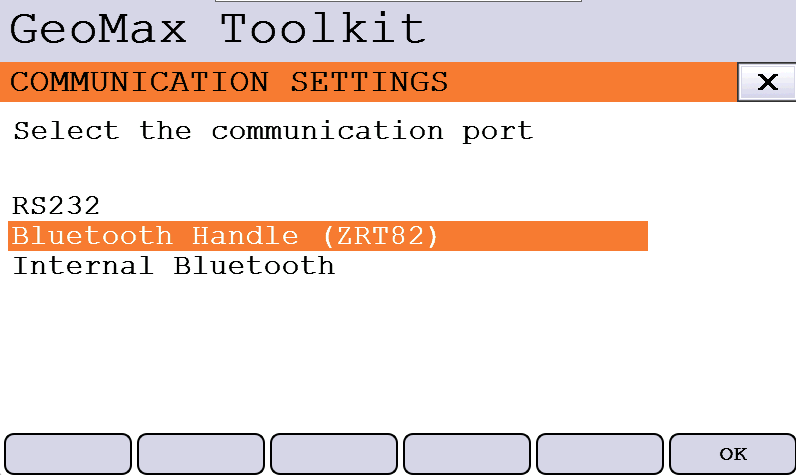
This page allows to define the communication to external device.
-
RS232: the communication is available using the serial interface on its dedicated port.
-
Bluetooth handle: the communication is available using the long range bluetooth handle. This option must be used when the handle is installed on the instrument to communicate with the field controller.
-
Internal bluetooth: the communication is available using the internal bluetooth.
-
-
Select the communication port and click OK.
Atmospheric settings
In case X-PAD software is used, these settings are not used and the parameters have to be configured in X-PAD.
-
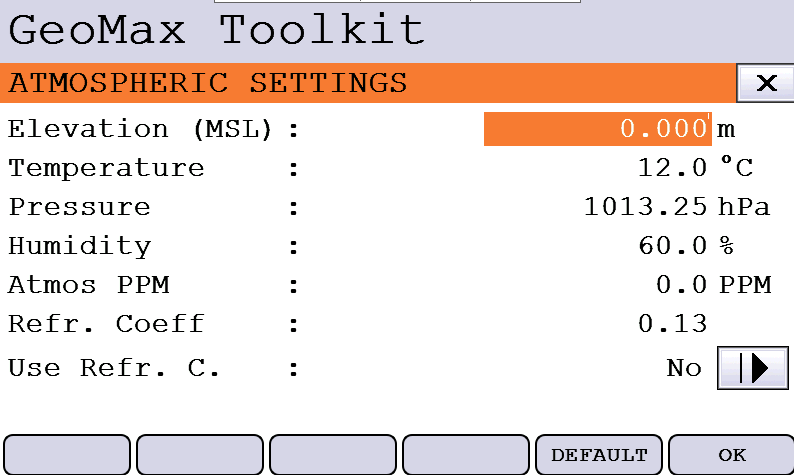
Allows to define the atmospheric settings.
-
Elevation: the elevation over the sea level used for pressure calculation.
-
Temperature: atmospheric temperature.
-
Pressure: the value of atmospheric pressure.
-
Humidity: the humidity value.
-
Atmos PPM: displays the calculated atmospheric PPM.
-
Refr. Coefficient: the prism refraction coefficient.
-
Use Refr. C.: allows to enable the use of the entered refraction coefficient.
PIN
-
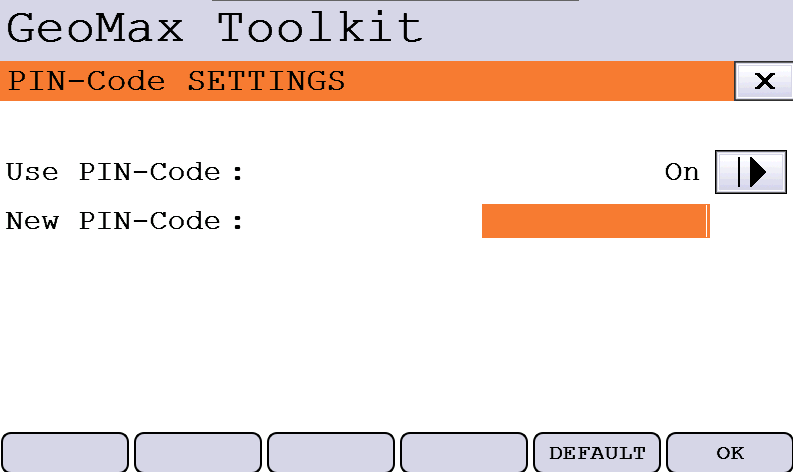
Allows to use a PIN code to protect unauthorized use of the total station.
-
The PIN code is a 6-digit code that is asked when instrument is turned on.
-
Click to enable the use of a PIN code.
In case PIN code is lost, it is possible to recover it with a PUK code unique for each instrument.