
X-PAD Office Fusion can import BIM models from IFC files.
-
Click Home.
-
Click BIM model.

-
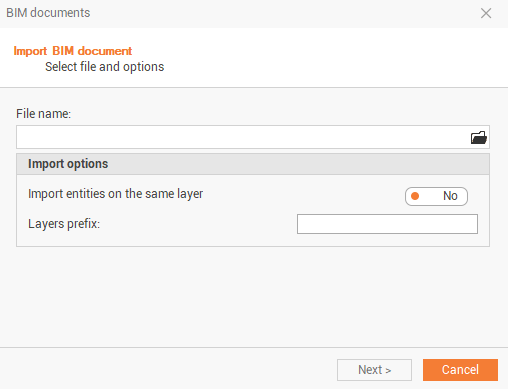
This command opens the following window:
-
Select the file to import clicking on the folder icon:
-
Computer: to import the file from a computer folder.
-
X-PAD 365 Storage Area: to import thefile from the X-PAD 365 cloud storage.
-
OneDrive: to import the file from OneDrive cloud storage.
-
Controller: to import the file directly from a connected controller.
-
-
Confirm the import options:
-
Import entities on the same layer: enable this option to import all entities on the same layer.
-
Layers prefix: if previous option is off, enter here the prefix for the layers; if previous option is on, enter here the layer name.
-
-
Click Next to import the BIM model.