
You can import data created with X-PAD Survey/Construction using a wizard.
This command supports the X-PAD job formats .gfd4, .gfd and .xpad.
-
Click Home.
-
Click X-PAD Survey.

-
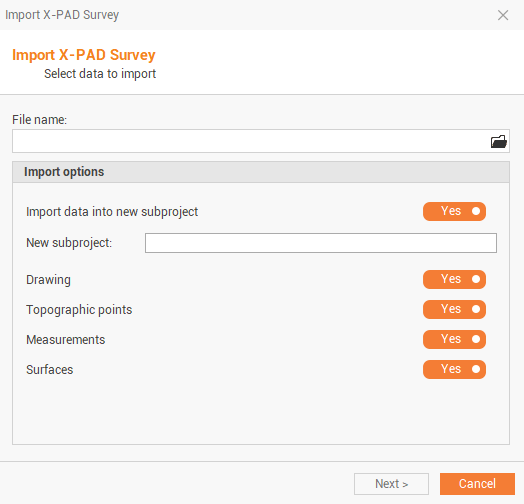
This command opens the following window:
-
Click on folder icon to select from where import.
-
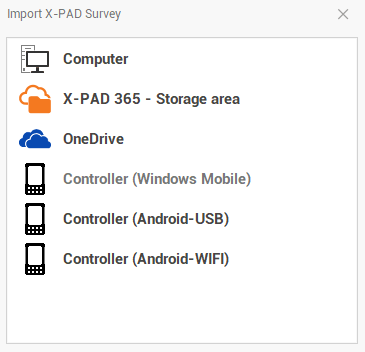
Select the source:
-
Computer: to import the job file from a computer folder .
-
X-PAD 365 Storage Area: to import the job file from the X-PAD 365 cloud storage.
-
OneDrive: to import the job file from OneDrive cloud storage.
-
Controller: to import the job file directly from a connected controller.
-
-
Select the import parameters:
-
Import data into new subproject: select if imported data is imported in the current survey and drawing subproject or in a new subproject.
-
New subproject: name of the new subproject, in case it is selected to import the data in a new subproject.
-
Add survey/drawing data to subproject: select the existing survey and drawing data where the data is imported.
-
Drawing: select whether to import drawing.
-
Topographic points: select whether to import topographic points.
-
Measurements: select whether to import measurements.
-
Surfaces: select whether to import surfaces.
-
-
Click Next.
-
Data is imported in the selected subprojects.