
X-PAD Office Fusion can import the file with the survey data exported from different topographical tools using a wizard.
-
Click Home.
-
Click Survey data.

-
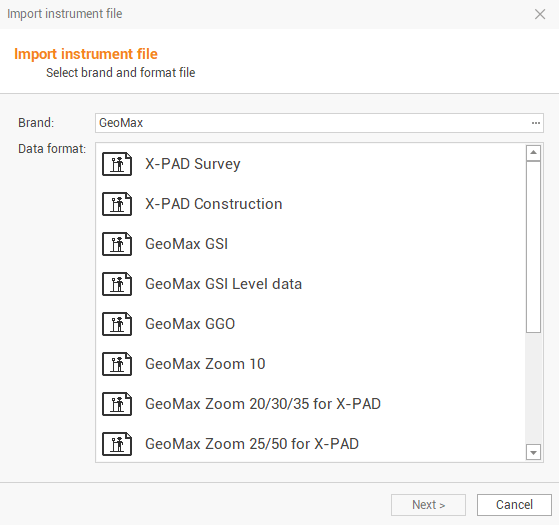
This command opens the following window:
-
Select the brand and format file:
-
Brand: select the instrument brand from the available brands.
-
Data format: for the selected brand, select the data format to import.
-
-
Select the file to import clicking on the folder icon:
-
Computer: to import the file from a computer folder.
-
X-PAD 365 Storage Area: to import thefile from the X-PAD 365 cloud storage.
-
OneDrive: to import the file from OneDrive cloud storage.
-
Controller: to import the file directly from a connected controller.
-
-
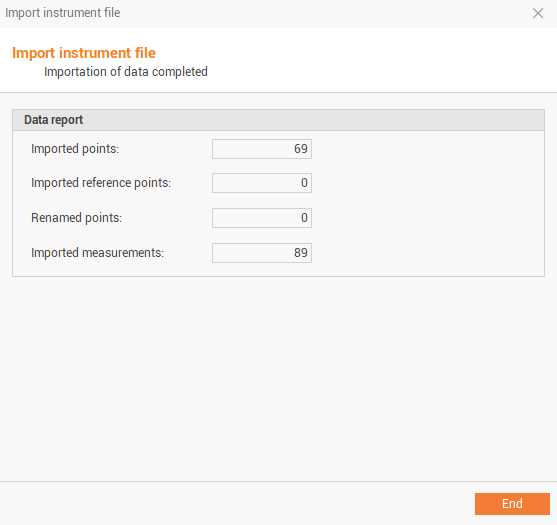
Click Next to import the file and check the importing report.
-