
-
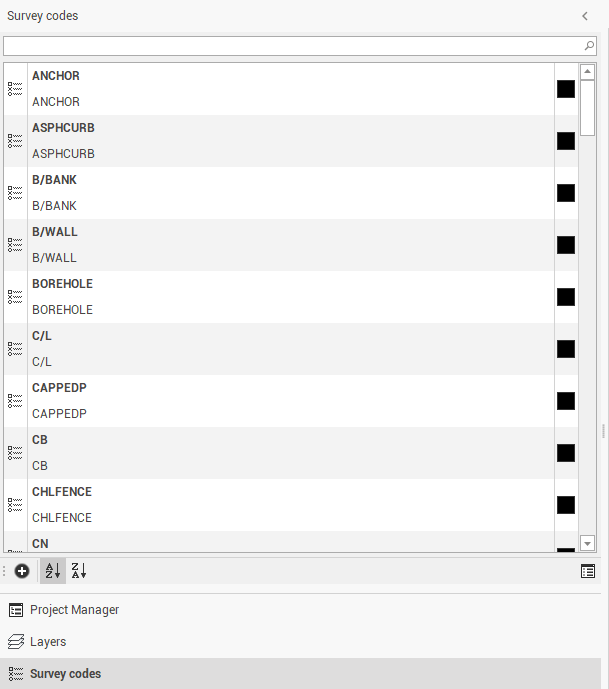
Access the survey code list from the left lateral panel.
-
Available icons and commands:
-
Add: Adds a survey code and manages the properties.
-
Sort alphabetic (Ascending): Sorts the codes in ascending alphabetic order.
-
Sort alphabetic (Descending): Sorts the codes in descending alphabetic order.
-
Survey codes: Manages code properties and accesses the Survey codes manager window.
-
Survey codes manager
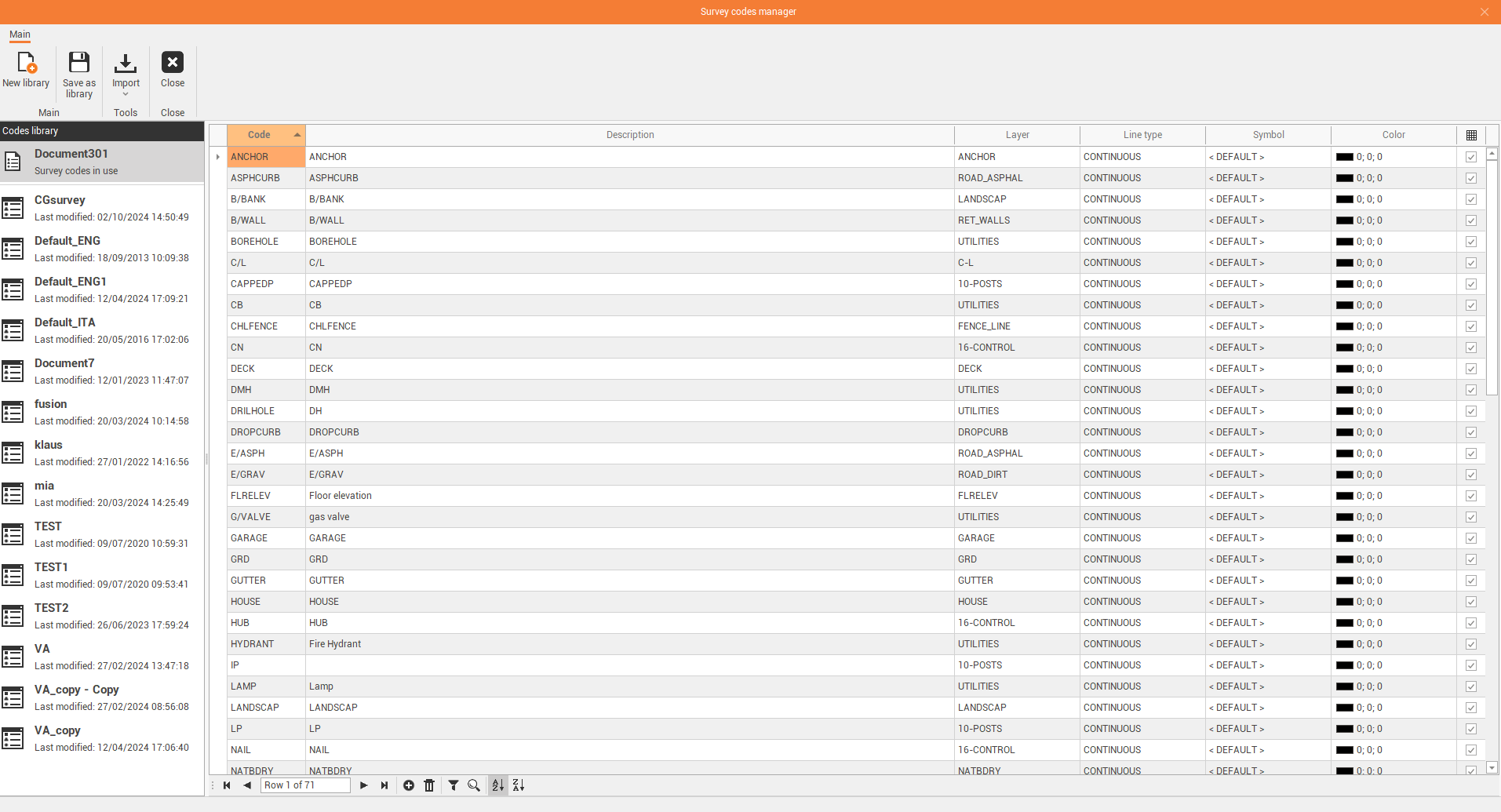
The survey codes manager allows to create, import and manage survey codes.
-
On the left the available codes libraries and the current codes library for current project are listed.
-
Transfer to current: to select an available codes library and click Transfer to current to make the selected code library the codes library for the current project.
-
New library: to create a new codes library.
-
Save: to save changes to current library.
-
Save as library: to save current library with a new name.
-
Delete: to delete the current library.
-
Import: to import a codes library from an external file. It is possible to import codes from an X-PAD codes library file, from an ASCII file or from a LandXML file.
-
Export: to export the current codes library as X-PAD survey codes format (.xml), to be loaded in the controller.
-
Close: to close the Survey codes manager.
-
-
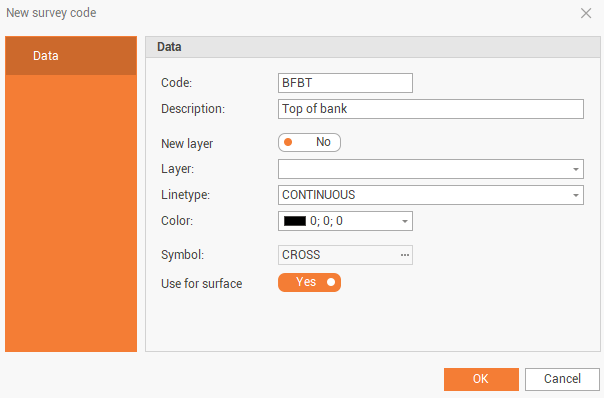
Double click on a code, or create/edit a line, to open the survey code window.
-
Code: the name of the code.
-
Description: the code description.
-
New layer: if disabled, allows to select on which layer elements created with this code are saved. Select the layer from Layer list. If enabled creates elements with this code on a new layer, defined in the Layer field.
-
Linetype: the code linerype.
-
Color: the color used when drawing with this code.
-
Symbol: the symbol for points created with this code.
-
Use for surface: if enabled, points created with this code are included in the surface triangulations.