-
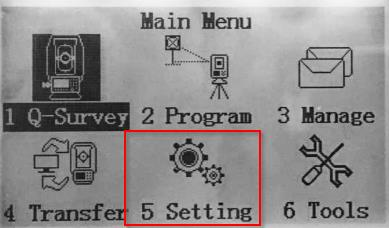
From the Main menu, select Settings to modify your work settings.
-
-
Select General for the general settings of your instrument.
-
To navigate through the 4 General setting pages, you can use the page button

-
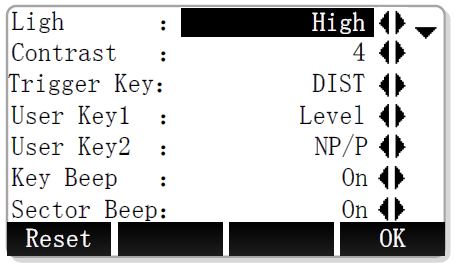
Light: level of background light.
-
Contrast: display contrast.
-
Trigger key: allows to assign an action of the measure button

• Measure distance and save (ALL)
• Measure distance (DIST)
• None (OFF) -
User key: allows to assign an action for the 2 User Keys:

• Level (laser plummet and e-bubble),
• Offset,
• NP/P (prism/non-prism mode)
• Ht. Transfer,
• Hidden Point,
• Free Coding,
• Laser (visible red laser beam),
• Light (screen illumination light),
• Unit Setting,
• Main Setting,
• EDM tracking (EDM tracking mode) -
Key beep: the beep is a acoustic signal after each key stroke.
-
Sector beep: enables sector beep sounds at right angles (0°, 90°, 180°, 270°).
-
Tilt: enables or disables the compensation.
-
Hz increment: sets the horizontal angle direction.
-
V-setting: sets the vertical angle.
-
Zenith: zenith = 0°; horizon = 90°.
-
Horiz.0: zenith = 270°; horizon = 0°.
-
Zenith: zenith = 90°; horizon = 0°. Positive above horizon, negative below horizon.
-
Slope: Zenith 45°=100%; Horizon = 0%. Positive above horizon, negative below horizon.
-
-
Angle unit: sets the units for angles.
-
Min reading: sets the number of decimal places for angles.
-
Dist. unit: sets the units for distances and coordinates.
-
Dist. decimal: sets the number of decimal places for distances and coordinates.
-
Temp. unit: sets the units shown for temperatures.
-
Press. unit: sets the units shown for all pressure fields.
-
Code: sets if the code will be used for one or more measurements.
-
Rec/Reset: the code is cleared after ALL or REC.
-
Permanent: the code remains after measurements.
-
-
Auto-off: sets the instrument automatic shut-down.
-
Port: sets the communication port.
-
Baudrate: sets the serial port baudrate.
-
Coord type: sets the type of coordinate NEZ or ENZ.
-
Language: changes the interface language.
-
