-
Use the mouse for:
-
Navigation
-
Execution of display commands
-
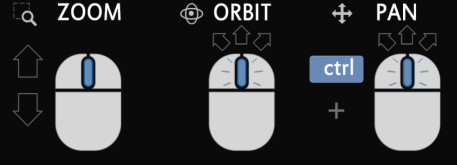
|
Action |
Requirement |
Execution |
|---|---|---|
|
Zoom |
- |
Turn the mouse wheel to increase or decrease the view |
|
Zoom extends |
- |
Double-click on the mouse wheel.
|
|
Zoom to the part of the drawing that has more data |
Drawing data with different coordinate systems to imported;
|
Select Zoom fit from the
|
|
Switch between 2D and 3D view |
- |
Click the icon in the toolbar |
|
Rotation (orbit) |
3D mode
|
Hold down the mouse wheel while moving the
|
|
Shift |
2D mode
|
Hold down the mouse wheel while moving the
|
|
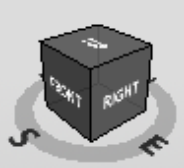
Rotate the view reference for orientation |
3D mode
|
Click the icon of the navigation cube |
|
Scaling text and symbols |
- |
Move the slider on the bottom bar of the CAD options
|