
-
X-PAD Office Fusion It can manage topographic measurements from a specific table.
-
Click Survey.
-
Click Measurements.

-
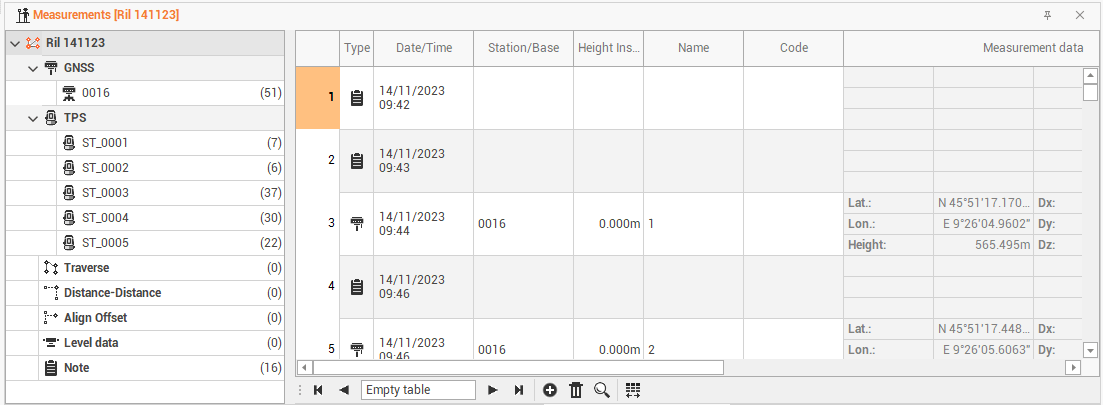
This opens in a new tab the Measurements table.
-
This table contains the management tools of all measures in the active survey subproject. The table shows the survey data with a tree structure. The highest level, which shows the name of the
active subproject, shows the complete fieldbook of the survey including all types of measurements and notes. -
In the table the measures are classified according to the instrument that generated them.
-
The categories where the data is divided are as follows: