-
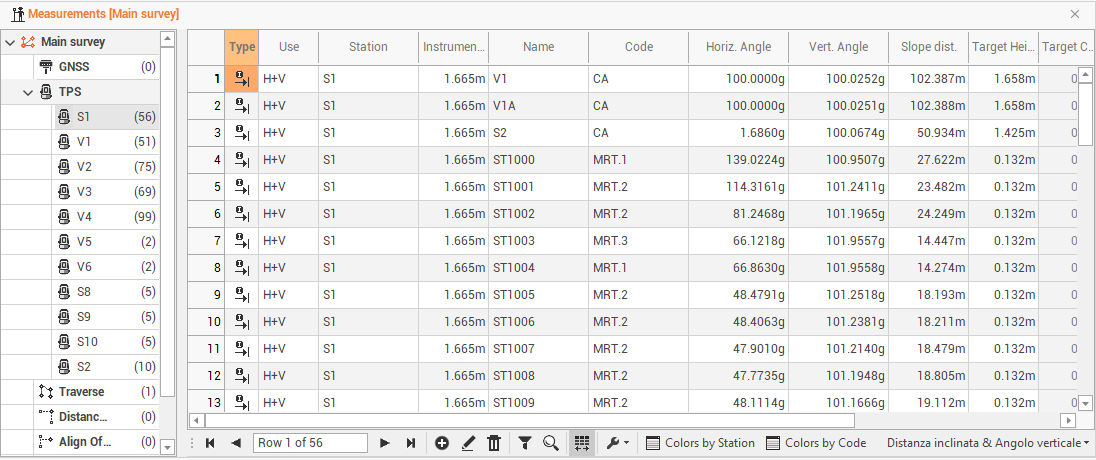
The TPS measurements are listed in the Measurements table under TPS. They are grouped by station name.
TPS measurements table
-
The table contains information on TPS measurements, grouped by station name.
-
The information available are the following:
-
Type: the type of measure.
-
Use: to set the mode in which the program uses the measurement in the calculation of the survey. The option H + V allows the program to use both the horizontal and vertical component of the measurement. The option Only H or Only V They set the use of the measure only as a horizontal measure or only as a vertical one.
-
Station: the name of the station.
-
Instrument height: the station’s height.
-
Name: the name of the point.
-
Code: the survey code associated with the point surveyed.
-
Horizontal angle: the horizontal angle of the measure.
-
Vertical angle: the vertical angle of the measure.
-
Slope distance: the slope distance of the measure.
-
Horizontal distance: the horizontal distance of the measure.
-
Vertical distance: the vertical distance of the measure.
-
Height target: the target’s height.
-
Target constant: the target constant used.
-
Description: the point description.
-
Date/time: the date and time when the point was measured.
-
Recording: this box shows if there are voice notes related to the measurement.
-
-
In the column Type you can find the following values:
-
Direct measure: a direct measure to the point.
-
Offset HA: measurement with angular horizontal offset. Shows the measurements recorded with the angles of the center of the object and the distance measured on the prism. This mode allows to perform a measure to an object for which it’s not possible to position the prism in the point to measure
-
Offset VA: measure with vertical angle offset. Shows the measurements recorded with the vertical angle of the object center and the distance measured on the prism. This mode allows to perform a measure to a point not accessible by the prism but finding over or under it.
-
Offset distance: indicates the measurements to which the prism position has been added 3 offsets, for example when you need to perform a measure to a point not accessible by the prism but finding to a certain distance referring to it along the direction station-prism.
-
Only angle: it specifies measures that have only horizontal and vertical angles and not distance.
-
F1/F2: it specifies the measures with the two faces and performs the average of the measures.
-
-
It is possible to change the display layout of the table from the bottom right button, which allows you to view other data related to TPS measurements.

-
The following options are available:
-
Slope distance & Vertical angle: to enables the display of the data horizontal angle, vertical angle and slope distance.
-
Horizontal & Vertical distance: to enable data display horizontal angle, horizontal distance, vertical distance.
-
Save Layouts as default: to save table layout as default. It means that the settings applied to the layout (position of columns, display of columns etc...) will be applied as default to open tables later.
-
Restore default Layouts: to allow to undo the changes applied to the table layouts and restore the standard display.
-
-
If there are multiple bases, you can view the measurements of each base by expanding the tree node.
-
The bottom toolbar of the table presents the following commands in addition to the basic commands:

-
Colors by Station: to set a color to the baselines according to the base name.
-
Colors by Code: to set a color to the baselines according to the survey code.
-
Edit TPS measurements
-
Double-click on a measure or click on Edit to access a specific window that allows the measurement data changing.
-
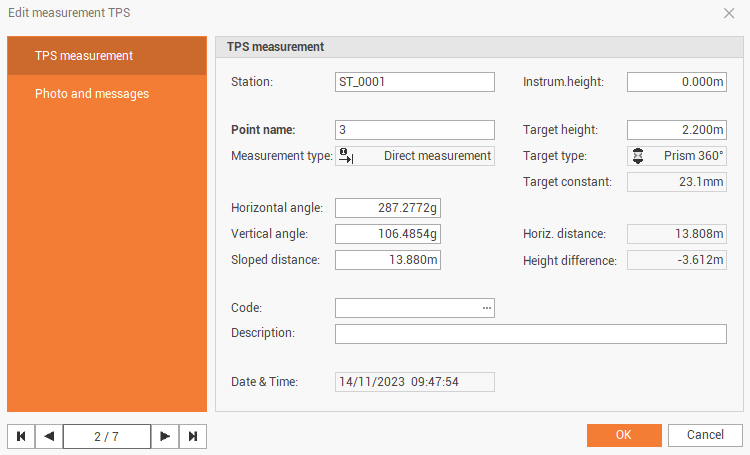
The TPS measurement page shows information on the TPS measurement.
-
Station: the name of the station.
-
Instrument height: the station’s height.
-
Point name: the name of the point.
-
Target height: the target’s height.
-
Measurement type: the type of measure.
-
Target type: the type of target used for the measure.
-
Target constant: the target constant used.
-
Horizontal angle: the horizontal angle of the measure.
-
Vertical angle: the vertical angle of the measure.
-
Slope distance: the slope distance of the measure.
-
Horizontal distance: the horizontal distance of the measure.
-
Height difference: the vertical distance of the measure.
-
Code: the survey code associated with the measured point.
-
Description: the point description.
-
Date/time: the date and time when the point was measured.
-
-
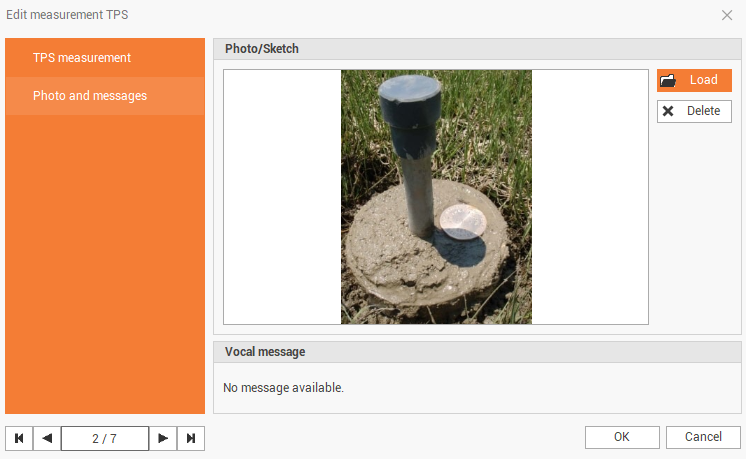
The Photo and messages page shows the photo and vocal message assigned to the point.