
This utility Move surface moves a surface up/down entering the elevation difference.
-
Click Surface.
-
Click Tools to open the menu.

-
Click Move surface.
-
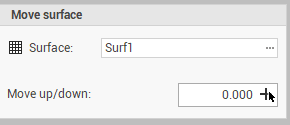
The command opens a new panel on the right.
-
Surface: the surface subproject to move.
-
Move up/down: the value of the height difference to apply. Click on

-
-
Click Move to move the surface.