
The polyline tool Elevation is used to set the elevation of the vertices of a polyline to specific values, using different methods.
-
Click Design 3D.
-
Click Elevation.

-
The function opens a new panel on the right where it is possible to select the elevation mode.
-
Mode: the mode on how polyline vertices are updated. There are different modes:
-
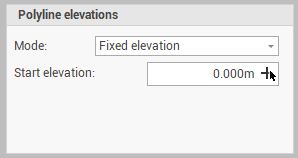
Fixed elevation: sets the elevation of all vertices of selected polylines to a fixed value.
-
Start elevation: sets the elevation of all polylines vertices. Click

-
-
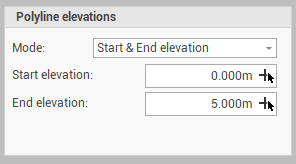
Start & End elevation: sets the elevation of all vertices of selected polylines defining the starting and ending elevation of the polylines.
-
Start elevation: the starting elevation of the polyline. Click
-
End elevation: the ending elevation of the polyline. Click
-
-
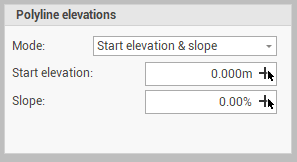
Start elevation & slope: sets the elevation of all vertices of selected polylines defining the elevation of the starting vertex and the polyline slope.
-
Start elevation: the starting elevation of the polyline. Click
-
Slope: the slope of the polyline. Click
-
-
End elevation & slope: sets the elevation of all vertices of selected polylines defining the elevation of the starting vertex and the polyline slope.
-
End elevation: the ending elevation of the polyline. Click
-
Slope: the slope of the polyline. Click
-
-
-
Select in CAD the polylines to update the vertices elevations.