
The polyline tool Surface perimeter calculates the polyline that defines the perimeter of a selected surface.
-
Click Design 3D.
-
Click Surface perimeter.

-
The function opens a new panel on the right.
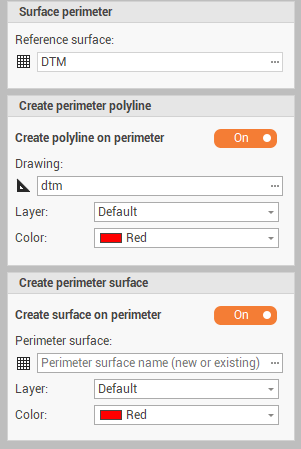
-
Reference surface: the reference surface to calculate the perimeter.
-
Create polyline on perimeter: enables/disables the creation of a polyline on surface perimeter.
-
Drawing: the drawing subproject where to create the polyline.
-
Layer: the layer for the perimeter polyline.
-
Color: the color of the polyline.
-
Create surface on perimeter: enables/disables the creation of a surface based on the perimeter.
-
Perimeter surface: sets the surface to create; can be a new surface or an existing surface.
-
Layer: the layer for the new surface.
-
Color: the surface color
-
-
Click Generate to process the surface.
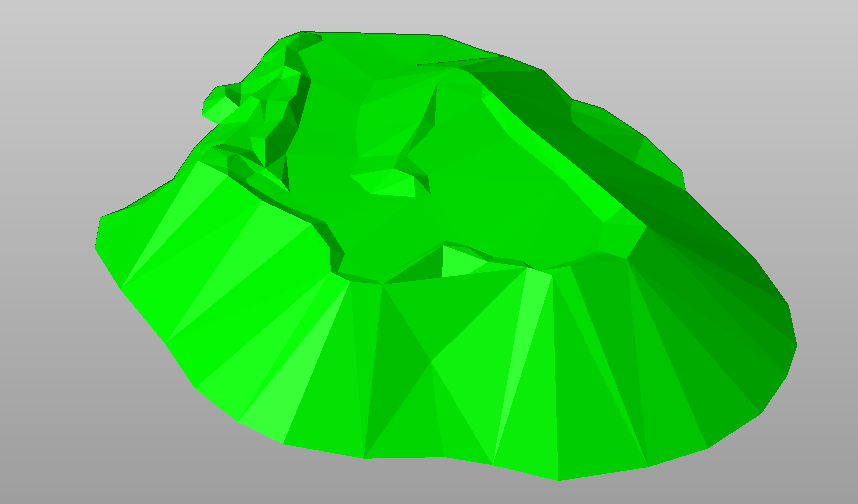
The original surface
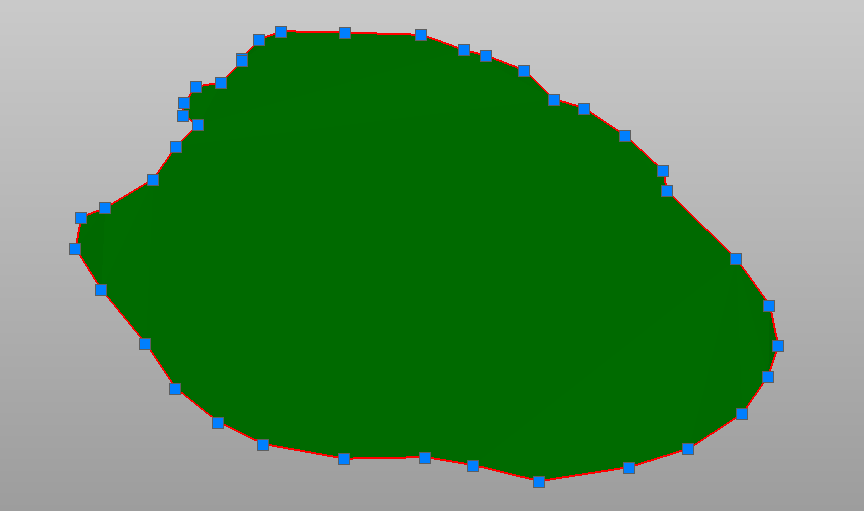
The surface perimeter and the surface generated on the perimeter polyline